This guide breaks down the top AI workflow builders of 2025, how to evaluate them, and where each fits. We compared and evaluated these solutions to make it easy to find and quickly evaluate the perfect AI workflow builders for your enterprise a reality.
Top 4 AI agent builder shortlist
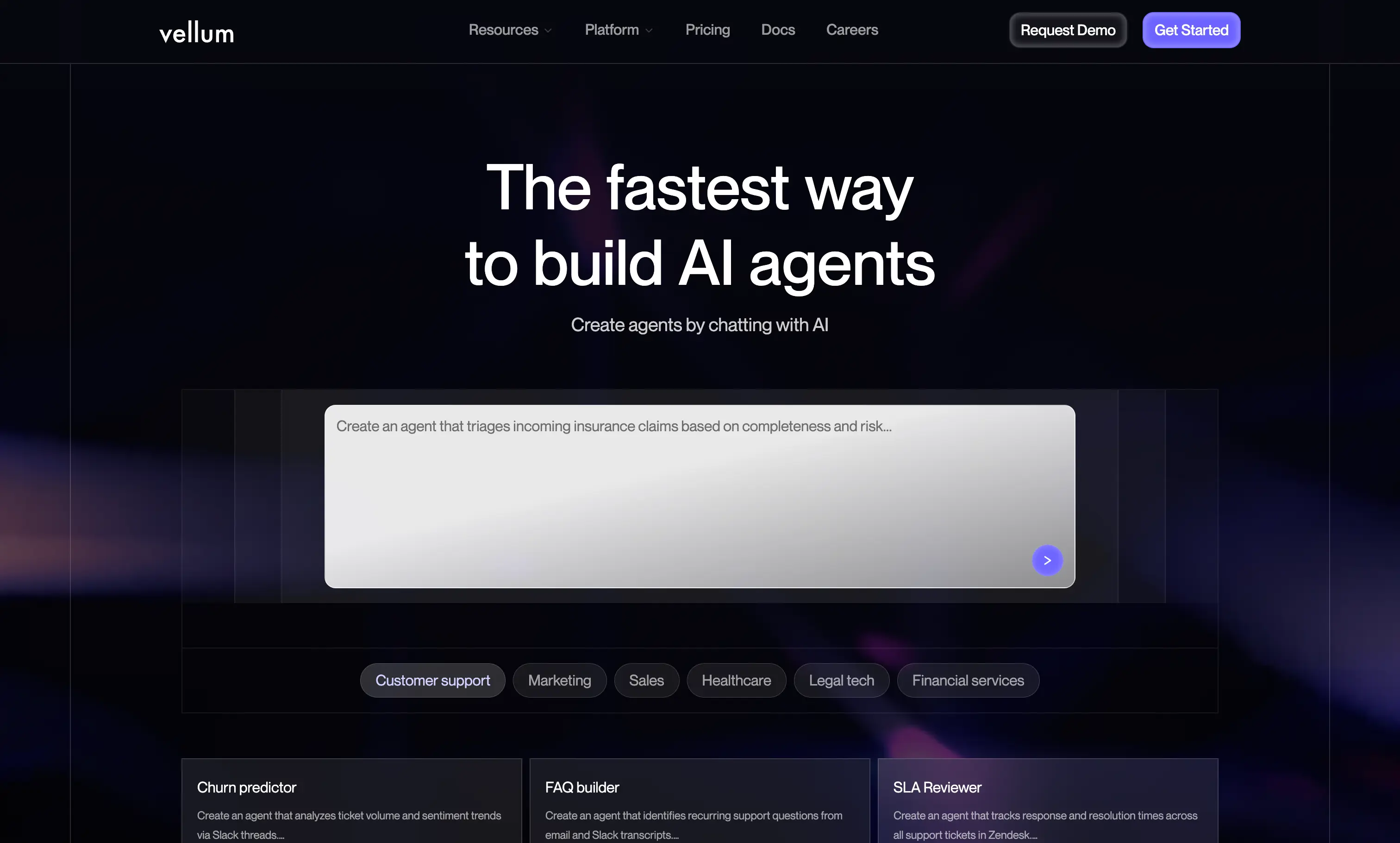
Vellum AI: Best overall for technical and non-technical teams, with deep building and collaboration features for production-grade AI workflows that scale.
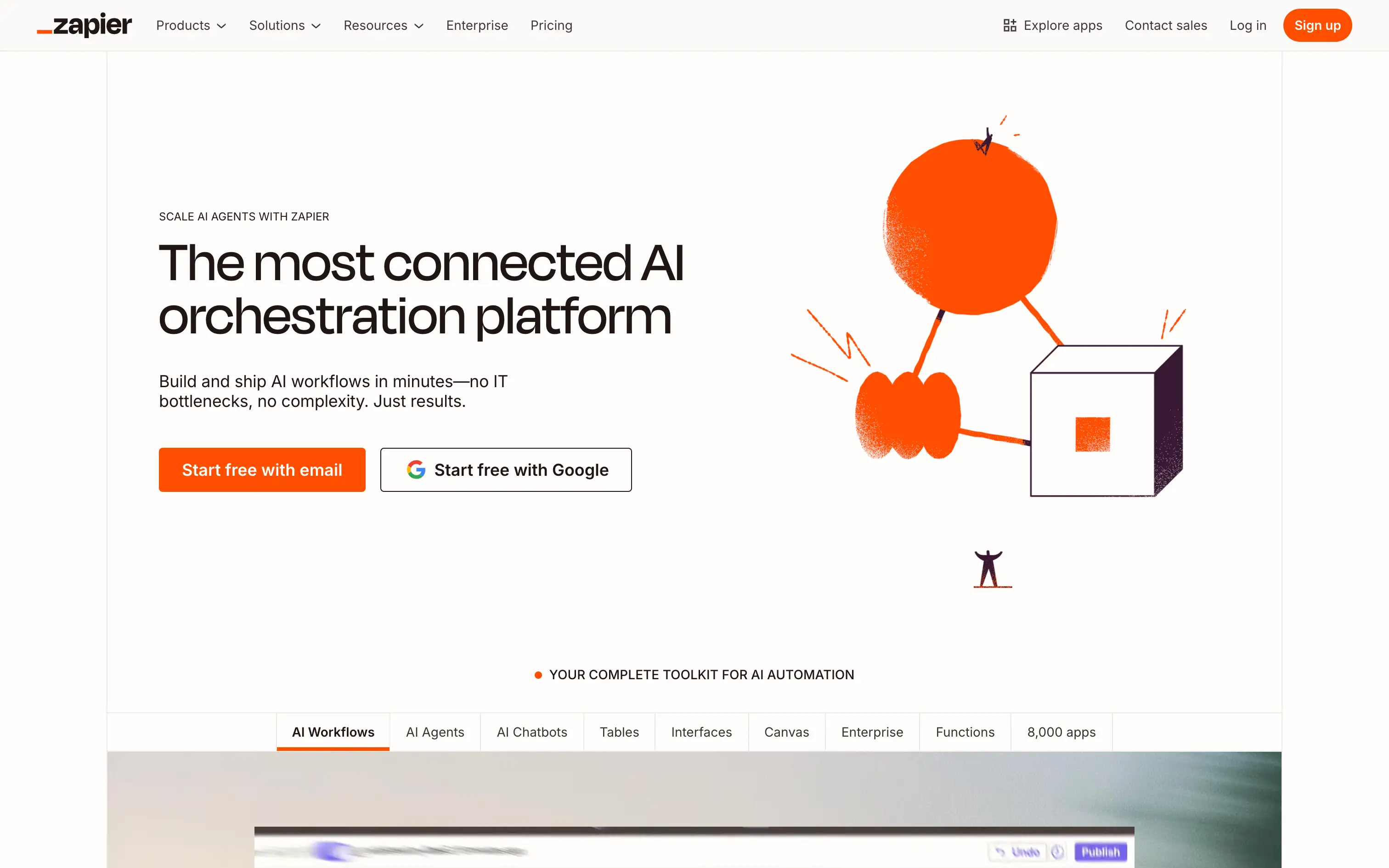
Zapier: Best for quick, non-technical SaaS automations.
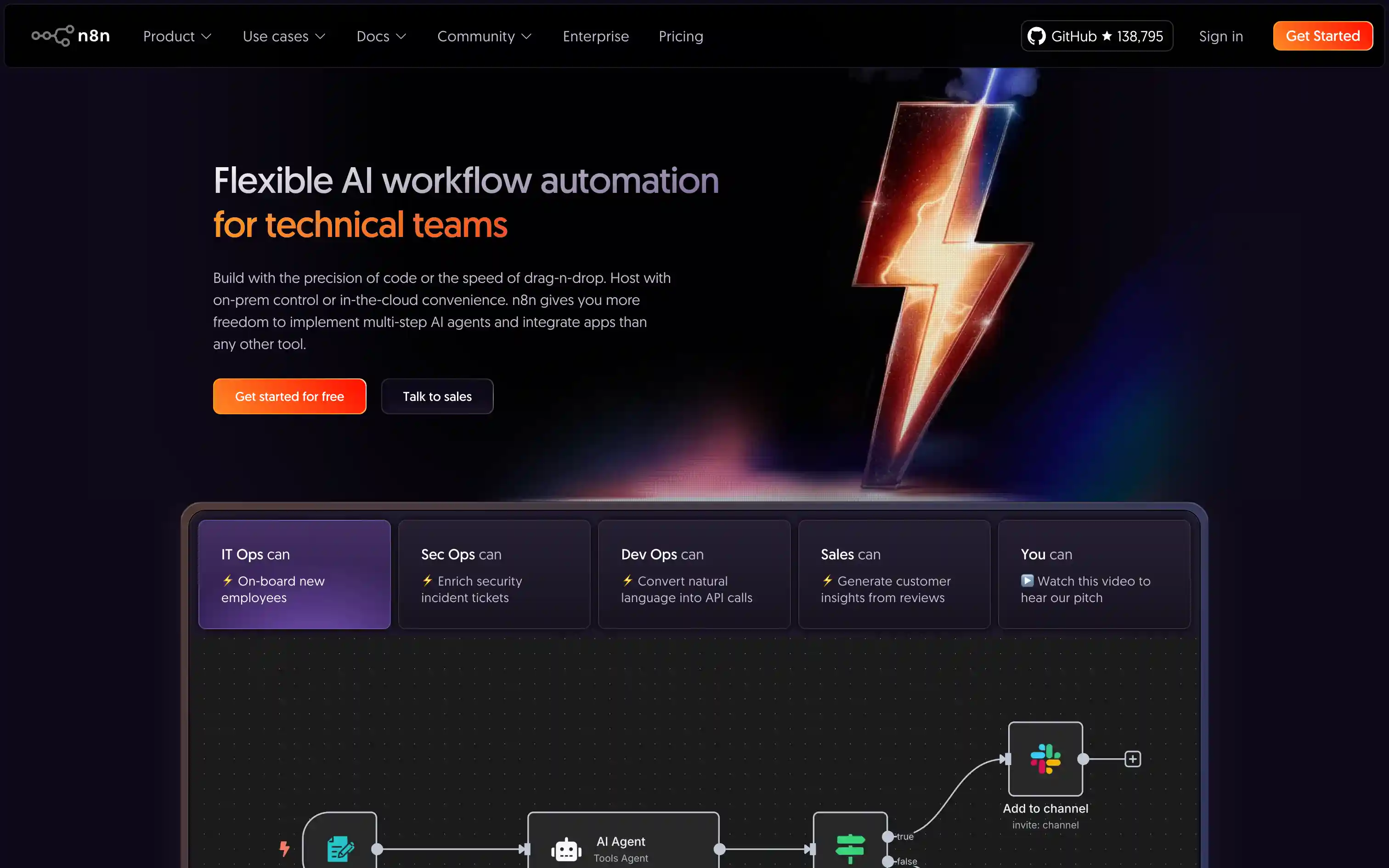
n8n: Best for technical teams needing open-source, self-hosted extensibility.
Make: Best for ops teams managing high-volume, complex logic.
What is an AI agent builder?
An AI agent builder is a platform that lets anyone in a company design and run agents that use LLMs, tools, and business logic to automate work. Instead of relying on engineers for every update, teams can describe what the agent should do, connect it to their systems, and refine its behavior through testing and versioning.
The best AI agent builders (and where Vellum stands out) make this possible by offering:
Accessible agent design: Non-technical teams can shape agent behavior with clear prompts and logic, while engineers extend it with code when needed.
Action-taking capabilities: Agents can call APIs, fetch data, update records, and interact with internal tools so they actually complete work, not just talk about it.
Evaluations and version control: Teams can compare changes, detect regressions, and promote only the versions that perform best.
Full observability: Traces, logs, and metrics show exactly how an agent reasoned and why it made certain decisions.
Shared governance: Permissions, environments, and audit logs keep everything safe as more people across the company build and automate.
An AI agent builder makes it much easier for companies to move from one-off demos to agents that actually run parts of the business. Instead of every team hacking their own scripts, you get a shared place to design, ship, and improve agents together.
Ship agents faster: Teams can describe an agent in prompts, plug in tools, and go live without waiting on long dev cycles.
Make agents everyone can improve: Ops, PMs, engineers, and leadership can all see and shape how agents behave in one shared environment.
Keep automation safe in production: Versioning, permissions, evaluations, and monitoring make it easier to trust what agents are doing once they are connected to real customers and systems.
What makes an ideal AI agent builder?
The best AI agent builders let you run agents in production with confidence, not just in prototypes. After seeing how top teams succeed, these are the qualities that matter most:
Easy for everyone to use: A builder that can take natural language prompts and turn them into working agents, so non technical teammates can describe what they want and see it come to life without writing code.
Depth for developers: SDKs, custom components, and scripting so engineers can extend agents, add tools, and harden them for production.
AI native by design: First class support for retrieval, tool use, semantic routing, and multi step reasoning, not just raw LLM calls.
Testing and versioning: Built in evals, regression tests, and version control to compare changes, catch regressions, and promote only what performs best.
Observability: Traces, logs, and metrics that show exactly how an agent reasoned and what it did during every run.
Governance: Role based permissions, environments, and audit logs that keep things compliant as more people across the company build.
Scalability: Cloud, VPC, or on prem deployment options plus pricing that still works once agents hit real traffic.
How to evaluate AI workflow builders?
Use this evaluation framework to ensure you make a sound, long-term choice tailored to your use case:
AI Workflow Builder Evaluation Framework
Use this checklist to score each platform 1–5 and capture notes. It is designed to resize to any screen and scroll horizontally on small devices.
Score vendors on each dimension. 1 = weak fit, 5 = strong fit.
Evaluation Topics
Key Questions to Ask
Why It Matters
Score (1–5)
Notes
Total cost of ownership
What costs appear at scale? Any limits on tasks, runs, API calls, or premium connectors?
Avoids tools that start cheap but get expensive as usage grows.
Time to value
How fast can a non-technical user ship a useful flow? How long to reach stable production?
Shortens pilot cycles and accelerates ROI.
Fit for your builders
Can ops/PMs build without engineering? Do engineers get SDKs, scripting, custom nodes?
Matches the tool to your actual team skills and workflow.
AI readiness
Are retrieval, semantic routing, tool use, and agent orchestration built in or bolted on?
Determines whether it can run AI use cases without heavy custom glue.
Testing and versioning
Can you run evals, compare versions, promote safely, and roll back cleanly?
Prevents regressions and supports evidence-based releases.
Observability
Do you get traces, logs, and performance metrics at the node and workflow level?
Makes incidents diagnosable and improvements measurable.
Governance and security
Is there RBAC, SSO, audit logs, approval flows, and environment separation?
Keeps workflows compliant and production-safe.
Data control and lock-in
Can you export flows or code? Is VPC or on-prem available? How portable are artifacts?
Protects against vendor lock-in and eases migration.
Ecosystem and integrations
Are there prebuilt connectors, a marketplace, and partner add-ons? How fast do new ones ship?
Reduces custom work and widens coverage.
Vendor stability and roadmap
How mature is the company? Do they publish a clear roadmap for AI features and ship on it?
Signals long-term viability and innovation pace.
Change management
Does it support reviews, approvals, and safe promotion across environments?
Prevents shadow workflows and keeps teams aligned.
Support and community
Are there SLAs, live support, and an active user or open-source community?
Determines how quickly you unblock issues and learn best practices.
Compliance and privacy
Which standards are supported (SOC 2, ISO, HIPAA)? How are secrets and data retention handled?
Meets regulatory needs and reduces risk.
The top 10 AI workflow builders in 2025
1. Vellum AI
Quick Overview
Vellum AI is the fastest and easiest AI agent builder for automating work with agents. You describe what you want in plain language, and Vellum turns it into simple or complex agents in minutes. It gives you a prompt to agent builder, a visual editor, and a TypeScript/Python SDK, plus built in evaluations, versioning, and observability so that once agents work, you can keep them reliable in production without changing tools.
Best For
Teams that want everyone, not just engineers, to build and tweak AI agents, while still giving developers the control they need for real production use.
Pros
Prompt to agent builder plus visual editor and TypeScript/Python SDK
Easy for non technical users to shape agent behavior with prompts and simple logic
Native evals, regression tests, and version history built in
Deep observability from single run traces to workflow level dashboards
Flexible deployment options in cloud, VPC, or on prem and strong docs, templates, and support
Cons
Requires a shift toward prompt based development, which may feel new for teams used to traditional workflow builders.
As a rapidly evolving platform, new features may require occasional relearning for teams.
Pricing
Free tier; paid plans from $25/month, with enterprise pricing available.
2. Zapier
Quick Overview
Zapier is the best known no code automation platform, centered on a huge app directory and simple, linear workflows. It is ideal for quick SaaS automations, not complex AI agents.
Best For
Business users who want fast, lightweight integrations without touching code.
Pros
Largest connector catalog in the market
Very approachable UI and onboarding
Reliable for event driven, single purpose automations
Cons
Limited support for complex logic, testing, or agent style flows
Costs can climb quickly with volume and premium apps
Not designed as an AI native agent builder
Pricing
Free plan available; paid plans start at $19.99/month, with enterprise plans available.
3. n8n
Quick Overview
n8n is a leading open source automation platform that balances a visual builder with strong developer extensibility. Engineering teams like it for self hosting, customization, and infrastructure control.
Best For
Technical teams that want open source flexibility and to avoid vendor lock in.
Pros
300 plus integrations and a growing OSS ecosystem
Fully self hostable with Docker or Kubernetes
Extensible with custom nodes, APIs, and code
Active community and community driven examples
Cons
Steeper learning curve for non technical teammates
Governance, testing, and observability often require custom setup
Not focused specifically on AI agent building out of the box
Pricing
Free open source core; cloud plans from $20/month, with enterprise pricing available.
4. Make
Quick Overview
Make offers rich visual scenarios with branching, iterators, and data transforms. It is great for operations teams that need more control than Zapier but still want a drag and drop environment.
Best For
Ops teams that want multi step automations at scale with low platform cost.
Pros
Strong routing, mapping, and data manipulation
Cost effective for high volume workflow runs
Good error handling and replay capabilities
Cons
Interface can feel heavy for simple automations
Still limited for AI native agent patterns and evaluations
Pricing
Free plan available; paid plans start from about $9/month, with enterprise options available.
5. Pipedream
Quick Overview
Pipedream is a code first automation platform where developers write JS, TS, or Python with built in connectors and event sources. It feels closer to serverless engineering than no code.
Best For
Developer heavy teams who want code level control and strong observability.
Pros
First class coding experience with NPM support
Real time event sources, webhooks, and queues
Solid logging and secret management
Cons
Not accessible for non technical users
Smaller app library than Zapier or Make
AI agents still need to be hand assembled in code
Pricing
Free tier; paid plans typically start around $29/month, with higher tiers for larger usage.
6. StackAI
Quick Overview
StackAI is an AI native orchestration platform that focuses on routing, knowledge ingestion, and enterprise deployment. It is built for teams that need stricter compliance and security around AI use.
Best For
Organizations with compliance heavy AI requirements and regulated data.
Pros
AI aware routing and knowledge base ingestion
Cloud, hybrid, and on prem deployment options
Strong emphasis on security and compliance controls
Cons
Overkill for smaller companies and simple use cases
Enterprise oriented pricing and sales process
Pricing
Free tier for trials; enterprise plan for production use.
7. Microsoft Power Automate
Quick Overview
Power Automate is part of the Microsoft 365 stack and combines SaaS workflows with RPA for desktop and legacy systems. AI features are layered on top of a broad enterprise automation surface.
Best For
Enterprises standardized on Microsoft that need approvals, governance, and RPA alongside automation.
Pros
Deep integration with Microsoft 365 and Dynamics
Built in governance, approvals, and policy controls
Desktop and legacy system automation via RPA
Cons
Licensing and SKUs can be complex to untangle
Non Microsoft connectors tend to lag behind the core ecosystem
AI agent capabilities are not as flexible as dedicated builders
Pricing
Plans start from about $15 per user per month, with enterprise licensing available.
8. Workato
Quick Overview
Workato is a top tier enterprise iPaaS used for mission critical automation. It offers robust governance, environments, and lifecycle management that large organizations expect from core integration tooling.
Best For
Enterprises that need high assurance automation with SLAs and strong IT oversight.
Pros
Enterprise grade governance, security, and compliance
Broad connector catalog across SaaS and on prem systems
Testing, monitoring, and lifecycle management built in
Cons
Premium pricing that is hard to justify for SMBs
General integration focus rather than AI specific agents
Pricing
Enterprise pricing only; contact sales for details.
Tray.ai is a low code automation platform with a strong developer angle. It shines in API first and data heavy use cases where teams need fine control over payloads and transformations.
Best For
Mid market and enterprise teams with API heavy workflows and complex data flows.
Pros
Powerful data transformation and mapping features
Helpful debugging and logging tools
Collaboration controls for multi team environments
Cons
Higher costs compared to simpler tools
Steeper learning curve for non technical builders
AI agents require more custom work to stand up
Pricing
Enterprise pricing only; contact sales.
10. SnapLogic
Quick Overview
SnapLogic is an enterprise integration platform that spans SaaS apps, APIs, and data pipelines, with AI assisted builders that help speed up design. It is often used where app and data integration need to live together.
Best For
Large enterprises running app plus data integrations at scale.
Pros
Strong connector coverage across applications and data systems
Governance and lineage tooling for regulated environments
AI accelerators to speed up building complex pipelines
Cons
Platform complexity that assumes a mature integration team
Pricing geared toward large enterprise budgets
Less focused on interactive AI agents and more on pipelines
Pricing
Enterprise pricing only; contact sales.
The top 10 AI workflow builders in 2025 comparison table
Large enterprises unifying app and data integrations at scale.
Low – AI is more for pipeline building than interactive agents.
Requires mature integration teams and processes.
Strong connectors, governance, lineage, AI assisted pipeline design.
Ideal where app, API, and data flows need a single enterprise platform.
Complex and expensive for smaller teams; not built for front line agents.
Enterprise pricing only; contact sales.
How We Went From Call Idea To Live Agent In A Single Afternoon
When we started pairing Retell with Vellum, the thing that stood out was how little “building” we actually had to do. I am not sitting around writing state machines all day. I mostly write prompts.
For one internal project, we needed a simple sales follow up agent: qualify the lead, handle a couple of common objections, offer times, and book a meeting. In the old world, that would have been a week of flow charts and brittle branching logic. In Vellum, it was basically a prompt that read like a playbook: here is how to greet, here are the questions to ask, here is how to decide if someone is qualified, here is how to hand off.
We dropped that into a Vellum workflow, added a couple of tools for CRM lookups and calendar booking, and pointed Retell at it. First test call worked on the first try. Not perfect, but good enough that the changes were just prompt edits, not rewiring the agent. Tighter qualification? Change a few lines. Better tone? Tweak a sentence. Every time we hit save, Retell picked up the new behavior on the next call.
That is what “building agents” looks like for us now. Retell handles the calls. Vellum lets us describe the agent we want in plain language and turn that into something real in a single afternoon.
An AI agent builder is a platform that lets you design, run, and manage agents that use LLMs, tools, and business logic to automate tasks. Instead of wiring everything in code, you describe what the agent should do, connect it to your systems, and refine its behavior through testing and versioning.
2. How is an AI agent builder different from a no code workflow tool like Zapier?
No code workflow tools are great for passing data between apps on simple triggers. An AI agent builder is designed for work where the system needs to understand language, make decisions, call tools, and handle multi step conversations or processes, not just move rows from one app to another.
3. Who inside a company should use an AI agent builder?
Product, ops, support, sales, and marketing teams can all use an agent builder when they need to automate repetitive work. Engineers still play a key role in wiring up APIs, data, and guardrails, but non technical teammates can own prompts, flows, and continuous improvements once the foundation is in place.
4. What kinds of tasks are AI agents actually good at today?
AI agents are strongest at repetitive, structured work that still involves language. Common examples include lead qualification, ticket triage, summarizing and routing messages, drafting replies, updating CRM records, syncing data between tools, and orchestrating multi step internal workflows.
5. How do I decide if I need an AI agent builder or a traditional automation platform?
If your use case is mostly “when X happens in app A, send Y to app B,” a traditional automation tool is usually enough. If you need the system to read unstructured input, make decisions, talk to users, or choose actions based on context, you are in AI agent territory. In those cases, an agent builder like Vellum gives you a cleaner way to design the agent’s behavior and plug in tools without bolting AI onto a generic workflow tool.
6. How long does it take to build a useful agent in Vellum compared to other tools?
In Vellum, most teams can get a simple but useful agent running in a single working session by describing what they want in plain language, plugging in tools, and testing against real examples. In more generic tools, the same outcome often requires hand built branching logic, custom code, and separate evaluation scripts before you can trust it.
7. How do I keep AI agents from making bad decisions or hallucinating?
You reduce bad behavior by grounding agents in your data, limiting what they are allowed to do, and testing them against real cases. Whichever platform you use, you should have evals, traces, and versioning so you can see how the agent reasoned, compare changes, and roll back anything that hurts performance.
8. What should I look for in pricing when comparing agent builders?
Pay attention to three things: base platform cost, model and usage costs, and any per seat or per environment fees. Make sure you understand how pricing scales with traffic and how easy it is to monitor spend once agents are live, especially if call volume or message volume spikes.
9. How do I run a good pilot with an AI agent builder?
Pick one narrow use case, define clear success metrics, and cap the scope. Build the first version, test it on historical examples, then expose it to a small slice of real traffic. Review traces and results daily, adjust prompts and logic, and only scale once you see consistent improvements across both metrics and real transcripts.
10. How does an AI agent builder fit with my existing data and security requirements?
Most modern agent builders support environment separation, RBAC, audit logs, and private deployments such as VPC or on prem. When evaluating platforms, ask where data is stored, how long logs and prompts are kept, how secrets are handled, and whether you can export or delete data easily if you ever need to switch vendors.
11. Can I start with simple automations and grow into more complex agents later?
Yes. A good agent builder should let you start with basic prompt based agents that automate a small part of a workflow, then layer on tools, retrieval, and more advanced logic as you learn what works. Vellum is built around that path, so you can move from “tiny agent that saves an hour a week” to “critical automation that runs a whole process” without changing platforms.
Revolutionize your call operation with Retell
Something went wrong. Please try again, or email support@retellai.com if it keeps happening.