Smarter Memory for AI Voice Agents
5
MIN READ
October 8, 2026

Until now, giving an AI voice agent memory meant building a workflow to extract information after each call, store it, and retrieve it for the next conversation. The more context you wanted your agents to remember, the more fields, mappings, and logic you had to configure and maintain.
Today, we’re bringing that work natively into Retell.
Turn memory on with a simple toggle, and Retell maintains an evolving brief for each contact, including relevant preferences, what’s been discussed, and what still needs follow-up. As conversations progress, the brief updates, carrying useful context forward and clearing resolved action items.
That context can also shape the path through your Conversation Flow. With skippable nodes enabled, agents can skip questions when the required information is already available and focus on what still needs an answer.
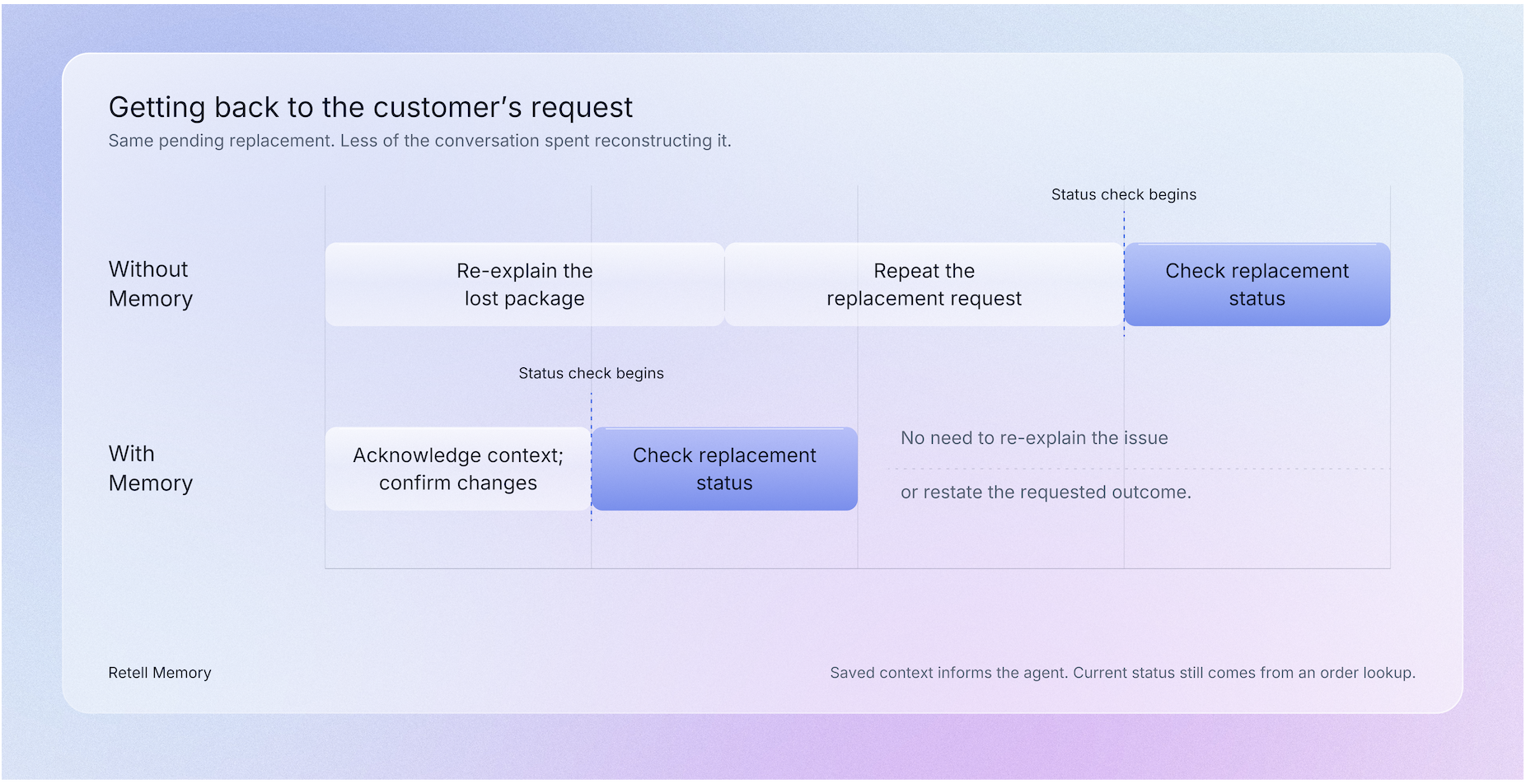
A customer following up on a replacement has already explained the problem. Their next call should pick up where they left off and move the request forward.
Memory is associated with a contact in a Retell workspace. For agents with saving enabled, an LLM analyzes each completed phone call or SMS chat associated with the contact’s phone number, bringing the transcript together with existing Memory and contact fields. Guided by the workspace Memory prompt, it rewrites a concise running brief to reflect the latest conversation. This gives the next agent updated context drawn from what the customer actually discussed, rather than simply retrieving stored fields or appending another call summary. Web calls and web chats do not automatically update contact Memory.
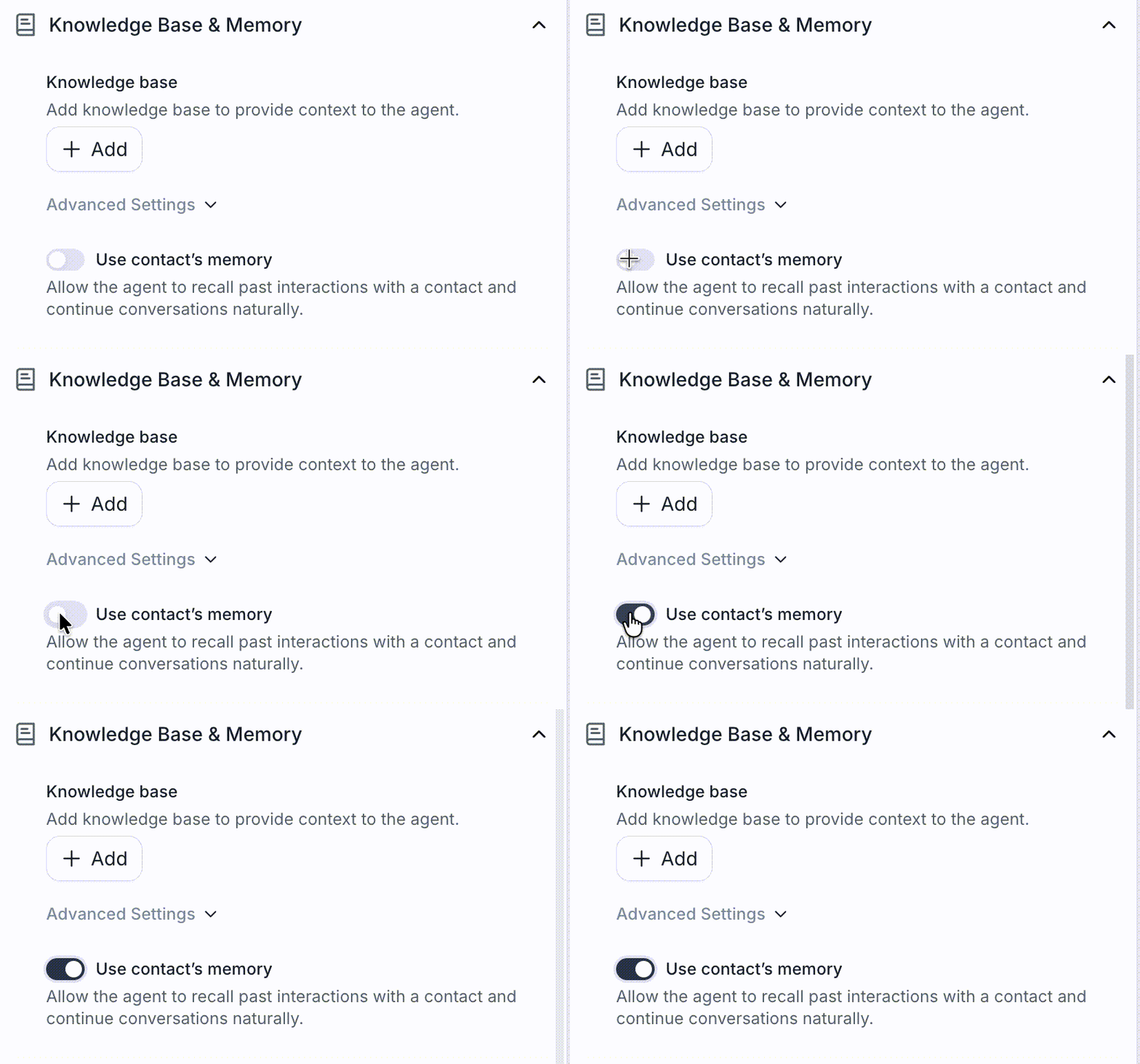
An agent with contact Memory enabled can receive that brief at the beginning of a later conversation with the same contact. This makes the relevant history available without placing a full transcript into the agent’s context, while leaving room to ask for missing details and follow corrections from the caller. Saving and using Memory are separate settings, so an agent can contribute to the brief, use it, or do both.
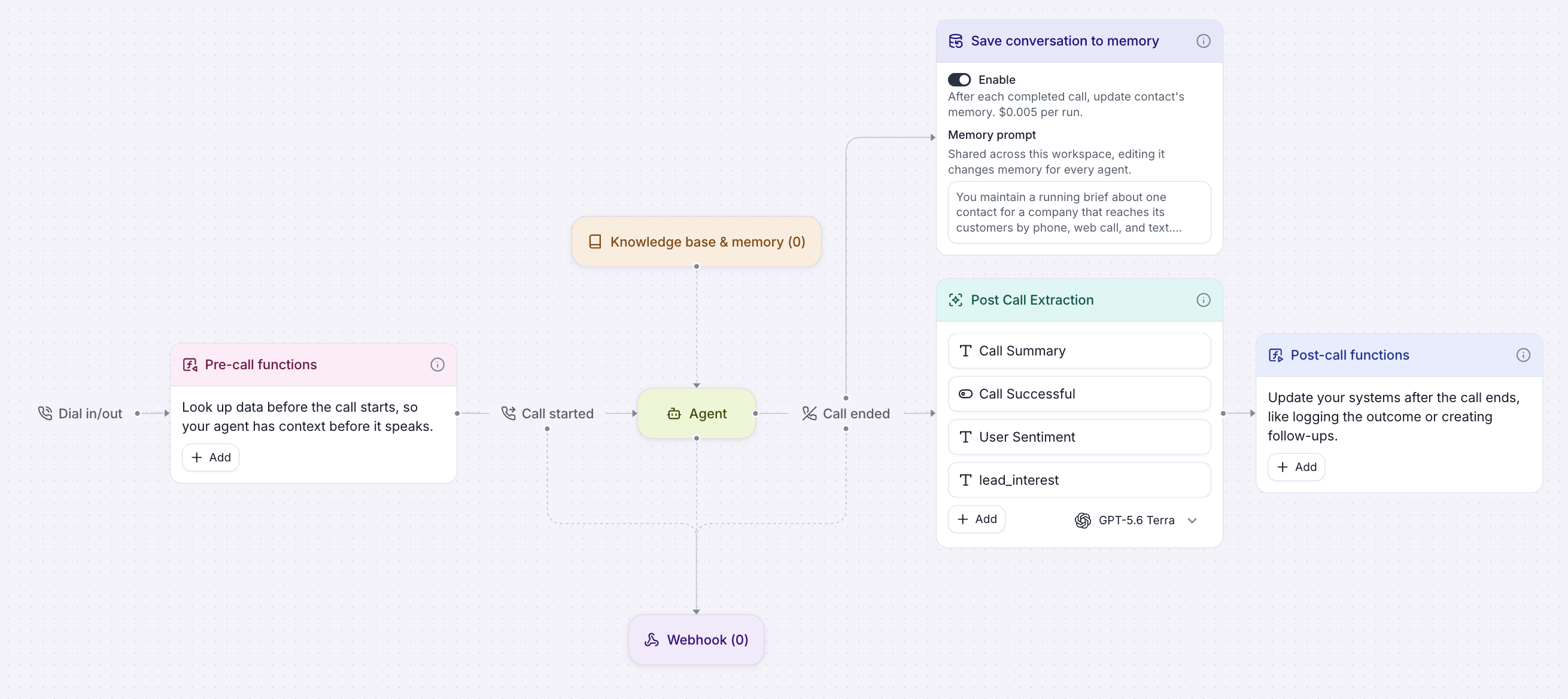
Consider a customer who contacts a retailer about a package lost in transit. During the first call, they identify the order, explain what happened, and request a replacement. The outstanding question is whether a replacement can be sent.
If the customer calls again, Memory can give the agent that history and the unresolved request. The agent can continue with the replacement rather than collecting the same explanation again. It would still need a current order lookup to confirm shipment status; Memory supplies conversational context, not a live status from an order system.
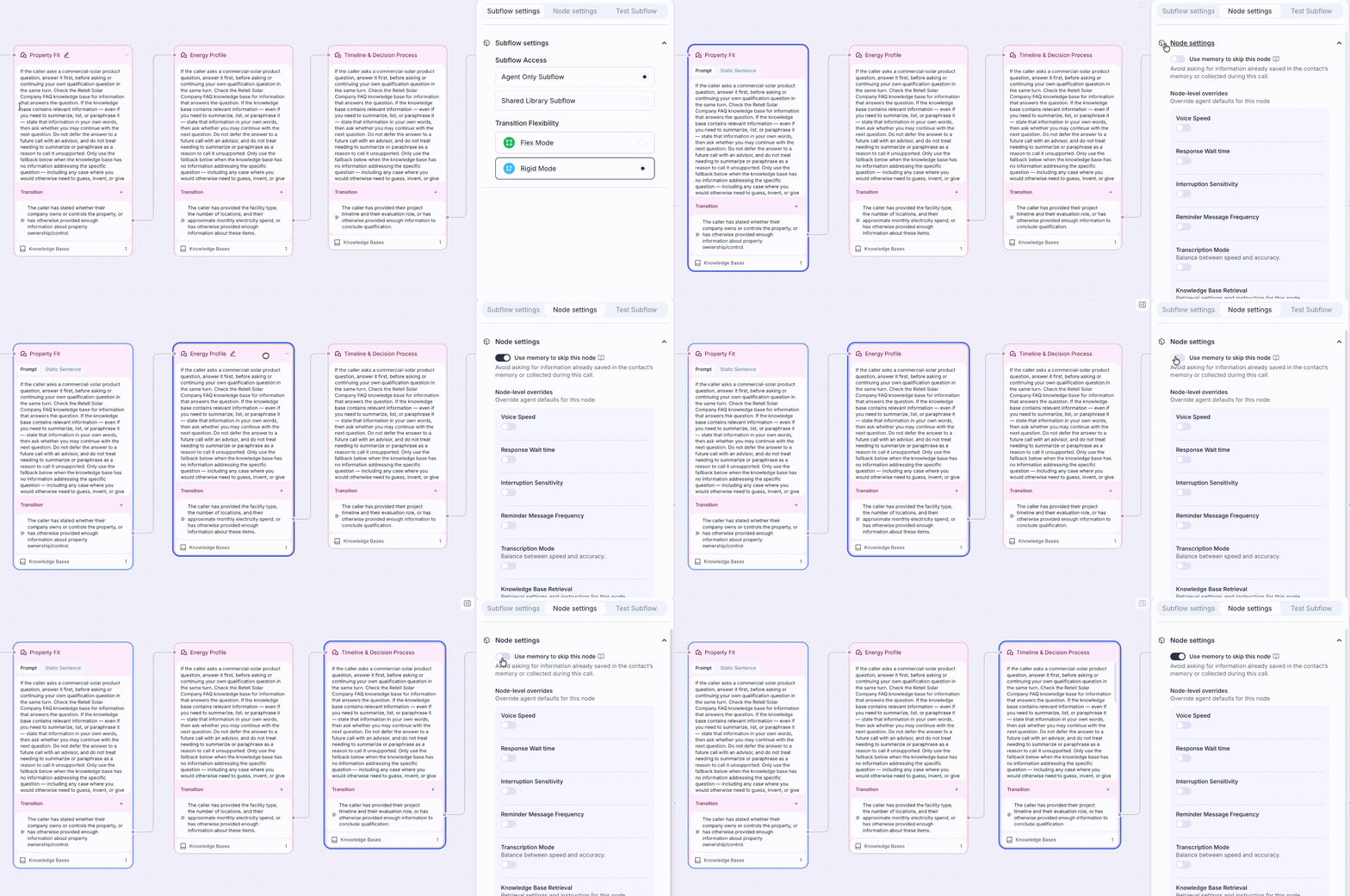
For agents built with conversation flows, Memory can also inform which steps need to run. Builders can enable Use memory to skip this node on selected Conversation or Subagent nodes. Before entering one of those nodes, the flow checks whether information from Memory or the current call satisfies its transition condition. If it does, the flow can move on. If a required answer is missing, the agent asks for it. A step that requires confirmation during the current call should remain in the flow.
Retell Memory is designed to keep you in control of what your agents remember and how customer information is used. We believe useful context should come with clear choices about what is saved, who can change it, and how it is protected. Memory works with your configured data storage and PII redaction settings to support those choices.
Memory is configured separately for each agent. Teams decide which agents update a contact’s Memory after a conversation and which agents receive it when that contact returns. For conversation flows, they also decide which nodes are eligible to skip when information already available satisfies the node transition condition.
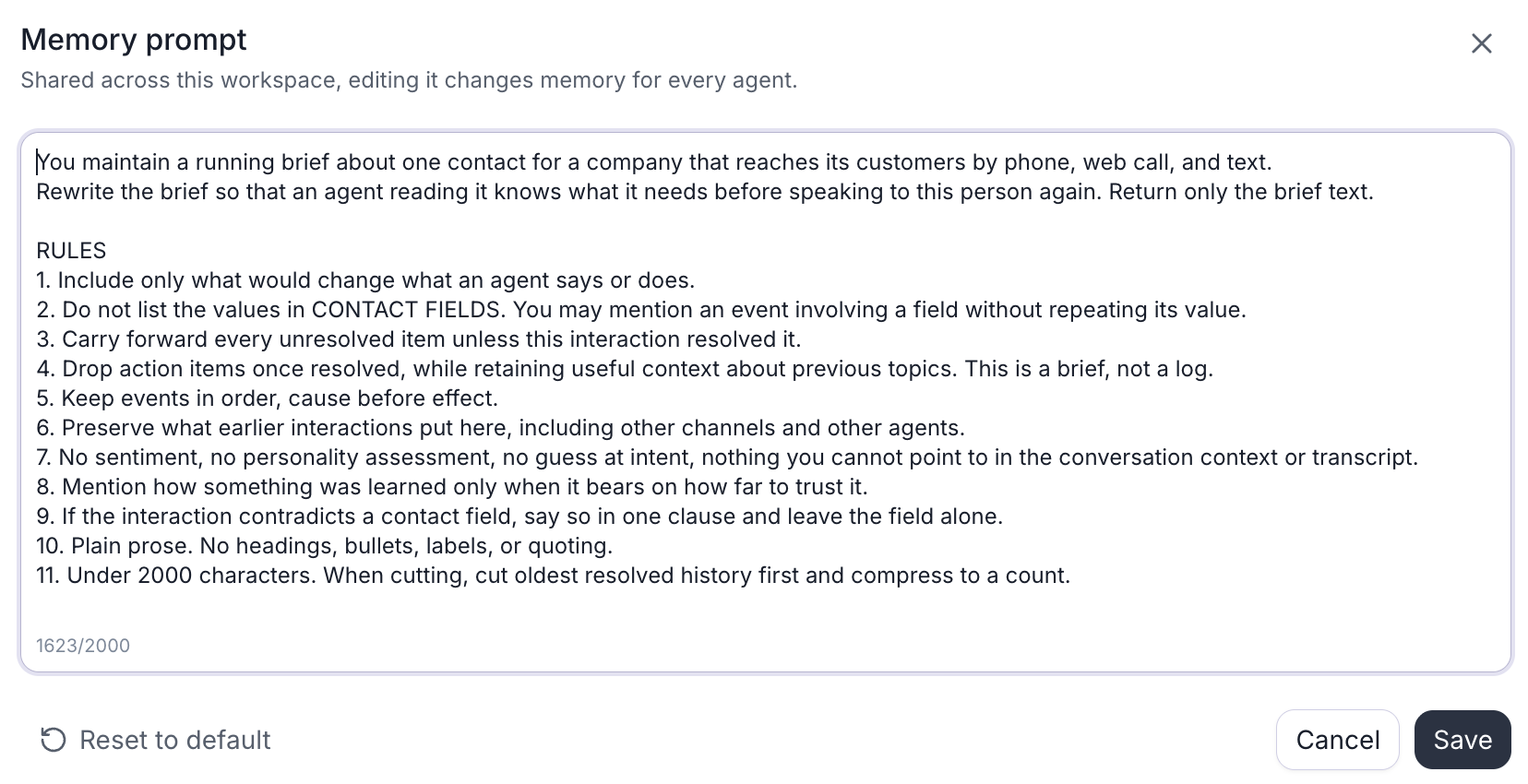
The brief can be reviewed, edited, or cleared in Contacts. A separate, workspace-wide Memory prompt guides what future updates retain. Workspace permissions govern access to that prompt: CRM view permission is required to read it, while changing it requires CRM edit permission as well as permission to edit the agent. This gives teams with separate builder, operations, and data-access roles a defined way to manage who can configure Memory without requiring a connected CRM.
Retell Memory is designed to respect the data storage choices a team has already made. When storage is set to everything except PII, Retell generates Memory from the redacted transcript. For historical backfills, conversations with missing or unreadable transcripts, or with failed PII redaction, are skipped rather than used to update the brief.
Retell provides a default Memory prompt that keeps context likely to matter in the next conversation, carries forward unresolved items, and removes completed action items instead of preserving a full log. Teams can customize that prompt to reflect what their agents should remember. The prompt is shared across the workspace, so edits apply to future Memory updates for every agent that saves Memory; existing briefs are not rewritten immediately. Teams can return to the default prompt at any time.
Retell Memory complements contact fields rather than replacing them. Memory is a concise running brief of what a person discussed and what still needs follow-up. Contact fields hold discrete values, such as an account tier or order status, that teams need to filter, reference individually, or map to a CRM. Built-in Memory works without creating extraction fields or connecting a CRM.
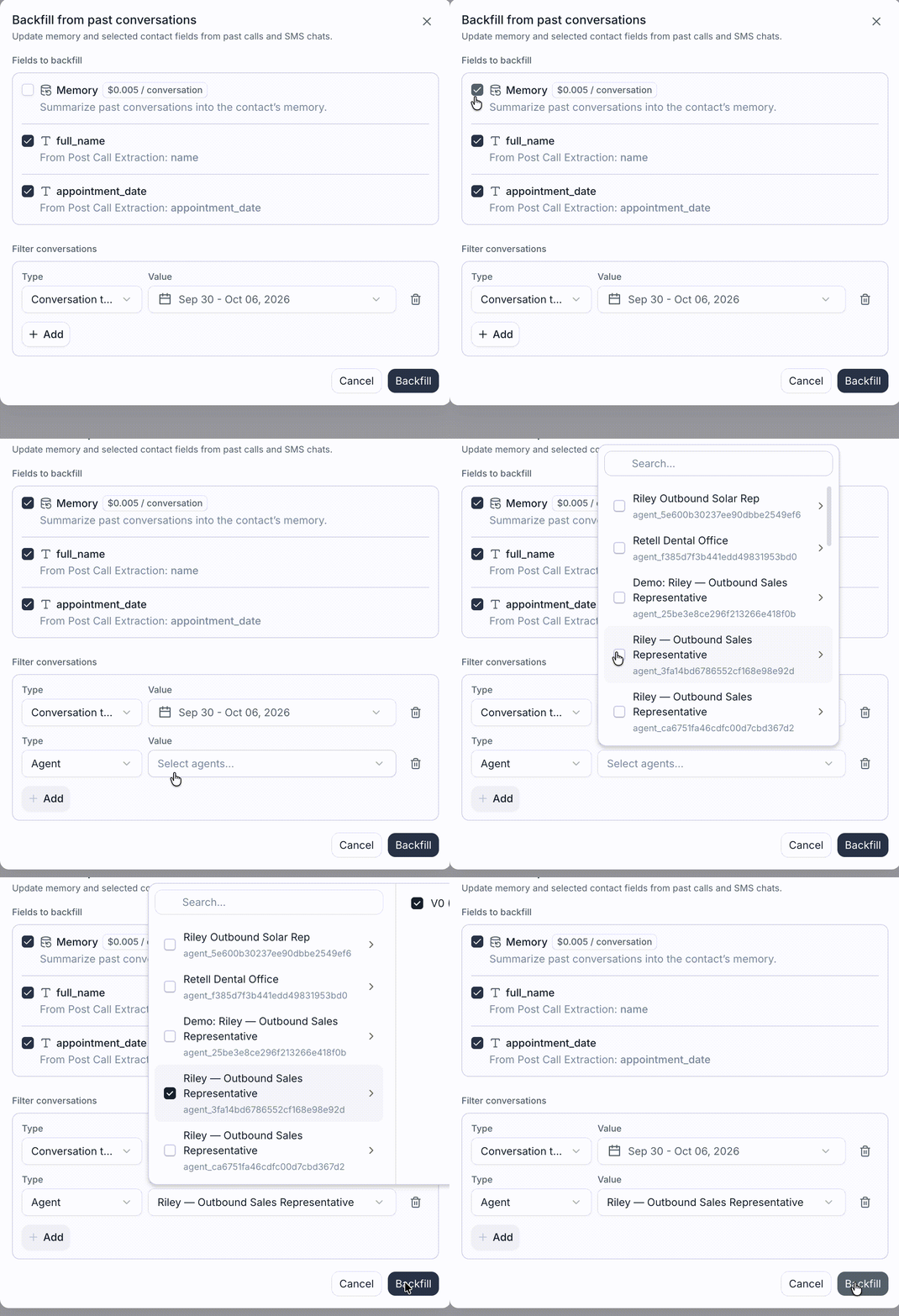
Teams also do not have to start with an empty brief when they turn Memory on. From Contacts, they can backfill Memory from eligible earlier Retell phone calls and SMS chats, including conversations that took place before Memory saving was enabled. Backfill uses the current workspace Memory prompt to build the brief from the selected conversations in chronological order. Teams can separately backfill mapped contact fields from existing post-call extraction results.
Backfill depends on a retained, readable transcript with a usable message from the contact, and the agent must have Memory saving enabled in its latest configuration. Conversations stored with Basic Attributes Only cannot be used.
Contacts can be imported from a CSV file or through a connected CRM. Retell matches contacts and conversations by phone number, so existing Retell conversation history can be associated with the same contact record. When CRM sync is configured, mapped contact fields can flow between Retell and the CRM. The agent can then use both the structured account data that a team already maintains and the conversational context that may never have been captured in a CRM field.
Memory helps your agent begin a return conversation with better information about the customer’s situation. Earlier requests, preferences, and unresolved questions give the agent a basis for acknowledging what has already been discussed and asking relevant follow-up questions. The customer can continue from that shared context instead of reconstructing the whole conversation.
This continuity can make the interaction feel more personal and natural. A caller following up on a replacement can pick up from the outstanding request, while the agent still leaves room for corrections or a new reason for calling. Even when the call takes the same amount of time, more of it can be spent addressing what the customer needs now.
To try Memory with a repeat-contact workflow, enable saving on the agent handling one conversation and contact Memory on the agent handling the next. Teams using conversation flows can then decide which nodes should be eligible to skip. Backfilling previous conversations and saving Memory only costs $0.005 per run. The Retell Memory documentation covers the current settings, permissions, data requirements, and testing workflow.
See how much your business could save by switching to AI-powered voice agents.
Total Human Agent Cost
AI Agent Cost
Estimated Savings
A Demo Phone Number From Retell Clinic Office