Best AI Automation in 2026: Tested and Reviewed
24
MIN READ
October 12, 2026
If 2025 was the year of AI agents, 2026 is the year of multi-agent systems—coordinated networks of AI
systems that share knowledge, verify each other's work, and execute complex workflows end-to-end.
Organizations are deploying AI agents for work that goes well beyond chat interfaces and single-step automation. More than half (57%) now use agents to handle multi-stage workflows, while 16% have progressed to cross-functional or end-to-end processes spanning multiple teams or business functions.
But here's what the hype misses: most AI automation platforms still struggle with reliability, governance, and real-world execution.
The result is a crowded market filled with platforms that promise autonomous operations but deliver only partial automation.
To help you make the right choice, we tested and reviewed the leading AI automation platforms of 2026 based on enterprise features like workflow orchestration, multi-agent capabilities, integration options, scalability, security, and overall business impact.
These are our 10 best AI automation tools across various business categories like sales, marketing, voice AI, customer support and workflow automation.
AI automation tools are software applications that use artificial intelligence, such as natural language processing (NLP), machine learning, and decision-making algorithms, to perform complex, multi-step tasks.
These tools, which include intelligent chatbots, AI agents and workflow automation, are designed to streamline workflow, handle repetitive tasks and increase efficiency.
By comparison, traditional automation tools rely on predefined rules that typically struggle with edge cases like answering highly nuanced user queries or changes to fixed fields. Modern AI-powered platforms are much more adaptable and capable of executing more complex tasks without constant human oversight.
For example, instead of forwarding an invoice to the accounts team, the system can extract invoice data, validate it against purchase orders, route it for approval, process payment, and update financial records automatically.
AI automation tools can provide a much more result-oriented approach by helping your business fill in the gaps between critical systems and manual processes. Instead of having teams jump from one platform to another, AI automation tools can integrate seamlessly into your teams' current applications and workflows.
There are five types of AI automation tools, each built for a different kind of work. Here's how each one works and what it automates:
A workflow is a repeatable set of steps within an app or apps to accomplish a process. The workflow automation tools streamlines and automates those series of repeatable tasks within the software you use.
You can benefit from workflow automation no matter what industry you're in. If you use apps or software for work, workflow automation is for you. Workflow automation ROI is consistently among the highest in enterprise software. The combination of time savings, error reduction, and process acceleration creates compounding returns.
Creating and enforcing SLAs by routing urgent issues and escalating them when response-time thresholds are at risk.
Managing vacation and leave requests, including approvals and notifications.
Sending automated follow-up emails and responses after a customer submits a contact form.
Updating records and synchronizing data across CRM, project management, and business applications.
Processing employee expense reimbursement requests through predefined approval workflows.
Sales automation tools help sales reps delegate repetitive tasks like follow-up tracking, data entry, prospecting research, and lead assignment that often distract them from selling.
Typically, sales automation tools run on a cause-and-response setup. Each action leads to the next; when a sales lead fills out a form, the system responds instantly.
Without a sales automation tool, updates can fall behind quickly, and you need a way of storing and organizing all of that data. Missing changes often leads to confusion, slows down follow-ups, and trust between your teams can suffer.
Finding and enriching contact details, company information, and buying signals.
Automatically routing leads to the right sales representative based on predefined criteria.
Scheduling reminders and triggering follow-ups to ensure no lead is missed.
Recording calls, emails, meetings, and interactions directly in the CRM.
Updating CRM records with prospect information and engagement data.
Marketing automation tools streamline workflows and free marketers from the constant cycle of repetitive tasks like sending follow-up emails, scheduling social media posts, segmenting audiences, or trying to personalize content at scale.
With marketing automation tools, businesses can reach customers along their journey, no matter where they are in the customer lifecycle — from acquisition to advocacy. For instance, most marketing automation platforms connect to your website, CRM, and ecommerce store to capture user behaviour and trigger messages based on actions like abandoning a cart, signing up, or clicking a link. Understanding SMS Character limit helps optimize campaigns.
Sending welcome email sequences automatically when a new subscriber joins your mailing list.
Nurturing leads with personalized email campaigns based on user behavior and engagement.
Segmenting audiences automatically based on demographics, interests, or purchase history.
Triggering follow-up messages after a prospect downloads a resource or fills out a form.
Scheduling and publishing social media posts across multiple platforms.
Customer support automation is the use of technology like self-service portals or chatbots to handle customer enquiries and support tasks with minimal human involvement. It can automate repetitive tasks, resolve common queries, and provide quick answers, allowing human agents to focus on more complex cases.
For instance, when a customer tracks their clothing order, an AI chatbot can quickly retrieve the status instantly. If there's a delay, the system proactively notifies the customer and offers options like rescheduling, all without human involvement.
Providing instant responses to common customer questions through AI chatbots and virtual assistants.
Handling order tracking, refund requests, account inquiries, and shipping updates without agent intervention.
Routing incoming calls to the correct department using automated IVR menus.
Assisting customers with billing questions, subscription management, and basic troubleshooting through self-service channels.
Sending automated customer satisfaction surveys (CSAT, NPS) after support interactions.
Conversational AI automation tools refer to using advanced technologies like natural language processing and machine learning to automate customer interactions. It understands, processes, and responds to human language in a way that feels natural and contextually relevant.
It can handle ambiguous phrasing, understand past context in conversations, and improve its responses over time. Lower-maturity companies often rely on basic tools like FAQ automation, while more advanced organizations with higher maturity use conversational AI systems to deliver personalized support and solve complex issues.
Engaging customers in natural, human-like conversations across chat, voice, SMS, and messaging channels.
Answering complex customer inquiries using AI that understands context, intent, and conversation history.
Qualifying leads automatically by asking questions, collecting information, and identifying purchase intent.
Booking appointments, scheduling meetings, and managing reservations through conversational interactions.
Now that we've discussed the various types of cloud telephony platforms your business can opt for, it's time to highlight the best ones in the category.
Before diving into the full reviews, here's a side-by-side comparison of the best AI automation solutions, so you can quickly identify which platforms best match your business needs.
What does it do? Zapier empowers businesses to automate workflows and move data across 9,000+ apps.
Who is it for? Zapier is a no-code automation platform built for anyone who wants to connect their apps and automate tasks without writing code.
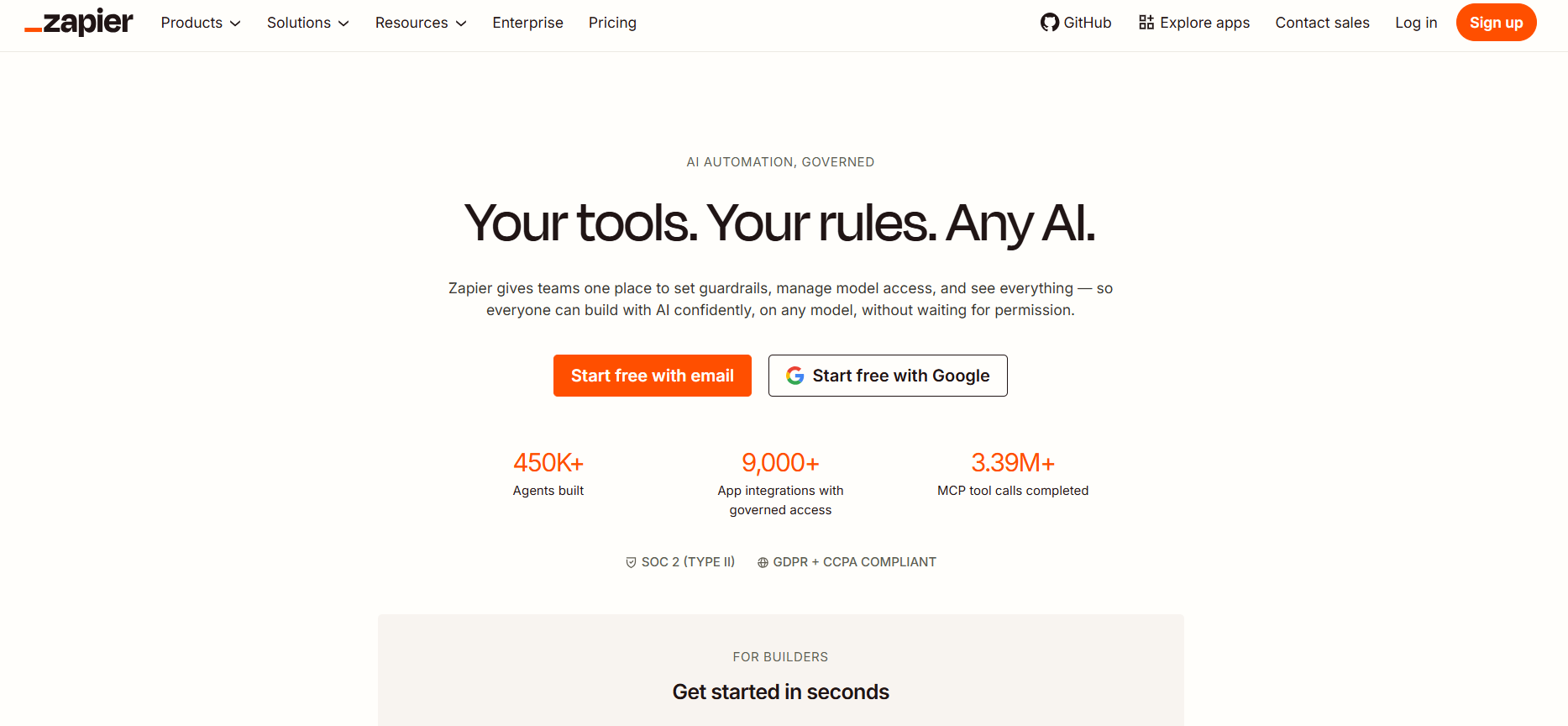
Zapier is the AI orchestration layer that will make your entire sales stack smarter. Most sales teams use multiple tools that leave team members doing too much manual work; that's where Zapier can step in and automate it all in the background.
With Zapier, you can connect with over 9,000+ apps, including CRMs, ad platforms, email tools, form builders, spreadsheets, and even build custom workflows that handle everything from pipeline management to post-sale handoffs.
The best thing is you don't have to rebuild your process from scratch or switch platforms; Zapier works with the tools you already use.
Zapier offers hundreds of pre-built templates to set up triggers and automate tasks
Simply type in the automation you want, and Zapier Copilot will build your own unique template on the interface
Zapier MCP integrates directly with tools like Claude and ChatGPT, and you don't need technical skills to set the connection up. It's great for teams who frequently work with AI chatbots and want to avoid switching in and out of their apps
Governance, permissions, and auditability are built in Zapier, so when an AI system takes action on behalf of a user or a team, there's a clear record of what happened and who authorized it.
Multiple install paths (MCP, SDK, CLI) let builders connect Zapier wherever they work
A Zapier integration connects to over 9000+ apps, which is more than double what most competing platforms offer.
The platform offers a free version, as well as three pricing tiers that cater to various user groups, including:
Professional Plan (starts at $19.99/month)
Team Plan (starts at $69/month)
Enterprise Plan (contact sales)
What does it do? n8n is an open-source automation platform that connects apps without having to write full code. It's flexible and developer-friendly. Most developers choose n8n because they can self-host or use the cloud version.
Who is it for? n8n is for teams who have the technical resources and time to execute backend logic, self-host, and manage their data.
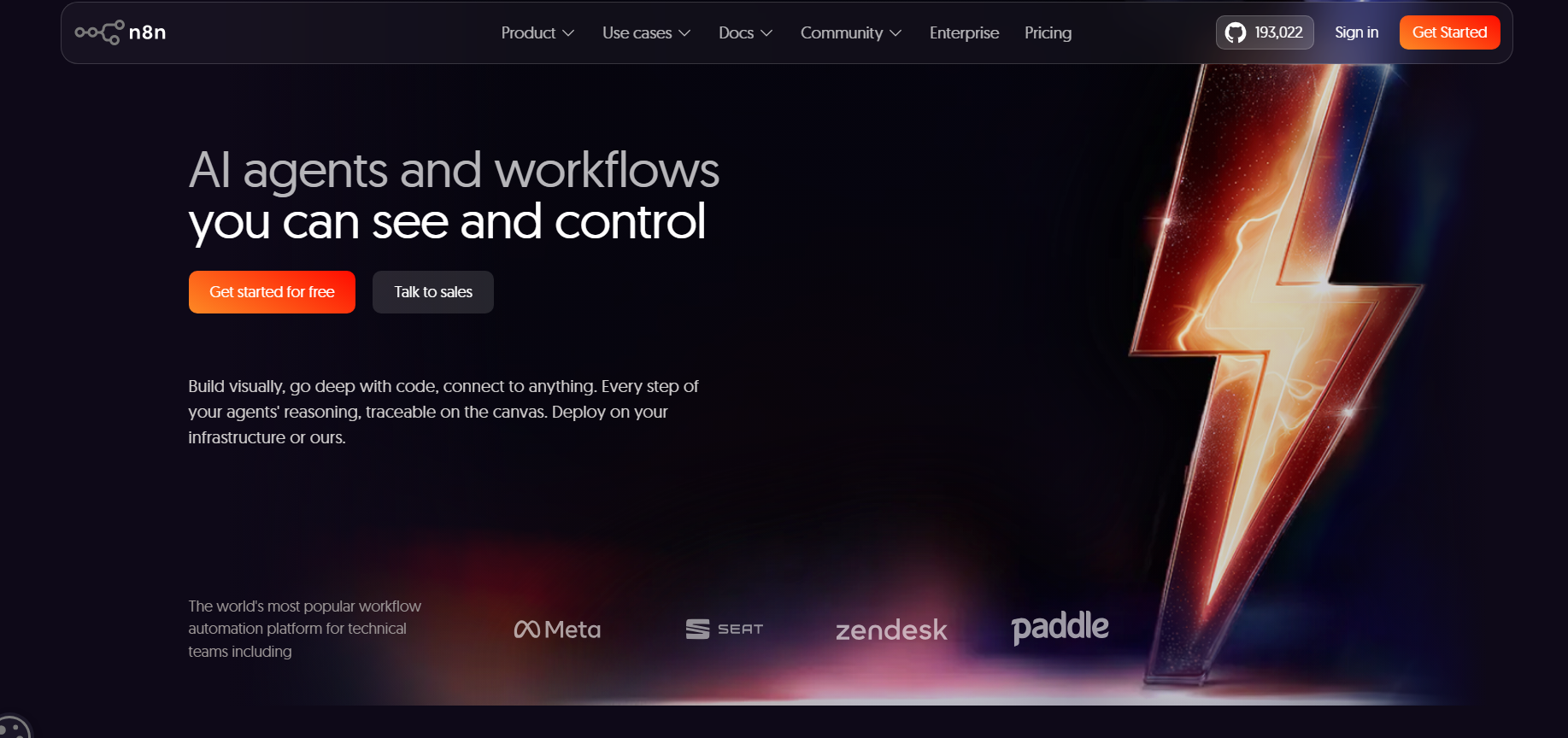
N8n is a workflow automation tool that lets you build backend workflows by connecting apps, services, and APIs to build automated processes. Such automation goes well beyond simple trigger-action logic and is designed to handle complex data formations, multi-step processing, and real production systems.
An n8n AI agent within a workflow that uses AI to make decisions, generate outputs, or control execution paths. Instead of hardcoding logic, you can define agent behavior using prompts, context, and integrations.
For example, an n8n AI agent might:
Classify and prioritize incoming support tickets based on intent, urgency, and complexity.
Determine the appropriate team, department, or system to handle each request.
Generate contextual responses, assign ownership, and trigger follow-up workflows automatically.
What makes n8n AI agents powerful is that they can operate across multiple tools. They can call APIs, update databases, and trigger other workflows as part of their execution.
Workflows in n8n are portable JSON files. Teams can move or replicate them without permission or ransom fees.
Enterprise security teams can audit the entire codebase while open community contributors add connectors and features.
Every aspect of n8n is controllable via API, which allows for CI/CD integration and programmatic control alongside visual tools.
N8n offers API and webhook support to let users integrate with tools that don't have prebuilt connectors.
N8n offers 6,000+ workflow automation templates and 1,700+ official templates. You can jumpstart almost any automation, AI, marketing, IT, support, e-commerce, HR and more.
N8n offers both hosted and self-hosted options. The main cost difference depends on how much to let users integrate with tools that don't have prebuilt connectors. The plans include:
Starter: $24/ month
Pro: $60/ month
Business: $800/ month
Enterprise: Custom pricing
A marketing automation platform is a tool that helps you automate certain tasks within your organization. These tools have become far more popular since the rise of AI, as marketing teams are trying to figure out how to leverage automated workflows to get more done with less headcount.
Here's the best marketing automation software that you can go for:
What does it do? Delve AI is an AI-powered audience intelligence and persona generation platform that helps businesses understand their customers using website, CRM, social, and market data. It automatically creates detailed buyer personas and actionable insights to improve marketing, sales, and product decisions.
Who is it for? Best for marketers and businesses looking to automate persona research and analyze competitor audiences.

Delve AI is an AI-powered customer persona creation tool that helps businesses understand their target audience using real-time data. It pulls data from your Google Analytics, combining demographics, job roles, behaviours, device usage, and interests.
Each persona includes:
Job titles, industries, and professional roles
Preferred devices and browsing habits (mobile vs. desktop)
Purchase intent, buying behavior, and brand affinity
Age, gender, and geographic location
Interests, content preferences, and engagement patterns
You can generate audience insights on any competitor's site simply by entering their URL. While this data is based on public sources, it provides a good baseline. You can look at your personas side-by-side with a competitor to highlight key differences.
Delve AI automatically creates detailed buyer and customer personas using website analytics, CRM data, and market signals. Teams can understand who their customers are without relying on manual research.
It groups customers based on shared characteristics, behaviors, and purchase intent. This helps marketers personalize campaigns and messaging for different audience segments.
The platform examines social media audiences to reveal interests, influencers, and content preferences. Teams can better align content strategies with audience expectations.
Organizations can conduct AI-driven surveys and interviews using generated personas instead of recruiting participants. This accelerates market research while reducing costs.
Delve AI connects with analytics, CRM, ecommerce, and marketing platforms to create a unified audience view. This ensures persona insights are based on comprehensive customer data.
Delve AI integrates with analytics, CRM, ecommerce, marketing automation, and customer data platforms, including Google Analytics, Search Console, HubSpot, Salesforce, Shopify, Stripe, Klaviyo, and more.
It also supports CSV imports and API access, allowing organizations to connect audience intelligence with their existing marketing and sales workflows.
Delve AI offers three paid plans, including:
Research Essential Bundle (everything market/user researchers need to get started): $317/ month
Marketing Essential Bundle (basic set of capabilities for marketing-related use-cases): $877 /month
Complete Bundle (all the tools you need for marketing and research use-cases): $2,499 /mo
What does it do? HubSpot Marketing Hub helps manage marketing campaigns more effectively across multiple digital channels by providing a holistic view of customers.
Who is it for? HubSpot Marketing Hub is best for growing teams and mid-market/enterprise businesses that need a single, powerful platform for CRM, marketing automation, and analytics.
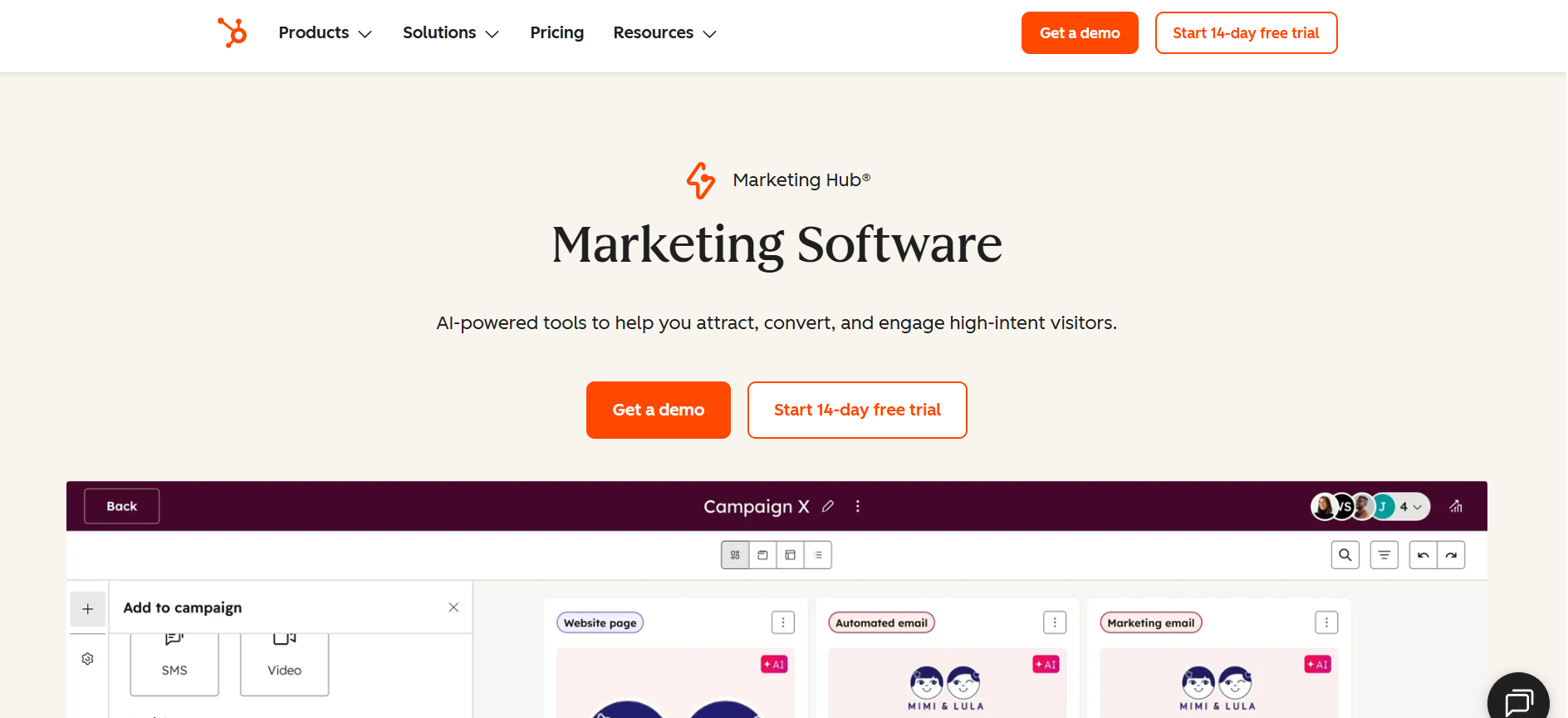
When it comes to marketing automation, HubSpot is a heavy hitter. The HubSpot Marketing Hub is part of a wider CRM platform that is crafted around your customer lifecycle, ensuring that you stay connected every step of their journey.
With HubSpot automated workflows, you can grow your efforts and save time. Multi-branch logic, webhook actions, lead nurturing and scoring, and scaled personalization of marketing across channels are all included.
All of this is done using HubSpot's visual workflow builder. Each Hub has its own Automations tab for building and managing workflows. There are 6 types of action you can add to a marketing workflow:
Ads management: Add contacts to or remove contacts from advertising audiences.
Record management: Create, update, or modify contact records and customer data.
Communication: Send emails, SMS messages, or web push notifications.
List management: Add contacts to or remove contacts from specific lists or segments.
Delay: Insert a waiting period before triggering the next workflow action.
HubSpot automation is simple to get to grips with if you know what you want to do. On the free and Starter plans, you can put up to 10 actions in a single workflow. On higher plans, there's no limit.
Work from one comprehensive overview of all your marketing campaigns, which includes the many steps required to plan, execute, manage, and optimise.
Create and automate personalised email campaigns at scale
Build landing pages, forms, and pop-ups that capture visitor information and convert traffic into qualified leads.
Segment audiences using customer behaviour and engagement data
Automate lead nurturing with intelligent marketing workflows
Schedule and manage social media campaigns from one platform
HubSpot offers 2,000 native integrations through its marketplace. You can integrate all your favorite apps into the platform.
HubSpot offers flexible, scalable solutions for all types of businesses. Marketers have the option to begin with the free tools to explore the platform.
Free: $0/month (Up to 2 users)
Starter: $10 per month/seat
Professional: $890/month (3 core seats; $50 per additional seat/month)
Enterprise: $3,600/month + $7,000 onboarding fee (5 core seats; $75 per month/additional seat)
A sales automation tool helps businesses automate parts of their sales process. This includes everything from outbound efforts like enriching customer data, lead generation, crafting personalized outreach, to creating AI sales agents that can do the work for you.
These are the best AI-powered sales automation tools for your business:
What does it do? Saleshandy is an AI-powered cold outreach and sales engagement platform designed to help businesses automate cold emails, manage multichannel outreach, improve email deliverability, and book more meetings.
Who should use it? If you're an agency, founder or SDR who wants to scale outbound through cold emails, then Saleshandy is built for you. You get complete insight into deliverability, performance, and results of your outbound campaign.

Saleshandyis an AI-powered cold email platform that helps you automate and scale your outbound outreach, from start to finish. It combines lead generation, email automation and deliverability tools into a single and easy-to-use platform.
Instead of blasting generic outreach campaigns, it lets you create automated sequences, track opens and clicks, and manage follow-ups, all from one place.
Here's what it's mainly used for:
AI Lead Finder: Saleshandy gives you access to an 852M+ verified B2B contact database with 75+ advanced filters.
AI prospect enrichment: It uses AI models and pulls real context signals like company updates, job changes and industry shifts.
AI copilot for multichannel outreach: Lets you set up multichannel campaigns that cover cold calling, cold emailing, LinkedIn outreach, and WhatsApp from one place.
AI reply management: You could see all conversations in one place without switching between LinkedIn, email accounts or other tools.
MCP (Model Context Protocol): Saleshandy supports MCP, which means you can connect it directly with AI agents from tools like Claude, n8n, Make, and Zapier.
In short, Saleshandy gives you an easy way to start cold outreach, track results, and grow your pipeline.
A-Z testing with up to 26 email variants per step is the deepest variant testing
SOC 2 Type II and ISO 27001 compliant, which enables you to work with enterprise clients
Search 700 M+ profiles and 60 M+ companies with advanced filters
Easily manage multiple email campaigns from different accounts using a unified inbox
Track and analyze key email marketing metrics, such as open and reply rates, link clicks, etc.
Saleshandy Integrations supports native integrations, automation tools, ESPs, CRM sync, and custom API connections for outreach workflows.
Saleshandy Pricing offers multiple plans for cold email outreach, lead generation, dialer, and deliverability tools. Its current pricing includes:
| Plan | Pricing |
|---|---|
| Outreach Starter | $25/mo |
| Outreach Pro | $69/mo |
| Outreach Scale | $139/mo |
| Lead Starter | $49/mo |
| Lead Pro | $79/mo |
Who does it do? HeyReach is an outreach automation tool designed especially for LinkedIn. It automates actions like connection requests, follow-up messages, profile views, and multichannel outreach while managing everything from a single dashboard.
Who is it for? With promises of unlimited accounts, a centralized inbox, and GTM-friendly integrations, HeyReach is designed for teams that want to scale aggressively.
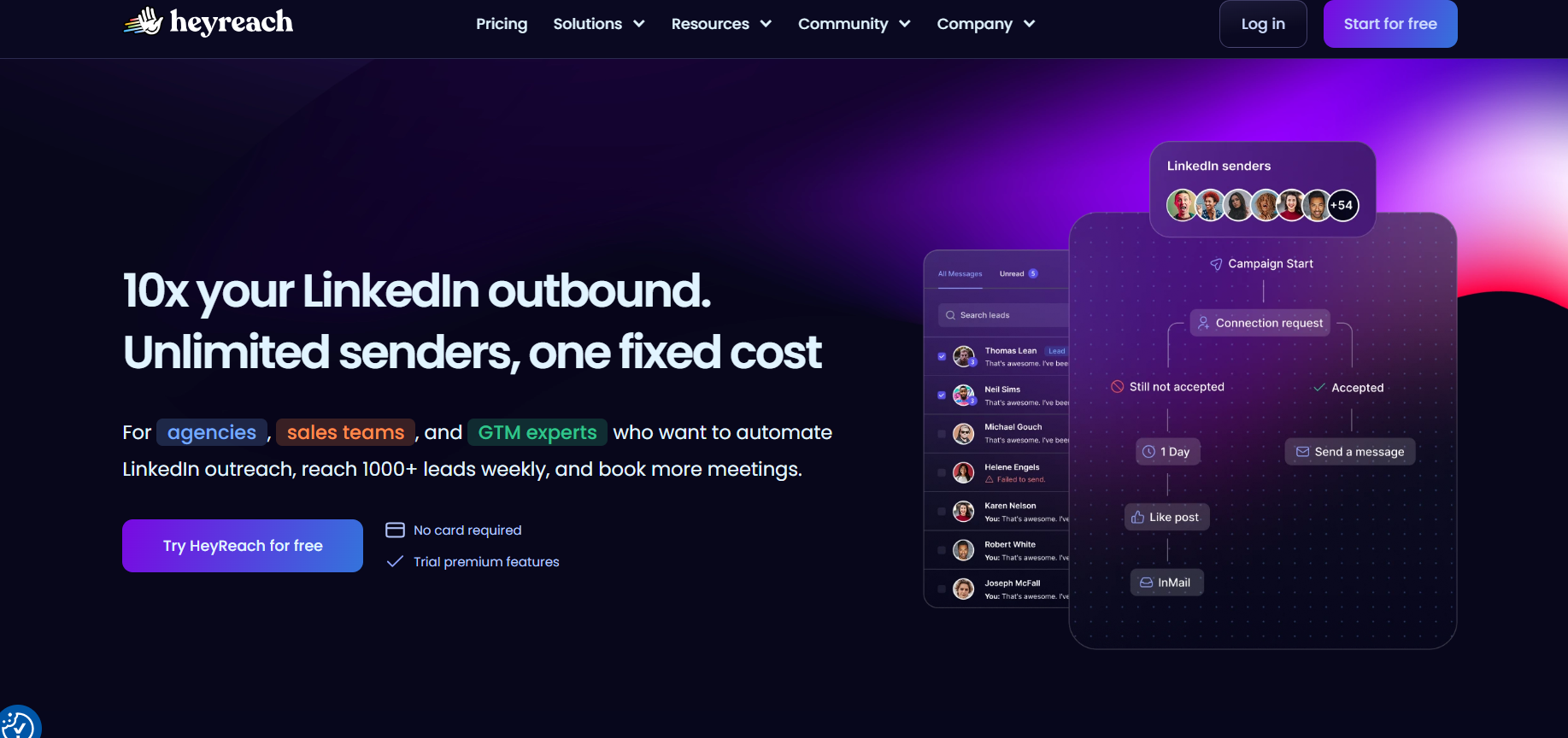
HeyReach is an AI-powered LinkedIn automation and campaign management platform that lets sales teams, agencies and outbound-growth teams scale LinkedIn prospecting safely and efficiently.
But what truly sets HeyReach apart is its MCP server. It works like a universal part that lets you connect HeyReach directly with AI agents from tools like Claude, Clay, Make, and Zapier.
So, instead of manually setting up campaigns, your AI agents can add leads, start or pause campaigns, or even pull analytics in real time. This turns outreach into part of a bigger AI-powered workflow, where lead enrichment, scoring, and CRM updates work together seamlessly.
For the sales team, that means more consistent pipeline management and less juggling of tools powered by automation.
Multi-account outreach that helps you scale your outreach by simply scaling your senders instead
HeyReach Unibox allows sales teams to track all their conversations from start to finish and even respond on behalf of other team members
Master View for overseeing all client workspaces, campaigns, and inboxes in one central dashboard
Automation for connection requests, messages, InMails, profile views, likes, and follow-ups
Team workspaces with role-based permissions for agencies and larger sales teams
HeyReach integrates with a wide range of GTM, CRM, automation, and outreach tools, including Clay, HubSpot, Instantly, Smartleadmultichannelke, n8n, Slack and more. It also offers webhooks and API support to connect HeyReach with other integrations in your GTM stack.
HeyReach uses transparent flat-fee models:
Starter: $79 per sender/month
Agency: $999 per month (50 senders)
Unlimited: $1999 per month (unlimited senders)
Free trial available
Conversational AI software enables businesses to automate customer interactions through intelligent chatbots and virtual assistants across web, mobile, social media, and messaging channels.
These are the best conversational AI software to choose:
What does it do? Retell AI is an enterprise-ready AI voice agent platform that's a powerful mix of no-code and API infrastructure that lets everyone from enterprises to lean teams successfully build, deploy, and monitor phone-based AI agents.
Who is it for? Retell works best for businesses that enjoy customisability without the technical headache. Anyone from sales to support teams across industries can automate outbound and inbound calls through its agents.

Most AI agents either required huge technical assistance or lacked customisability; however, Retell AI lets you build and launch AI agents in just five minutes (literally!)
Getting started with Retell AI is painless. You basically define your voice agent, provide a system prompt, and start a session almost instantly. The first thing that will surprise you is how little lag there is. The AI starts talking almost immediately after you stop speaking, usually less than half a second.
The real differentiator emerged in edge-case scenarios. For example, when a caller provided an incorrect SSN and was then asked to verify their identity using a phone number, the agent seamlessly paused the initial flow, performed a secondary lookup, and continued the verification process without requiring the conversation to restart.
The post-call analysis dashboard tagged every call with resolution status, sentiment, and a structured JSON of fields my CRM pulled via webhook, so you never had to scrape transcripts for outcome data.
Compared to other voice agents, Retell offers over 50+ languages and various call options. This helps in lead qualification, data collection, and providing the best information to receivers.
Auto language detection
Multiple testing methods to validate different aspects of your agent's behavior and performance
Offers HIPAA, SOC 2 Type 1 and Type 2, and GDPR coverage by default
Connect to a custom telephony provider
Create batch calls
Provides live onboarding support with chat assistance and fast customer service
Advanced Call Logic & Flow Builder to design complex conversational paths without heavy coding
24/7 availability, eliminating time-zone constraints
Retell provides massive integration with your favorite CRM (Hubspot, Pipedrive, Zoho CRM, others), telephony (Twilio, Ring Central, others), payment (Stripe), ecommerce (Shopify), and others.
Retell AI offers transparent, usage-based pricing with no platform licensing fees. You pay only for the resources and minutes consumed.
New users get $10 free credit and 60 minutes of call time to experiment without commitment.
What does it do? Vapi AI is a developer-centric AI call bot platform that enables teams to build, test, and deploy voice agents across web and mobile apps, CRMs, and customer service systems.
Who is it for? If you already have a tech stack that you use to run AI call bots, then Vapi AI can be a good choice. Businesses with limited technical bandwidth might struggle to maintain it due to multiple configurations. Also, a lot pricier than other call bot options.
If you like the flexibility of bringing your own tech stack—speech-to-text, a large language model, and text-to-speech, while letting Vapi handle the calling infrastructure, you'll appreciate its developer-first approach.
You get access to APIs, SDKs, and a dashboard that let you:
Control how your agent listens, reasons, and responds during each call
Connect agents to your existing tools, databases, and internal APIs
Build custom voice agents for support, sales, and operational workflows
Vapi AI also comes with built-in tools for common use cases, such as booking appointments and sending messages. When you need more advanced functionality, you can extend your agents by connecting them to external APIs, databases, or custom business logic.
This flexibility enables your agents to do far more than hold conversations. They can retrieve real-time information, create invoices, check customer records in your CRM, and perform other actions that go beyond an LLM's native knowledge.
That said, this level of customization can come with trade-offs. If any of your connected APIs experience latency issues, your voice agent may slow down as well.
Support is another area where Vapi can be challenging. If you run into issues, getting timely responses from the team may require multiple follow-ups, which can be frustrating when you're trying to troubleshoot production workflows.
Auto language detection for global conversations
HIPAA, SOC 2, and GDPR compliance ready
Custom telephony provider integration support
Batch outbound calling at scale
Advanced call logic and flow builder
No-code, drag-and-drop visual flow builder that maps out the basic conversations
24/7 availability across all time zones
Tool calling & webhook routing
Vapi AI offers limited prebuilt integrations; however, you can seamlessly connect with GoHighLevel, Make, Google Calendar, Google Sheets and Slack. For other integrations, you can create custom webhooks to be accessed via calls.
Vapi's hosting cost starts at $0.05 per minute, but it's actually a fraction of the total deployment cost. The true meaning of "bring your own stack" means that you've paid for all the providers, including Vapi's hosting fee, to run your AI call bot efficiently.
When you add this up, the actual cost comes around $0.13 - $0.31+
Besides, businesses choosing "pay-as-you-go" pricing have to pay a $1,000 per month add-on for HIPAA compliance.
For a detailedRetell AI vs Vapi AIroundup, check this out.
Support automation tools can handle repetitive customer service tasks for B2B teams, either independently or with human review. These are systems that use AI, route conversations, programmed workflows, and rules to respond to tickets and manage support operations across channels.
These are our best picks:
What does it do? Zendesk is a comprehensive, AI-powered customer experience management software that helps businesses deliver efficient customer support.
Who is it for? Zendesk scales from SMBs to enterprises to provide omnichannel support. If you handle high ticket volume across multiple channels, Zendesk can be a great choice.

Zendesk is a comprehensive customer service platform that brings all your customer interactions in one place. It doesn't matter if a customer sends an email, pings you on calls, social media, or starts a live chat; it all ends up on a single, unified dashboard.
You can also merge tickets from the same user to avoid duplicate conversations with different agents. That feature helps keep communication organized and ensures customers aren't repeating themselves.
The Intelligent Triage feature in Zendesk is a game-changer, automatically identifying customer intent and sentiment so CX teams can prioritize urgent issues at a glance. It transforms support from being reactive to proactive, ensuring every customer feels valued through smarter, automated interactions.
Features such as AI-powered reply to suggestions, automatic ticket summarization, and AI-powered routing make ticket resolution faster.
Omnichannel support (email, chat, phone, social media, messaging) across multiple channels
Extensive app marketplace (approx. 2,000 integrations)
Reliable ticketing system and help desk functionality
AI-powered features (analytics, chatbots, agent support)
Automatically sends tickets to the right agents or departments.
Zendesk integrates seamlessly with over 1,200 tools on the Zendesk Marketplace, including Asana, Google Workspace, HubSpot, Jira, Microsoft Dynamics, Salesforce, Shopify, Slack, Trello, and Zoom.
Zendesk offers four paid pricing plans, including:
Support Team: $19 per agent/month
Suite Team: $55 per agent/month
Suite Professional: $115 per agent/month
Suite Enterprise: $169 per agent/month
What does it do? Zoho Desk is an AI-powered customer service platform that helps businesses manage support tickets across channels. It includes automation, self-service tools, analytics, and AI capabilities to streamline customer support.
Who is it for? If you're using Zoho CRM, Zoho Books, and other Zoho tools, you'll get the most out of the built-in data sharing. It's also cost-effective compared to other customer support automation tools.
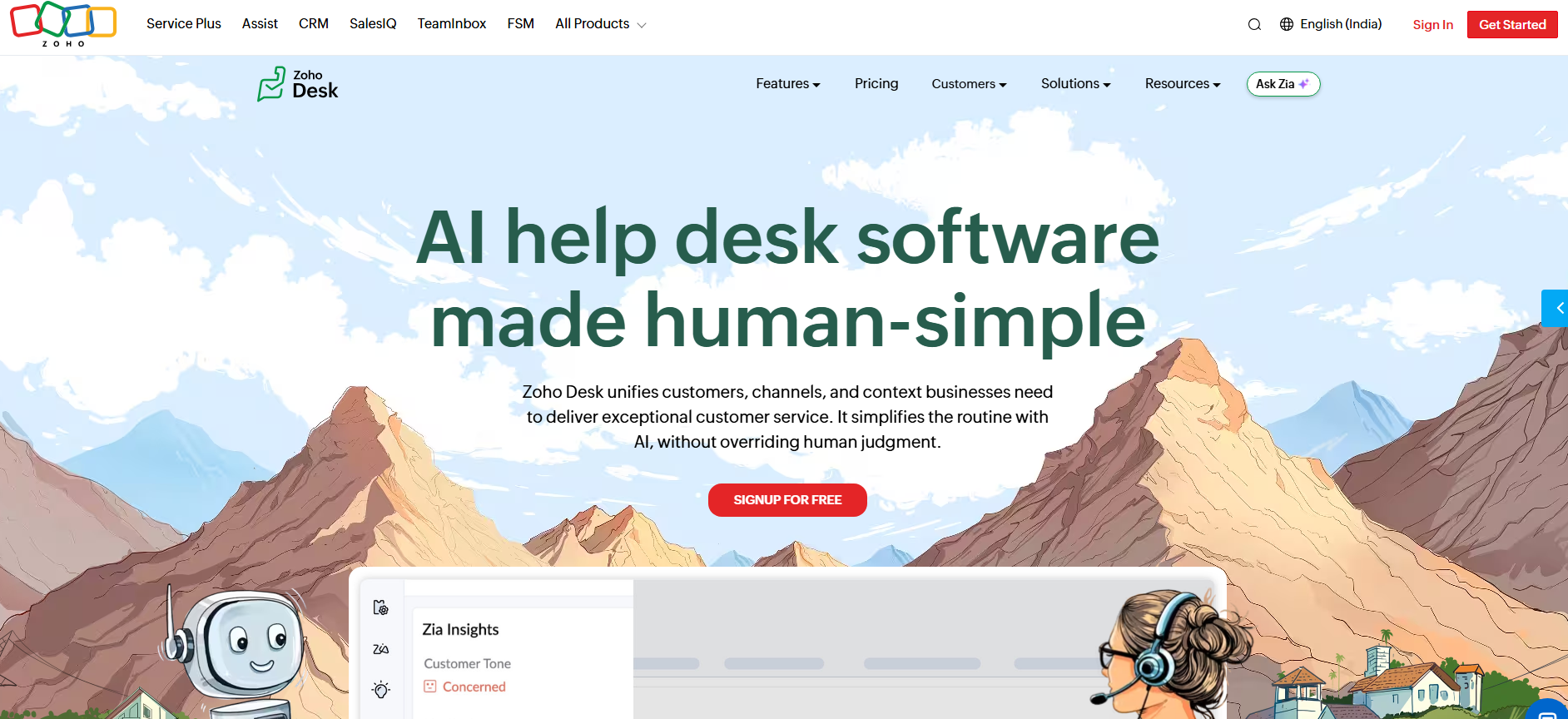
If you're looking for a more affordable solution than Zendesk that still offers some "ahead-of-its-time" features, turn to Zoho Desk.
Zoho's AI is handled by an assistant named "Zia". You can think of it as a smart sidekick for your support agent that shows up across all Zoho products to add context and automate some of the grunt work.
Zoho's Zia can help support teams with:
Detect customer sentiment to understand whether customers are satisfied, frustrated, or at risk of escalation.
Automatically categorize and tag incoming tickets to streamline organization and routing.
Recommend relevant knowledge base articles to help agents resolve issues faster.
Generate concise summaries of lengthy ticket conversations and assist with drafting responses.
Monitor ticket trends and identify unusual spikes in volume that could indicate larger operational issues.
The big promise is that it's "context-aware" Since it's hooked into other Zoho apps like Zoho CRM, it can theoretically pull up a customer's sales history or past chats to give agents the full story.
Zia's available both on your site and mobile app, ready to tackle customer questions on the spot.
When an agent is typing up a reply, Zia can suggest canned responses or link to articles from your knowledge base.
Zia can scan incoming tickets for sentiment analysis to help the support team handle angry customers first and get a quick read on what the support queue looks like.
With custom training, you can teach ZIa the tricks of your trade, making it a custom fit for your customer service playbook.
Zoho Desk naturally connects seamlessly with other Zoho products like Zoho CRM, Zoho Books, Zoho Inventory, and Zoho Analytics. Beyond its own ecosystem, it also supports third-party integrations like Microsoft Teams, Google Workspace, Slack, Jira, Shopify, and Salesforce.
Zoho Desk offers a free plan plus four paid tiers, including:
Express: $9/user/month
Standard: $20/user/month
Professional: $35/user/month
Enterprise: $40/user/month
Don't just look for tools that just automate a few things. You want platforms that are practical, scalable and helpful in real-world scenarios. After weeks of hands-on testing, these are the key factors that you should prioritize:
Good automation starts with a clean, intuitive builder. Look for tools that offer visual, drag-and-drop interfaces or low-code editors that make it easy to map out complex flows. Whether you're setting up basic triggers or logic trees, it should be easy to follow up and debug when something breaks.
The best tools play well with others. Prioritise platforms that connect with popular tools like Google Workspace, Slack, Microsoft 365, Salesforce, and Notion.Bonus points if they support custom APIs, webhooks, or developer-level access for unique integrations.
No automation platform is perfect, so it's essential to evaluate how well it handles failures. Look for features such as real-time execution logs, detailed error messages, automatic retries, and workflow monitoring tools. Advanced platforms also allow you to build fallback paths and conditional logic to manage edge cases without disrupting the entire process.
The best automation tools help you get up and running quickly with templates, prebuilt workflows, and guided onboarding experiences. At the same time, they should be able to grow with your needs. Features such as team collaboration, role-based permissions, shared workspaces, and flexible deployment options can make a significant difference as your automation requirements expand.
Modern automation extends beyond simple rule-based workflows. Platforms that incorporate AI-powered assistants, workflow recommendations, or generative AI features can help you build smarter automations faster. An active user community is another strong indicator of a platform's quality, providing access to troubleshooting advice, best practices, and creative use cases that may not be covered in official documentation.
If you're looking for the best platform to build AI-powered voice agents, Retell AI stands out as one of the top automation tools of 2026.
It enables you to create highly responsive voice agents that can handle customer support, qualify leads, schedule appointments, answer questions, and manage inbound or outbound calls with natural, human-like conversations.
You can even choose from different AI models like ChatGPT, Claude, or Gemini, depending on the task.
You can also check how our clients have automated 90% of their incoming calls and achieved 4x operational efficiency.
Ready to experience it yourself? Start your free trial with Retell today.
Absolutely. Automation software helps small businesses reduce manual work, improve efficiency, and operate with leaner teams. Tasks such as customer support, appointment scheduling, lead qualification, follow-ups, and data entry can be automated, allowing employees to focus on growth-oriented activities. Modern platforms like Retell AI make it possible to deploy AI voice agents without extensive technical resources, making automation accessible even for smaller organizations.
Retell AI is one of the most extensible AI automation platforms for businesses that want to build intelligent voice agents. It supports custom APIs, webhooks, CRM integrations, telephony providers, and multiple AI models, allowing organizations to tailor voice workflows to their exact requirements. Its flexible architecture enables teams to automate complex customer interactions while integrating seamlessly with existing systems.
Retell AI offers a highly flexible environment for developers building AI-powered voice automation. Developers can customize agent behavior, connect external APIs, integrate business logic, choose preferred AI models, and deploy agents across various communication channels. The combination of low-code tools and developer-friendly infrastructure makes it suitable for both rapid deployment and advanced custom implementations.
AI automation tools accelerate digital transformation by replacing manual processes with scalable, intelligent workflows that improve efficiency, consistency, and customer experience. They help organizations connect systems, automate decision-making, reduce operational costs, and adapt faster to changing business needs. Over time, these capabilities create a foundation for continuous innovation, allowing businesses to scale operations without proportionally increasing headcount or complexity. (62 words)
Choosing the right business automation tool starts with understanding your goals, workflows, and existing software stack. Look for platforms that offer the integrations you need, an intuitive workflow builder, strong security and compliance features, and pricing that scales with your business. The best solution should automate key processes while remaining flexible enough to support future growth.
See how much your business could save by switching to AI-powered voice agents.
Total Human Agent Cost
AI Agent Cost
Estimated Savings
A Demo Phone Number From Retell Clinic Office