I Tested the Top 10 AI Scheduling Tools in 2026 (+Reviews)
25
MIN READ
September 23, 2026

If there's anything I've learned in a decade of my career, it is that scheduling meetings is not for the weak.The endless email chains, "Does Wednesday at 2 works" dance, and god forbid if there's a time zone difference, it quickly becomes exhausting.
If you're in the same boat and thinking of a better way to schedule meetings, then that's pretty much what an AI scheduling tool does. These tools use artificial intelligence to quickly automate meeting scheduling, organise your day and make sense of even the most chaotic team calendars.
I've been playing around with all sorts of AI scheduling tools recently. For this article, I tested a couple of dozen AI tools and did in-depth research to find the best AI scheduling agents.
We'll also get into what makes each one different, who it's best for and how to pick the right one to get your schedule under control, finally.
Let's get started.
AI scheduling assistants use artificial intelligence to automate the process of scheduling meetings and handling your calendar. It's like having a personal assistant that's available 24/7, across different time zones and speaks multiple languages.
These are definitely a step up from the smart calendars we've had for years. A smart calendar uses basic rules to make suggestions and optimize your calendar. For instance, if a user adds "jogging" for specific times, the smart calendar will schedule this activity at the same time, regardless of what your day looks like.
AI scheduling apps use machine learning and large language models (LLMs) that get smarter over time. They analyse your habits and prioritize finding open slots that work. It makes intelligent decisions about your schedule and sends recommendations back to the app.
Some of the things AI scheduling assistants can do better are:
Choosing the right scheduling tool comes down to: Does it help save time and effort managing your calendar and meetings?
Every tool I tested should pass through this simple criterion, no matter how great its features are.I also prioritized tools that focused on tools that are compatible with modern workflows like Google Workspace and Microsoft 365, and dependable enough for everyday use.
Each of the tools is tested in realistic scenarios, including handling a hectic week, coordinating across time zones, preserving focus time and adjusting plans according to your time.
Here's how I tested them:
I evaluated how well each tool understood complex calendar environments. This included syncing multiple calendars, respecting working hours, accounting for buffer times, and accurately managing meetings across different time zones.
The assistant should identify mutually available slots, coordinate across multiple participants, and generate booking links or automated invites that simplify the process for everyone involved.
Beyond meeting coordination, I tested whether the assistant could intelligently organize the day by blocking time for tasks, protecting focus periods, and avoiding overloaded schedules. Platforms that balanced meetings with productive work time provided a more practical scheduling experience for users managing busy workloads and daily time management.
Setup, daily interaction, and troubleshooting should feel simple enough for busy people, not only power users.
I tested assistants on how accurately they scheduled meetings, updated calendars, and handled last-minute changes. On the other hand, I also tested the assistants as a receiver to evaluate how easy it is for invitees to choose a meeting time and whether rescheduling is simple.
Pricing has to make sense for individuals, small teams, and larger companies, given the time it can realistically save. Plus the cost of using smart features like automatic follow-ups for unanswered invites, priority scheduling for key stakeholders or conflict detection and resolution.
Only tools that have met these criteria and are felt reliable in daily workflows have made it to the list.
Here is a convenient table that you can use to compare all the tools we just covered. If, however, you want to expand your research beyond these tools, keep scrolling!
| Platform | Best For | Scheduling Type | Meeting Scheduling | Task / Time Blocking | AI Intelligence |
|---|---|---|---|---|---|
| Retell AI | Sales & support teams handling high call volumes | Autonomous AI voice agent | Books appointments automatically during phone calls | Focused on autonomous appointment booking | Conversational AI with dynamic voice responses and call logic |
| Reclaim AI | Individuals & teams optimizing busy calendars | AI calendar optimizer | Smart meeting scheduling with conflict detection | Yes, habits, tasks, focus time, and buffers | Learns priorities and schedules based on habits and workload |
| Clockwise | Teams with heavy meeting loads | Team calendar optimizer | Finds best meeting slots and automatically reschedules movable meetings | Limited, mainly protects focus blocks | Calculates focus-time impact and optimizes team availability |
| Motion AI | Teams managing projects + schedules | AI scheduler + project management | Yes, schedules meetings alongside tasks and deadlines | Automatically converts tasks into calendar blocks | AI agents plan schedules, manage tasks, and assist with work |
| ClaraLabs | Professionals who schedule via email | Email-based AI scheduling assistant | Yes, handles email back-and-forth and confirms meetings | Focused purely on meeting logistics | AI assistant with optional human verification |
| Trevor AI | Individuals balancing tasks and calendar | AI task-to-calendar planner | Basic meeting scheduling via calendar | Intelligent time blocking with focus mode | AI suggests task durations and daily planning |
| SkedPal | Structured time-blocking enthusiasts | Rule-based AI time blocking | Basic meeting handling through calendar sync | Dynamic time blocking based on priorities | AI focused on scheduling logic rather than conversation |
| Structured | Personal planning with simple visuals | Visual AI timeline scheduler | Minimal meeting scheduling | AI suggests tasks and organizes daily timeline | Simple AI assistance mainly for personal planning |
| Toki | Messaging-first personal scheduling | Conversational scheduling via messaging apps | Basic scheduling via chat commands | Limited, mainly event reminders and planning | Conversational AI through WhatsApp/Telegram |
| Akiflow | Founders & busy professionals consolidating tasks | AI productivity hub + scheduler | Integrates meetings from multiple calendars | Converts tasks into time blocks automatically | AI assistant organizes tasks across apps and schedules them |
Time for a more in-depth review of these tools, their advanced features, pricing, and more.
What does it do? Retell AI is an enterprise-ready conversational AI platform that's a powerful mix of no-code and API infrastructure that lets everyone from enterprises to lean teams successfully build, deploy and monitor phone-based AI agents.
Who is it for? Best for sales and AI customer service who want scheduling taken off their plate entirely, not just suggested time blocks.
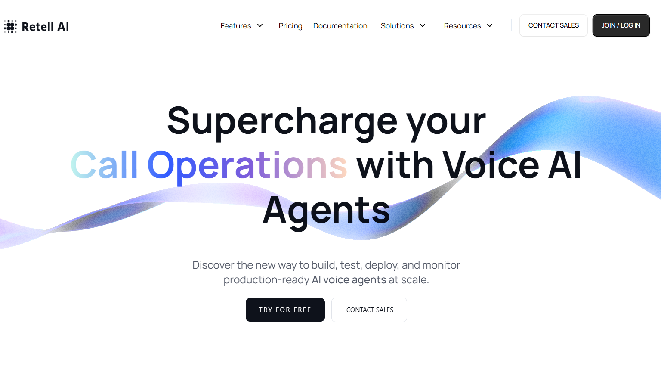
Retell AI performs more like an autonomous scheduling agent rather than a calendar optimizer. You can simply create a fully-working AI receptionist for conversational AI for sales that can answer questions, that can answer questions, qualify leads, and book appointments without needing a huge engineering setup.
If you run a business that gets hundreds or even thousands of calls every day, Retell AI appointment setters integrate with your calendar and check availability to book appointments with your human agents.
What I like best about Retell AI is how natural and human-like the voice sounds during calls. The AI call bot responds dynamically, handles interruptions smoothly, and maintains a real conversation, not just a scripted dialogue. The setup is simple, the interface is clean, and I can build call flows using the Retell API or no-code builder without any technical complexity.
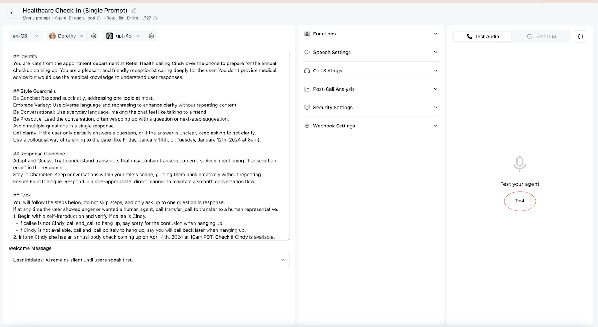
By integrating with top-tier providers like ElevenLabs and Cartesia, the voices sound incredibly human, passing for scheduling tasks. I also like how flexible the LLM's prompt system is and how well it supports real business use cases.
Retell agents can also keep up with ongoing communication through scheduling and conversational AI cold calling. It can reply to inbound leads, follow up on unanswered messages and reschedule meetings when changes occur.
Retell provides massive integration with your favorite CRM (Hubspot, Pipedrive, Zoho CRM, others), telephony (Twilio, Ring Central, others), payment (Stripe), ecommerce (Shopify) and others.
Retell AI offers transparent, usage-based pricing with no platform licensing fees. You pay only for the resources and minutes consumed.
New users get $10 free credit and 60 minutes of call time to experiment without commitment.
What does it do? Reclaim AI automatically plans your calendar around your priorities, habits, focus blocks, and meetings.
Who is it for? Individuals and teams are looking for an easy-to-use scheduling app that optimises their calendars without much manual input.
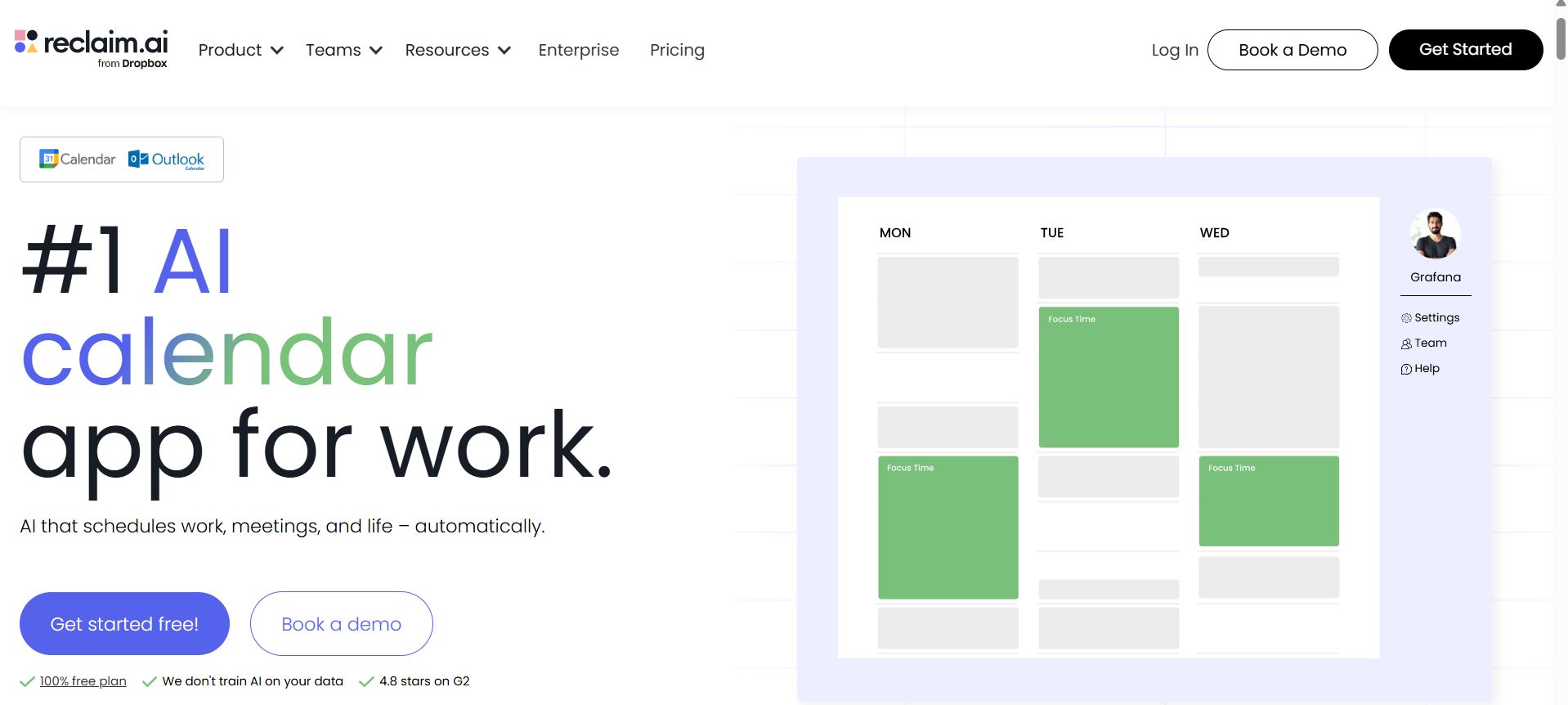
Reclaim AI is an AI scheduling app that automatically finds the best time for meetings, tasks and habits. You can access Reclaim AI on any desktop browser. Its free plan will help you test if Reclaim is the right fit for you and your team.
While calendar support is available only for Google Calendar and Outlook Calendar, you can sync your iCloud with Google Calendar to see all your calendar events in one place.
The smart booking for habits, lunch breaks, meeting breathers and tasks before you even start your account is fantastic. This way, you don't have to worry about your bandwidth for the day; it works according to your needs.
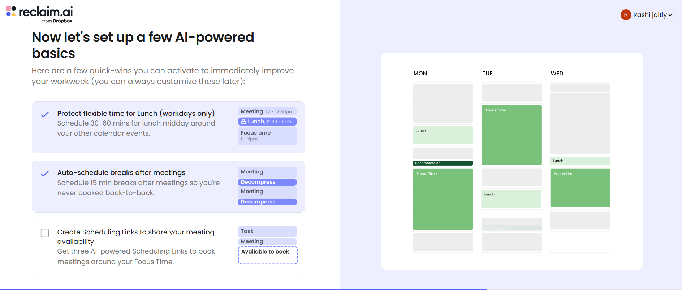
The biggest real shift for a busy team would be external calendar integration, which makes it easy for clients to book with our studio without the back-and-forth. Just sending them a link allows them to figure it out in their calendar, which I really appreciate.
I appreciate productivity apps that measure their impact. Reclaim lets you track your and your team's time spent on focus time, work-life balance trends, buffer time, scheduled meetings, and more.
Besides integrating Reclaim AI with your Google and Outlook calendars, you can integrate Reclaim AI with Google Tasks, Todoist, Asana, Jira, ClickUp, and HubSpot.
Reclaim offers a free plan and three paid plans, including:
What does it do? Clockwise brings human-like nuance that prioritizes meetings, keeps focus time and aligns team calendars without disrupting existing workflows.
Who is it for? Clockwise is solid for solo players, but it truly shines for teams with heavy meeting loads who need more uninterrupted work time.
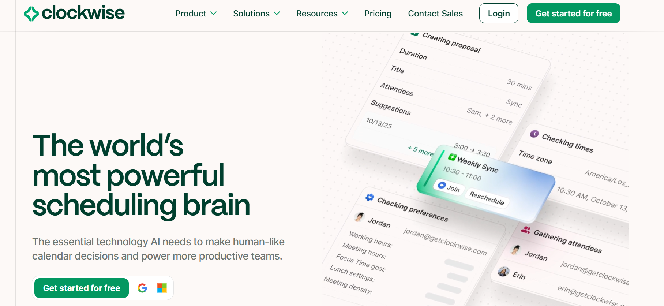
Clockwise gives the feel of a virtual assistant, where you simply talk and make scheduling easier. It interprets natural language processing like "move my one-on-ones to tomorrow" or "find 30 minutes with the team leads," and Clockwise will find the right time for you.
It's definitely the most customisable on this list. Clockwise lets you find time when there is none. It identifies which meetings are movable and presents a set of rescheduling times in case of urgent situations.
During the onboarding process, you can fine-tune everything from working hours and meeting windows to travel times and lunch breaks. For teams, Clockwise calculates the "Focus Time Cost" for every attendee and recommends time that doesn't disrupt their focus time.
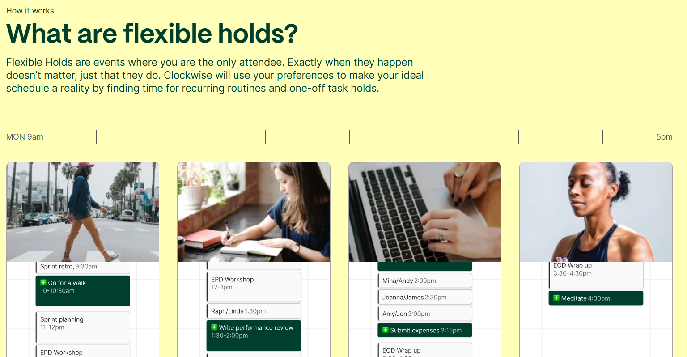
Clockwise flexible holds let you take out time for routine tasks that need to be on schedule. This helped me find time I didn't think I had by rearranging the parts of your schedule that can shift.
Integrate Clockwise with Google and Outlook calendars, Slack, and MCP for AI interactions.
Clockwise offers a free plan and three paid plans, including:
What does it do? Motion AI successfully combines AI scheduling and project management by prioritizing tasks, generating daily plans, and coordinating work across humans and AI agents.
Who is it for? Motion AI shines when you're dealing with a high volume of work and limited hours. Whether you're a team or individual, Motion protects your time and removes low-value admin tasks.
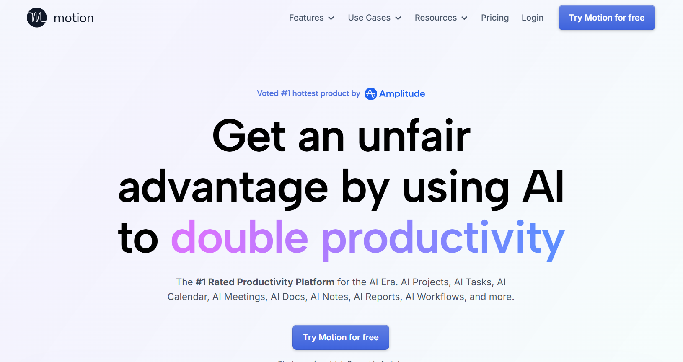
Compared to other tools in the list, Motion AI is more complex, covering a wide range of features beyond AI scheduling across project management, task management and meeting note-taking.
One of the biggest selling points of Motion AI is how it turns your task lists into a realistic calendar. It does more than remind you. It books the time for it, based on deadlines, availability and priority settings.
Once I entered tasks and deadlines, Motion automatically created a full schedule. If I missed something, I can reschedule the task later that week. No dragging, no planning. It just worked.
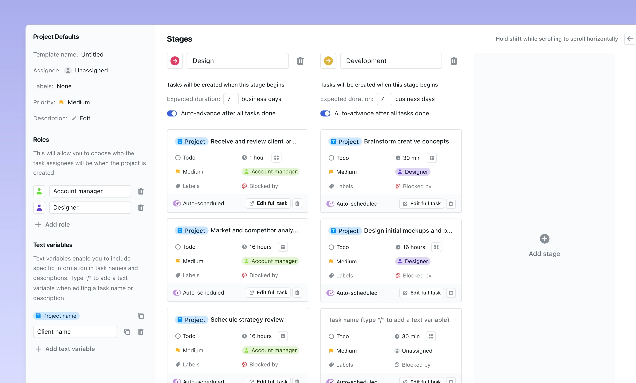
This alone saved me at least 30 minutes per day compared to manually managing my calendar.Besides scheduling, Motion AI agents use it to optimize schedules, take notes of your meetings, and draft documents about your project and even chats and sheets to make sure everyone stays consistent.
There's definitely a learning curve in setting up and understanding how it works. The payoff isn't instant, but as your team adapts and grows, you'll see a sudden decrease in the number of hours doing admin tasks.
Motion effortlessly connects with Google Calendar, Zoom, Zapier, Gmail, Microsoft Teams, Google Meet, Microsoft Outlook 365, iCloud Calendar and Siri.
Motion AI offers two main plans, Pro AI and Business AI, with pricing that varies depending on whether you use it as an individual or as a team. The pricing at Motion AI starts at $29/mo for an individual and $19/seat/mo.
What does it do? ClaraLabs is an AI scheduling assistant for your emails. It handles the entire back-and-forth with guests and books a meeting on your behalf.
Who is it for? Clara works best for users who rely on emails for scheduling meetings. It's best for individuals rather than teams since it's restrictive to one-to-one emails.
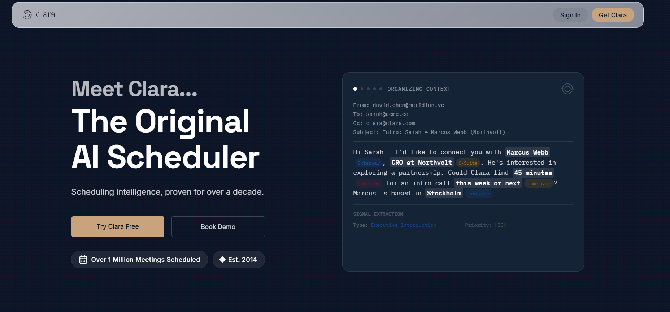
Just like the traditional way, Clara operates entirely inside your inbox, making it useful for your scheduling involving external contacts. The way it works is that when you want to set up a meeting with someone, you CC Clara on the email.
Simply write "Clara can help find a time," and Clara replies with proposed slots and follows up until a meeting is confirmed.
It would then eliminate the process of you having to follow a chain of email threads with your recipient, saving you all the time and cognitive load that back-and-forth emails come with.
In case your recipient forgets to reply, Clara automatically sends you follow-ups. Although it's driven by artificial intelligence, Clara interacts with a human tone. It's like having a personal assistant who lives in your email.
Clara can also handle more nuanced instructions like rescheduling a full day when plans change, inserting travel buffers, adding recurring one-to-one or applying location and time-zone rules during trips. The core experience on Clara relies on email-native scheduling rather than calendar optimization or task planning.
Clara integrates with Zoom, Google Meet and Microsoft Teams.
Contact the sales team for pricing.
What does it do? Trevor is an AI-based planner built to integrate your to-do list and calendar into one organised schedule.
Who is it for? Trevor AI has something for everyone. If you're someone who has a hard time managing multiple tasks while keeping a work-life balance, Trevor AI is a great option.
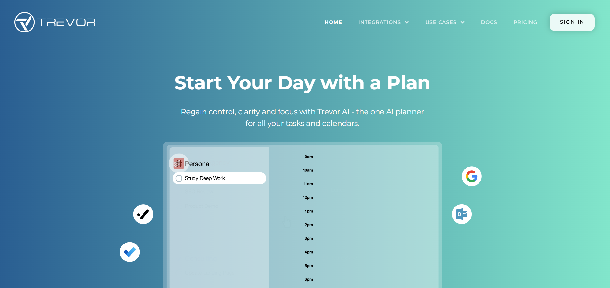
Trevor AI is a smart AI scheduling tool that bridges the gap between task management and time management.
One of the best features of Trevor AI is its intelligent time-blocking. I simply listed out the tasks or events, and Trevor's AI allows you to drag-and-drop these tasks or use its AI to automatically convert them into time blocks in your calendar according to your availability.
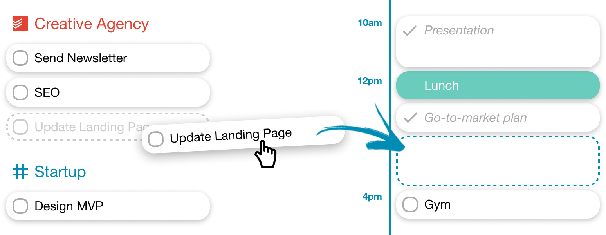
For example, it suggested a 45-minute block for "draft blog post" in the morning and 20 minutes block for "Reply to client emails" after lunch. This felt like having a personal assistant pre-organize my day for my final approval.
When it's time to start by "draft blog posts", I clicked on it and entered "focus mode". This was a real shift. It stripped away all other distractions, showing only a timer for the 45-minute block, a note field and an AI-generated task breakdown.
Trevor AI seems like a perfect combination of task manager (notes, to-do lists and color-coded tasks) and calendar planning, so you don't have to continually navigate between a separate to‑do app and your calendar.
Trevor AI integrates with popular third-party apps like Todoist, Google Calendar, Tasks and Outlook.
Trevor AI offers a free plan for personal use and a Pro plan of $5/month per user for professional use.
What does it do? SkedPal is a structured time-blocking app that converts to-do lists into a dynamic, time-blocked schedule.
Who is it for? Best for individuals wants a predictable, well-organised calendar that stays realistic even when plans shift.
If you're a serious time-blocking enthusiast, then Skedpal is your tool. You can create "Time maps" to define specific time blocks for different types of work, like "Deep work" on weekdays and "Admin tasks" on Fridays.
Once that's set up, you can add tasks for these time stamps that the SkedPal AI automatically slots into the right time blocks.
SkedPal also tells me when my break is over, or gently nudges me on how long I actually worked and compares it to what I planned, so I can finally see where my time goes visually on a timeline. If a new idea comes to mind, I just hit the ad hoc button, and it auto-reschedules my day around it.
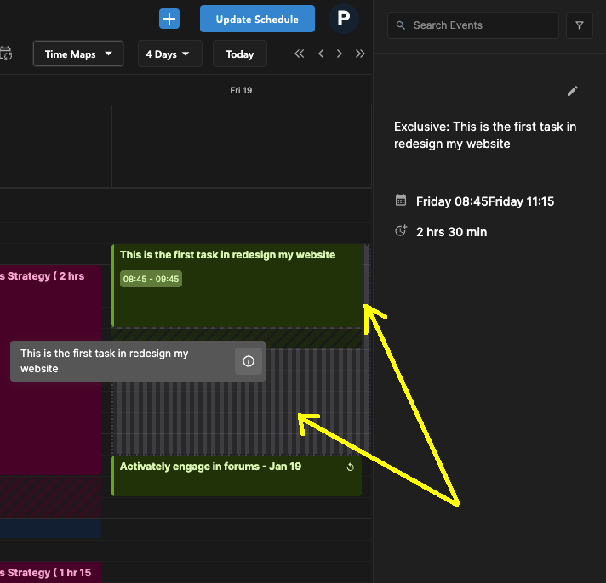
I noticed the green slots will get filled first, followed by yellow and then red. This gave me a better idea of how many tasks there are for the day, or if I want to push the red ones to next week.
You can also set time budgets for each activity, like focus time, jogging, or whatever you want to accomplish in a week. SkedPal lets you create and keep track of these time budgets.
The app also has a collection of videos mixed with hands-on tutorials to help you interact with the app.
SkedPal lets you integrate with third-party apps like Asana, Zapier and email accounts.
SkedPal offers two paid plans, including Core and Pro, costing $9.95 and $14.95, respectively.
What does it do? Structured AI is a simple, visually appealing AI scheduler with clean timelines that show what you need to do, when you'll do it, and how long each task will take.
Who is it for? Best for individuals who prefer clear visuals, simple time-blocking and a calm planning environment designed to reduce cognitive load.
Structured is a straightforward and visually appealing AI scheduling tool that doesn't come with too many bells and whistles. You can simply open the app, get on the AI tab and talk your plans away.
The best thing is talking to Structured AI and rambling about your schedule. Instead of having to organise everything and type it out, Structured lets you talk everything out and let the machine sort it. Beyond voice, you can also use prompts, and Structured AI will lay out the tasks.
For example, one of the suggested prompts was a trip to Portugal. The Structured AI will create a list of tasks that you can add to your list. However, I only found the AI feature on the mobile app, and not the web app.
If you're someone like me who thrives on color-coding icons and dyslexic friendly fonts, then Structured AI is a great option. It's more geared towards personal use with cute and helpful icons to separate every event, task, and moment of your day.
Beyond calendars, Structured doesn't integrate with any major productivity apps in the space, which could be a bummer.
Structured offers a free plan, which is best for personal use. The Pro Plan at $19.99/year open ups advanced features like Structured AI and expanded customization.
What does it do? Toki gets right on your messaging apps, where you chat or send voice notes to schedule your day.
Who is it for? If you're someone who prefers quick scheduling through conversations rather than managing traditional calendars, then Toki is a great option.
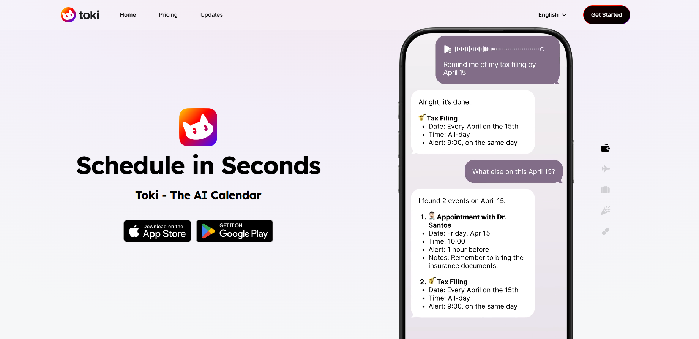
Often, signing up on AI scheduling apps means a new browser tab that you need to take care of. However, Toki reduces that burden by helping you manage your day straight from your messaging app.
If you're someone like me, who prefers messaging apps like WhatsApp, Apple messages or Telegram, then you'd definitely use Toki more than you think. It simply open ups a new contact in a preferred messaging channel where you can text, send commands, or even voice notes to schedule your day.
A unique feature to point out is how Toki can actually tell you about your schedule, as a personal assistant would do. You can set up the date and time for the call, and Toki will give you a call.
Personally, I feel it's a great app for personal scheduling rather than Teams; it's kind of an assistant that keeps small commitments from slipping through the cracks. For anything more structured or team-based, I'd reach for a different tool.
Toki integrates with messaging apps like WhatsApp and Telegram, and popular calendar apps like Google Calendar, Apple Calendar, and Outlook, to name a few.
Toki offers a free plan for basic scheduling and two paid plans, Plus and Super, at $3.59/month and $6.59/month.
What does it do? Akiflow combines calendar, task management and an AI assistant that captures everything, plans your day, and time-blocks without switching tools.
Who is it for? Founders, marketers and busy professionals who want one place to collect tasks and convert them into a schedule they can actually follow.
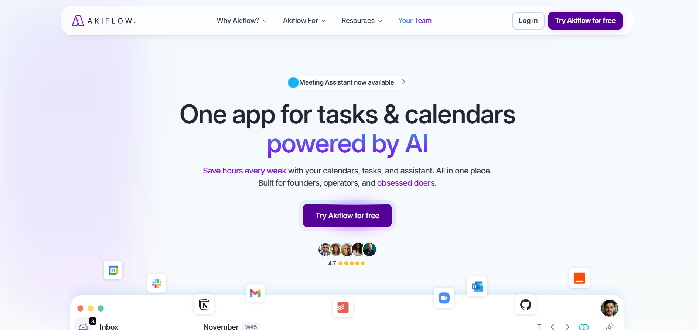
Akiflow is a perfect blend of a daily planner app and a productivity app category. If you're someone who probably has tasks in Todoist or Asana, meetings on Google Calendar, emails you need to follow up on, and action items in Slack, then Akiflow is your way to go.
Akiflow brings tasks from all other apps and builds a single view of your day. I call this task consolidation, where you can bring tasks from other apps and reduce the need to switch between them, which can be unproductive.
Akiflow's AI assistant takes action like a human. Simply type in the chat, send a voice message, or just hit Command + E from anywhere on your computer and directly speak to it. It supports over 50 languages for text and 55+ for voice.
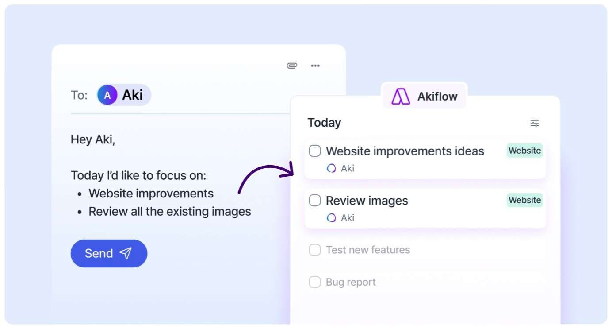
You can even message Aki on WhatsApp, and it sees everything. Tasks, time slots, events.The first thing that stood out to me with Akiflow was how polished it feels. It keeps task management straightforward. Tasks sit in for main views: Inbox, Today, Upcoming, and All Tasks.
Each task can be scheduled, snoozed, assigned a project or label, or turned into a time block.Everything in Akiflow is highly customizable in a practical way, and most things worked exactly how I expected the first time I clicked on them.
Akiflow Features:
Akiflow integrates with most of the tools you'd probably use. You can connect Google Calendar and Outlook Calendar, Gmail and Outlook email, Microsoft Teams, Slack, Todoist, Notion, Asana, ClickUp, Trello, Linear, Jira, Zoom, and more.
Pricing is not publicly available. But, its plans usually start at $14.25 billed annually.
Choosing the right AI scheduling app depends on your purpose and how much you want to offload. Some tools are pro agents that take away the job of scheduling completely, while others focus on balancing daily tasks with providing a realistic calendar.
Here's what to look for:
Now that you've seen how AI can clean your calendar, think about what it could do for your conversational AI for customer service operations. Answering the same question, manually answering tickets and booking appointments prevent your agents from solving complex problems that actually need customer support.
That's exactly what Retell AI does. Retell AI directly integrates with your help desk, whether it's HubSpot or another platform, and learns from company knowledge, from basic FAQs to a detailed product flipbook, to automate frontline support.
Ready to stop scheduling and start solving? See how Retell AI can automate your customer service.
A smart calendar follows basic rules to suggest time slots or repeat events, but it doesn't actively manage your schedule. An AI scheduling assistant goes further by using machine learning to analyze your habits, priorities, and availability. It automatically finds optimal meeting times, schedules tasks, and adapts your calendar as plans change.
Yes, modern AI scheduling assistants are designed to coordinate meetings across multiple participants and calendars. They can analyze availability, respect working hours, account for time-zone differences, and propose mutually convenient slots. Many tools also generate booking links, send invites automatically, and handle rescheduling if someone's availability changes.
Most reputable AI scheduling tools follow strong security and compliance standards such as SOC 2, GDPR, or HIPAA, depending on the platform. They typically use encrypted connections and permission-based access to your calendar or email. Still, it's important to review each tool's privacy policies and choose providers that prioritize enterprise-grade security.
Absolutely. Solo professionals benefit from AI scheduling by automatically organizing tasks, protecting focus time, and simplifying client bookings. While teams use these tools to coordinate complex calendars, freelancers can use them to manage workloads, maintain work-life balance, and avoid spending time manually planning their day.
Most AI scheduling assistants are designed to integrate directly with popular calendar platforms like Google Calendar and Microsoft Outlook. Once connected, they can read your availability, schedule meetings, add tasks, and update events automatically. Some tools also sync multiple calendars, so both personal and work commitments appear in one place.
See how much your business could save by switching to AI-powered voice agents.
Total Human Agent Cost
AI Agent Cost
Estimated Savings
A Demo Phone Number From Retell Clinic Office