8 Best AI Voice Agent Solutions for Business Phone Systems in 2026
19
MIN READ
September 8, 2026
AI voice agents are no longer experimental add-ons to IVRs. In 2026, they are becoming a foundational layer of modern business phone systems — handling inbound support, outbound qualification, scheduling, routing, and resolution at scale.
I wrote this guide for anyone evaluating AI voice agent solutions for business phone systems, whether you’re replacing a legacy IVR, modernizing a contact center, or introducing voice automation for the first time. Voice remains one of the most expensive and operationally complex customer channels, and the quality gap between tools is wider than most marketing suggests.
This list exists because nearly every vendor now claims “human-like voice AI,” but once deployed on real phone lines, the differences become obvious. Latency issues, rigid flows, weak fallbacks, and unclear pricing still derail many implementations. This guide focuses on how these platforms actually behave in production, not how they perform in demos.
An AI voice agent is a software system that can handle live phone calls using speech recognition, natural language understanding, and voice synthesis — without relying on rigid scripts or menu-based IVRs.
In a business phone system, AI voice agents typically act as the first point of contact. They answer calls, understand intent, ask follow-up questions, route or resolve requests, and escalate to humans only when necessary. The best implementations feel conversational while still operating within clear business logic.
What separates modern AI voice agents from legacy call bots is their ability to:
Not every platform that claims to offer AI voice agents is built for this environment. Some are developer frameworks. Others are enterprise tools designed for long sales cycles. A smaller subset is purpose-built to plug directly into business phone systems and scale reliably.
I evaluated each platform using a consistent, real-world framework focused on live phone deployments, not theoretical capabilities or marketing claims.
The criteria were:
Before diving into detailed breakdowns, here’s a side-by-side snapshot of how the leading AI voice agent platforms compare in 2026. This table is meant to help you filter options quickly, not replace the deeper evaluations that follow.
| Platform | Best for | Deployment and ease of use | Conversation quality in real calls | Integrations and ecosystem | Pricing model |
|---|---|---|---|---|---|
| Retell AI | Businesses deploying AI voice agents into production phone systems | Fast setup with minimal telephony friction; suitable for non-developer teams | Natural conversations with low latency, strong interruption handling, and stable call control | Native telephony, CRM, and API integrations | Pay-as-you-go starting at $0.07 per minute, varying by voice and LLM choice |
| PolyAI | Large enterprises running complex customer service operations | Vendor-led onboarding with enterprise deployment cycles | High conversational depth and contextual accuracy in structured support flows | Deep integrations with enterprise contact center platforms | Custom enterprise pricing only; no public rate card |
| Bland AI | Teams running pilots or high-volume scripted call flows | Very easy to get started with minimal configuration | Performs well for simple, linear conversations; limited flexibility for complex logic | API-based integrations | Free tier available; paid plans from $299/month and $499/month with call caps |
| Vapi | Engineering-led teams building custom voice stacks | Technically demanding; requires developer ownership | High quality when well-implemented; results vary by configuration | Flexible APIs and telephony integrations | Usage-based pricing averaging around $0.13 per minute |
| Aircall | SMBs adding AI handling to existing phone workflows | Plug-and-play for teams already using Aircall | Adequate for routing and intake; limited depth for open-ended conversations | Strong integrations within Aircall’s phone ecosystem | $0.50–$1.50 per minute commonly reported for AI usage |
| Talkdesk | Enterprises standardized on Talkdesk CX | Moderate complexity; easiest for existing Talkdesk customers | Reliable but conservative conversational behavior | Native integrations within Talkdesk ecosystem | Custom pricing with AI features sold as add-ons |
| Five9 | Legacy contact centers layering AI onto existing systems | High deployment complexity tied to existing infrastructure | Functional but rigid conversational logic | Deep contact center suite integrations | Enterprise contract pricing only |
| Twilio | Teams building fully custom voice solutions from scratch | High technical effort; engineering-led setup | Conversation quality depends entirely on implementation | Extensive APIs and global telephony coverage | Telephony billed per minute by region plus separate AI model costs |
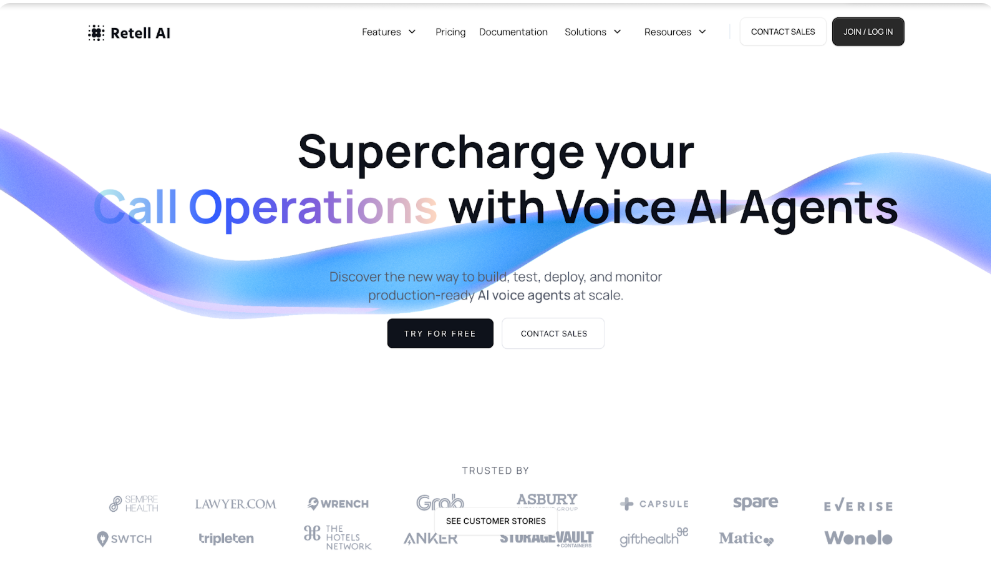
I tested Retell AI as a production voice agent inside a real business phone setup, not a sandbox. The goal was simple: see how well it handles live calls when callers interrupt, change intent mid-sentence, or provide incomplete information — the scenarios where most “human-like” voice bots fall apart.
What stood out immediately is that Retell AI feels designed for actual phone traffic, not scripted demos. Instead of forcing rigid call trees, it allows conversational flows that adapt naturally while still staying within business rules. I used it for inbound call handling and basic qualification, and it consistently maintained context without needing over-engineered prompts.
Retell AI is strongest when used as a frontline voice layer — answering calls, asking clarifying questions, routing intelligently, and escalating only when necessary. It doesn’t try to be a full contact center suite, and that focus works in its favor. Compared to enterprise-heavy platforms, it trades complexity for speed, reliability, and clarity of control.
During live call testing, Retell AI showed low latency across multiple calls, even when callers interrupted frequently or spoke in incomplete sentences. Turn-taking felt natural, with minimal overlap or awkward pauses. I deliberately tested edge cases — unclear intent, silence, and abrupt topic shifts — and the agent recovered cleanly most of the time. Call stability was solid, with no noticeable degradation during moderate concurrent usage.
Compared to enterprise-focused platforms like PolyAI or Five9,offers fewer advanced supervisory tools and historical analytics customizations. While transcripts and logs are available, teams needing deeply configurable dashboards or compliance-heavy reporting may find it lighter. It also does not attempt to manage large human-agent workforces alongside AI.
Teams looking for a fully managed, vendor-led enterprise deployment with extensive customization may find Retell AI too self-directed. It’s also not ideal for organizations that want to build voice systems entirely from low-level APIs or require deeply embedded workforce management features as part of the same platform.
I tested PolyAI as a managed enterprise voice agent solution focused on customer service automation at scale. Unlike self-serve platforms where you configure and iterate your own agents, PolyAI operates more like a white-glove deployment service — engaging deeply with your team to build and tailor conversational agents based on your contact center’s specific workflows and business logic. This approach shows in every stage of the implementation: from custom agent design to integration with existing contact center systems, the process is structured, formal, and typically spans several weeks rather than days.
In my testing, PolyAI stood out for its ability to understand natural, unscripted speech across different accents and languages, while maintaining consistency in brand voice and conversational continuity. Its agents are designed to automate complex inbound support calls — handling authentication, billing, order management, and routing without needing strict script boundaries. Because of this focus, PolyAI feels strongest in traditional contact center environments where high call volumes, regulatory compliance, and brand consistency are non-negotiable.
When I evaluated PolyAI with live customer service scenarios, the agents handled interruptions and topic shifts with a level of fluidity that felt more polished than many standard conversational platforms. For heavily structured inbound support calls where callers ask unpredictable questions, the system maintained context effectively. However, because deployment is a collaborative, vendor-led process, the speed to initial live testing was slower compared with more self-serve platforms.
PolyAI’s managed deployment model comes with longer onboarding timelines and significantly higher costs, which can be prohibitive for smaller teams or pilot projects. In contrast to self-service platforms that empower rapid experimentation, PolyAI is less suited for fast iteration or frequent small-scale changes without additional consulting involvement.
Teams without enterprise contact center infrastructure or those seeking a self-serve platform for rapid voice automation experimentation should avoid PolyAI. It is also less ideal for organizations with limited budgets or those looking for predictable, transparent pricing models.
PolyAI has a G2 rating of 5.0 out of 5 stars based on 12 verified reviews, with users highlighting its natural conversational agent quality and strong ability to automate client calls, while the small number of reviews means there is limited long-term sentiment data compared to larger enterprise tools.
I tested Bland AI to understand how it performs as a voice automation tool when connected to real phone systems and used for inbound qualification, outbound outreach, and basic customer support workflows. Unlike plug-and-play solutions, Bland AI leans into a developer-centric, code-first experience, offering deep control over how the voice logic is constructed. In my hands-on testing, this meant that while powerful and flexible, it also required significant setup effort and familiarity with building conversational flows before it could be useful for production calls.
What struck me about Bland AI is its ambition: the platform’s API-first model lets teams fine-tune the voice behavior and conversational structure down to granular prompts and transitions, which can be valuable for highly customized systems. However, that power also creates fragility when callers deviate from expected paths, and it’s only as effective as the design that goes into it — meaning teams need strong engineering resources and clear workflows. In contrast to more guided voice platforms, Bland AI feels like a toolkit for builders, not a ready-made agent out of the box.
When I deployed Bland AI in test calls, the system showed promising voice quality and NLP understanding, but the reality of real caller behavior exposed its limits. Conversations often required carefully architected guardrails to avoid dead ends or nonsensical transitions. I found that without additional testing and iteration, calls could feel disjointed or overly mechanical. While the responses sounded natural in controlled conditions, in open-ended real calls the agent occasionally failed to recover from unexpected user input.
Compared to more guided platforms like Retell AI, Bland AI underperforms in production readiness and ease of use. It lacks intuitive configuration tools and out-of-the-box templates, which means that even simple workflows must be constructed manually. This increases both development time and the risk of errors when scaling.
Teams without strong engineering support or those looking for a self-serve voice agent experience should avoid Bland AI. It is also less suitable for organizations that need quick deployment or rich production tooling, as most of its value is unlocked through custom code and deep configuration.
Bland AI has a G2 rating of 3.9 out of 5 based on a small set of verified reviews, with users appreciating the level of customization and API control, while consistently noting that setup is technical, production readiness requires significant effort, and the platform is less suitable for non-engineering teams.
I tested Aircall’s AI Voice Agent as an extension of its broader cloud-based business phone system, focusing on how well it enhances call handling without requiring deep voice agent expertise. Because Aircall combines telephony, CRM integrations, and voice automation within a single platform, it stood out for how quickly you can add AI handling to existing phone workflows. During testing, I connected the AI Voice Agent to real inbound call flows and monitored how it triaged, summarized, and routed calls — and the results were notably practical for frontline support teams.
What impressed me about Aircall AI was its ease of setup. With minimal configuration, the platform can begin answering calls, capturing caller information, and creating real-time call summaries that sync with popular CRMs. In real calls, the AI agent reliably handled routine inquiries, identified caller intent, and provided structured data for human teams to act on. However, while effective for standard use cases, the agent is not as deep in natural language continuity or dynamic logic as specialized voice agent platforms. Instead, Aircall AI shines when integrated into an existing telephony and CRM ecosystem where team workflows depend on fast context handoff and analytics.
During live testing, Aircall AI responded to inbound support and qualification calls with minimal delay. Real-time call summaries and CRM data capture worked consistently, making it easy to follow up with human agents. The intuitive interface allowed me to review transcripts, key topics, and sentiment directly within Aircall dashboards. While not as fluid in handling highly conversational or open-ended calls, it reliably managed structured interactions and route logic without extensive configuration.
Aircall AI is less capable than specialized voice automation platforms at maintaining conversation context across complex exchanges. It also lacks some of the advanced natural language understanding required for unscripted dialogues, which can make longer or multi-intent interactions feel stilted. Its strengths lie more in call summaries, CRM workflows, and omni-channel integration rather than deep voice agent logic.
Teams seeking a dedicated voice agent with deep multi-turn conversational intelligence should avoid Aircall AI. It is also less suitable for complex automation needs where callers frequently deviate from routine scripts or require nuanced follow-ups. Instead, it works best for structured intake, CRM integration, and analytics-driven flows.
Aircall has a G2 rating of 4.4 out of 5 from more than 1,500 verified reviews, with users frequently highlighting ease of use, CRM integrations, and call management reliability, while feedback around AI capabilities points to limited conversational depth compared to specialized voice agent platforms.
I tested Vapi as a developer-first voice AI framework, with the explicit goal of understanding how much effort it takes to turn raw voice infrastructure into a production-ready AI voice agent. Vapi is not positioned as a finished product; instead, it acts as a low-level orchestration layer for speech-to-text, language models, and telephony. This distinction matters, because the quality of the final voice experience depends almost entirely on how well it is implemented.
In testing, Vapi gave me full control over call logic, prompts, state management, and integrations. That flexibility is powerful, but it also shifts responsibility onto the team using it. Unlike platforms that abstract away conversational complexity, Vapi exposes it. When configured carefully, conversations can feel sharp and responsive. When not, calls degrade quickly. Vapi works best when treated as infrastructure, not software.
During live call testing, latency and voice responsiveness were strong once configured correctly. However, reaching that point required careful tuning of prompts, fallback logic, and error handling. Unexpected caller behavior exposed weak spots quickly if guardrails were not in place. Reliability improved significantly only after multiple test iterations and manual refinement.
Compared to guided platforms like Retell AI or PolyAI, Vapi underperforms in out-of-the-box usability and production readiness. It offers no opinionated defaults, which increases development time and raises the risk of inconsistent call experiences when scaling quickly.
Non-technical teams or organizations seeking fast deployment should avoid Vapi. It is also a poor fit for teams without the capacity to continuously test, monitor, and refine conversational logic as real-world call behavior evolves.
Vapi has a G2 rating of 4.5 out of 5 based on a limited number of reviews, with users praising flexibility and developer control, while consistently noting the steep learning curve and lack of turnkey production features.
I tested Talkdesk AI inside an existing Talkdesk contact center environment, not as a standalone voice agent. The intent was to see how well its AI voice capabilities could reduce agent load for inbound support calls without disrupting established workflows. From the start, it was clear that Talkdesk AI is designed to augment human agents, not replace them with fully autonomous voice agents.
In real testing, Talkdesk AI performed best when used for AI intent detection, routing, and pre-call context gathering. I configured it to answer inbound calls, identify the caller’s issue, and route them to the correct queue with context attached. For this use case, it was reliable and predictable. Where it struggled was when I pushed it toward longer, self-contained conversations. Once callers deviated from expected phrasing or tried to resolve issues end-to-end without an agent, conversations quickly hit guardrails.
Talkdesk AI feels intentionally conservative. It prioritizes operational safety, compliance, and agent handoff over conversational flexibility. That makes sense for large support organizations, but it also means the AI rarely “pushes through” ambiguity the way voice-native platforms do.
In live calls, latency was low and intent recognition worked well for predefined categories. CRM context was consistently attached to tickets, which agents appreciated. However, when callers changed topics mid-call or asked follow-up questions outside trained intents, the system defaulted to escalation rather than conversational recovery.
Compared to AI-first voice platforms, Talkdesk AI underperforms in autonomous conversation handling and adaptive dialogue. It lacks the flexibility to manage open-ended calls without heavy configuration and training cycles.
Teams looking for a standalone AI voice agent that resolves calls end-to-end should avoid Talkdesk AI. It is also not a good fit for companies that are not already committed to the Talkdesk ecosystem.
Talkdesk has a G2 rating of 4.4 out of 5 from several thousand reviews, with users consistently praising reliability and integrations, while feedback on AI features points to limited conversational flexibility.
I tested Five9 IVA within a legacy contact center setup to understand how effectively it automates voice interactions without destabilizing existing operations. Five9’s approach is fundamentally rules-first: AI is layered on top of traditional IVR and routing logic rather than replacing it.
In practice, this showed immediately. I configured Five9 IVA for authentication, basic self-service, and routing. For predictable flows, it worked reliably. Callers who followed expected patterns moved through the system smoothly. However, once conversations became ambiguous or callers phrased requests creatively, the system struggled to adapt. Recovery paths were limited, and escalation to a human agent was frequent.
Five9 IVA feels built for risk minimization, not conversational realism. It prioritizes compliance, uptime, and predictability, which is valuable in regulated environments but limiting for modern voice automation goals.
Live call testing showed strong uptime and consistent performance. Authentication flows were dependable, and routing logic executed as configured. However, conversational recovery was weak. When intent confidence dropped, the system repeated prompts or escalated rather than re-engaging naturally.
Compared to newer AI voice platforms, Five9 IVA underperforms in natural language understanding and adaptive dialogue. Conversations feel mechanical, especially during multi-turn interactions.
Organizations seeking human-like voice agents or rapid iteration should avoid Five9 IVA. It is also a poor fit for teams without existing Five9 infrastructure.
Five9 has a G2 rating of 4.1 out of 5 based on thousands of reviews, with users highlighting platform stability while often citing complexity and limited AI conversational depth.
I tested Twilio as a foundation for building a custom AI voice agent, not as a finished solution. Twilio provides excellent telephony infrastructure, but everything above the call layer must be built manually. This distinction is critical, because success depends entirely on engineering execution.
In testing, Twilio’s call stability and global reach were excellent. Inbound and outbound calls connected reliably across regions. However, building conversational logic required stitching together speech-to-text, LLMs, state management, and error handling from scratch. Early test calls felt fragmented until significant time was spent refining prompts, fallback logic, and timing.
Twilio gives you total freedom, but no guardrails. That flexibility is powerful for mature teams, and punishing for anyone expecting fast results.
Live call reliability was consistently strong. Latency depended on external model choices rather than Twilio itself. Debugging conversational failures was time-consuming, as issues often spanned multiple services rather than a single platform.
Twilio underperforms in time-to-value and operational simplicity. Compared to AI voice platforms, it requires far more effort to reach comparable conversational quality.
Teams without strong engineering resources or those seeking turnkey AI voice agents should avoid Twilio. It is also not ideal for rapid experimentation due to setup complexity.
Twilio has a G2 rating of 4.3 out of 5 from several thousand reviews, with users praising reliability and APIs while noting complexity and indirect costs when building AI-driven voice systems.
Choosing an AI voice agent is not about picking the most “human-sounding” demo. In practice, the right solution is the one that fits how your phone system actually operates today — and how it needs to scale tomorrow.
When I evaluated platforms, the biggest failures didn’t come from weak AI models. They came from mismatches between the voice agent and the underlying phone infrastructure. Teams chose tools that sounded impressive but broke under real call volume, complex routing, or operational constraints.
The first thing to assess is how deeply the platform integrates with your existing phone system. Some tools are built to plug directly into live numbers and call flows. Others require custom telephony wiring or third-party services, which adds cost and operational risk. If voice is mission-critical, tighter native integration matters more than raw flexibility.
Next, consider how much control your team realistically wants. Developer-first platforms offer maximum customization but demand constant iteration and monitoring. Guided platforms trade flexibility for faster deployment and stability. Neither is better by default but one will fit your team far better than the other.
You should also evaluate conversation failure handling, not just happy paths. In real calls, users interrupt, change intent, go silent, or say things the system was not trained for. Platforms that recover gracefully and escalate intelligently outperform those that simply repeat prompts or fail silently.
Finally, look closely at pricing behavior at scale, not just entry cost. Per-minute pricing, concurrency limits, model usage, and telephony fees compound quickly. The right platform makes cost growth predictable and visible, so you are not surprised once call volume increases.
In short, the best AI voice agent solution is the one that fits your technical reality, operational maturity, and growth expectations and not the one with the most features on paper.
An AI voice agent is software that answers and handles live phone calls using speech recognition and natural language understanding. In business phone systems, AI voice agents are commonly used for call intake, qualification, routing, scheduling, and basic issue resolution before escalating to human agents when needed.
AI voice agent solutions are best suited for businesses that handle recurring inbound or outbound calls, including customer support teams, sales operations, service businesses, and enterprises looking to reduce agent workload while maintaining call quality. They are especially useful when call volume is high and conversations follow repeatable patterns.
The level of technical skill required depends on the platform. Some AI voice agents are designed for non-technical teams and can be deployed with minimal setup, while others are developer-first tools that require engineering resources to build and maintain call logic, integrations, and error handling.
Common pricing traps include hidden telephony fees, per-minute charges that scale rapidly with call volume, concurrency limits, and separate costs for language models or analytics. It’s important to evaluate how total cost behaves under real usage, not just during a small pilot.
See how much your business could save by switching to AI-powered voice agents.
Total Human Agent Cost
AI Agent Cost
Estimated Savings
A Demo Phone Number From Retell Clinic Office