I Tested the Top 10 AI Call Bots in 2026 (+Reviews)
26
MIN READ
September 23, 2026
AI call bots have exploded in popularity, offering instant, human-like support around the clock and accelerating call center automation. Classic IVR systems and chatbots are giving way to more advanced voice technology.
After deploying hundreds of call bots at Retell, I've found that these AI agents can slash wait times by 80% and resolve 50% of calls without ever touching a human, often replacing the equivalent of full call center outsourcing contracts.
But not every call bot can give such awesome results.
Over the past few weeks, I tested the most talked-about AI call bots on the market, focusing on what really matters: low latency, fast deployment, deep integrations, and real-world use cases. Your AI call bots can handle a wide range of real-world workflows, from managing inbound conversations to supporting outbound engagement AI IVR use cases, and operational tasks.
You’ll find everything from programmable APIs and SDKs to no-code builders, ranging from enterprise-grade call bots to lightweight solutions built for lean, technical teams.
If you're evaluating AI call bots in 2026, this breakdown will help you choose the right agent for your needs, without the hype.
An AI call bot is an AI-powered software system that uses speech recognition, natural language processing, and machine learning to hold natural, real-time conversations with people over phone calls or other voice-based channels.
Unlike traditional IVR menus or basic voice bots, AI call bots understand intent and context, respond dynamically, and manage multi-step conversations.
In an AI call center, these bots replace or augment human agents by handling inbound and outbound calls at scale.They can handle tasks like answering customer questions, booking appointments, qualifying leads, and functioning as an ai receptionist for inbound calls or as automated appointment setters processing requests, or resolving common issues, without needing a human agent on the line.
Some AI call bots specialize in handling high-volume FAQs, others intelligently route calls to the right team, and more advanced ones can follow up, act as an AI appointment setter, collect feedback, or trigger actions in connected systems after the call ends.
I've been testing and reviewing AI call bots for years. As an AI agent builder myself, I know how critical and difficult it is to make the right decision when selecting software.
Each of these call bots has been tested in realistic business workflows to assess latency, performance, and scalability. My testing covers voice quality, logic handling, integrations, responsiveness and overall deployment experience.
Here's how I tested them:
Each agent was tested in real call scenarios to evaluate how natural and human-like the voice sounded. This included assessing pronunciation, tone variation, pacing, emotional expressiveness, and whether the agent avoided sounding robotic or repetitive.
I tested whether each platform accurately understood caller intent, even when phrased ambiguously or changed mid-conversation. Agents were also evaluated on their ability to retain context across multiple turns, recall earlier information, and maintain consistent, relevant responses without losing track of the conversation flow.
Beyond scripted flows, agents were tested on how well they handled edge cases such as incomplete inputs, background noise, cross-talk, slang, and unexpected questions. Platforms that could gracefully redirect conversations or ask clarifying questions scored higher.
Setup time, documentation quality, and onboarding clarity were evaluated across platforms, from no-code, plug-and-play tools to developer-first APIs. I tested how easily each agent integrated with CRMs, calendars, help desks, and telephony systems, as well as how flexible the workflows were for customization.
I assessed how much control each platform offered over conversation logic, voice selection, prompt tuning, and fallback behavior. Platforms that allowed fine-grained adjustments without extensive engineering effort stood out.
Each tool was tested repeatedly to evaluate uptime, call stability, and performance under load. I also assessed how quickly issues were resolved through documentation, product updates, community resources, or direct support channels.
Response speed was closely monitored, especially during live conversations where delays can feel unnatural. Agents that maintained low latency and smooth turn-taking delivered a noticeably better caller experience.
Agents were evaluated on data privacy practices, call recording controls, and compliance readiness (e.g., GDPR and HIPAA, where applicable). This is especially critical for teams operating in regulated industries. Security-focused reporting - such as analysis commonly published by outlets like Cybernews.
Finally, I examined pricing models, hidden costs, and how well each platform scaled from small pilots to high-volume production use. Tools that balanced cost efficiency with performance scored highest.
Here is a convenient table that you can use to compare all the tools we just covered. If you want to expand your research beyond these tools, keep scrolling!
| Platform | Voice Quality & Realism | Intent Recognition & Context | Setup & Integrations | Latency & Responsiveness | Compliance & Security |
|---|---|---|---|---|---|
| Retell AI | Human-like TTS, barge-in support, <300 ms response gaps | Multi-turn context handling, custom functions, real-time intent extraction | 5-minute agent setup, 10+ native integrations, full API and no-code builder | Sub-second turn-taking, real-time interruption handling | HIPAA, SOC 2 Type I & II, GDPR compliant |
| Vapi AI | Good voice quality depending on TTS provider | LLM-driven; ~4–6 turn context reliably | API-first with extensive telephony and tool integrations | 1–2 s base; 6–7 s with API latency | HIPAA (paid), SOC 2, GDPR |
| Bland AI | Natural-sounding voices suitable for sales and outreach | Basic intent recognition; limited long-term context | API-heavy; ~5 native integrations, extensible via APIs | ~500–900 ms average; low jitter at scale | HIPAA, SOC 2, GDPR |
| Synthflow AI | High realism via ElevenLabs; 30+ supported languages | Rule-based logic; limited long-context memory | No-code; 10+ native integrations, Zapier/Make extensible | ~1.5–3 s average; inconsistent under load | SOC 2, HIPAA, GDPR |
| Poly AI | Enterprise-grade; near-human cadence and tone | ~80% query resolution; 4–6 turn context | Fully managed; deep CCaaS and CRM integrations | ~0.9–1.5 s average; clarity-optimized | SOC 2, HIPAA, GDPR |
| ElevenLabs | Industry-leading voice realism and expressiveness | No native intent recognition or context management | Plug-and-play; 20+ native integrations, API-first | ~400 ms (Turbo v2); sub-1 s streaming | SOC 2 Type II, secure API keys |
| Cognigy | High-quality enterprise-grade voice experiences | Hybrid NLU with strong long-flow handling | Heavy setup; 100+ connectors, custom logic | ~1–2 s average; stable at enterprise scale | SOC 2, GDPR, enterprise RBAC |
| Kore AI | High quality; IVR-grade, configurable TTS | Strong NLU; intent/entity-based with long flows | Complex setup; 75+ integrations, 200+ templates | ~0.8–1.0 s average; spikes on action chains | SOC 2, HIPAA, GDPR |
| Lindy AI | Natural, business-grade voice; TTS abstracted | Full-call context with adaptive questioning | No-code; 50+ native integrations, APIs and webhooks | Sub-1 s average; occasional inconsistency | Limited on lower plans; enterprise SSO available |
| Sierra AI | Business-grade; consistent but not voice-first | Script-led with limited free-form adaptability | No-code; deep CRM and CX integrations | ~0.9–1.2 s average; stable at scale | Enterprise-grade security, SOC 2+, RBAC |
Time for a more in-depth review of these tools, their advanced features, pricing, and more.
What does it do? Retell AI is an enterprise-ready AI call bot platform that's a powerful mix of no-code and API infrastructure that lets everyone from enterprises to lean teams successfully build, deploy and monitor phone-based AI agents.
Who is it for? Retell works best for businesses that enjoy customisability without the technical headache. Anyone from sales to support teams across industries can automate outbound and inbound calls use cases like ai telemarketers for outbound campaigns.
Most AI call bots I tested either required huge technical assistance or lacked customisability; however, Retell AI voice agent provides the power of both. It lets you build and launch customisable AI call bots without the technical headache.
What I like best about Retell AI is how natural and human-like the voice sounds during calls. The agent responds dynamically, handles interruptions smoothly, and maintains a real conversation, not just a scripted dialogue. The setup is simple, the interface is clean, and I can build call flows without any technical complexity.
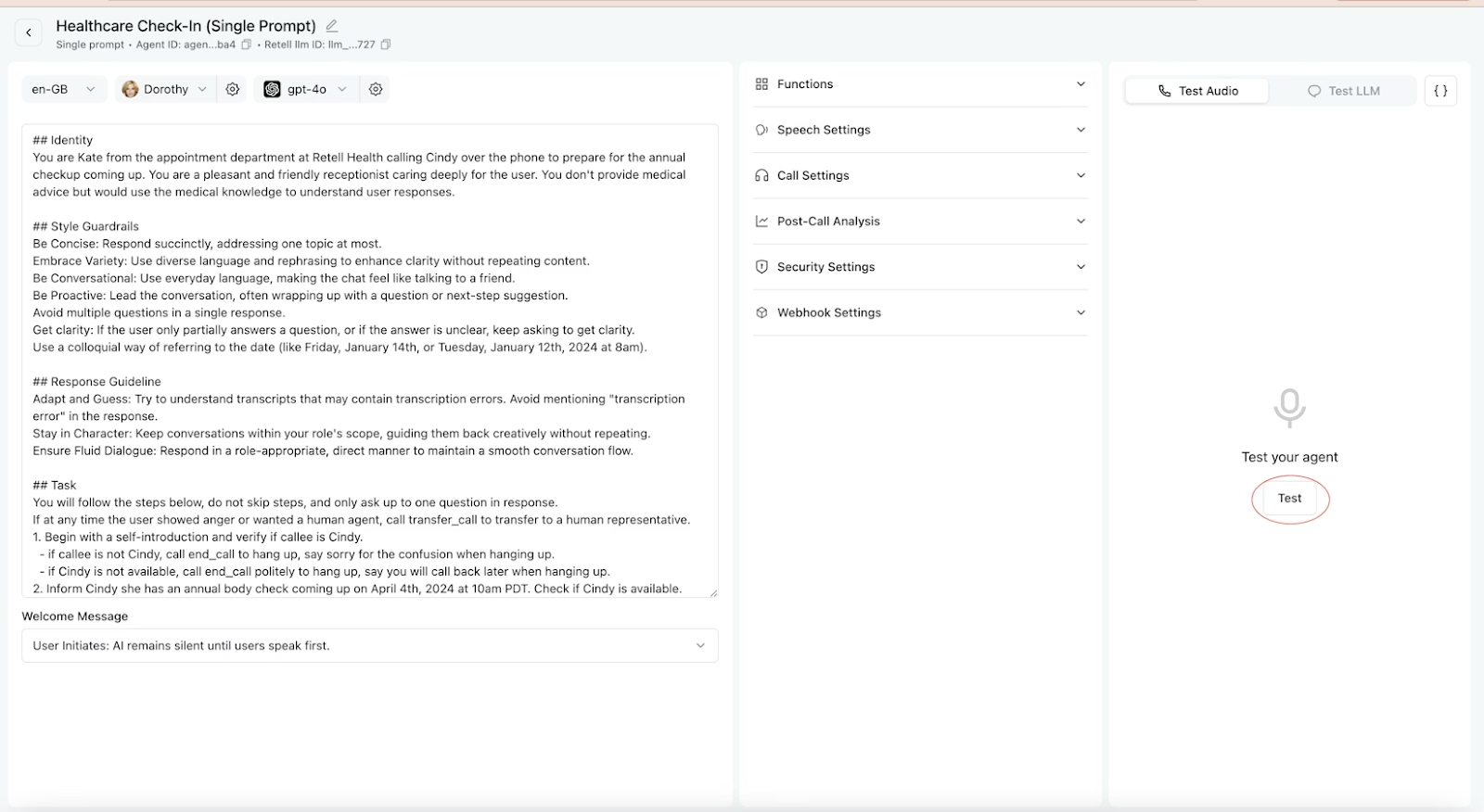
Its real-time post-call analysis is super solid for tracking outbound call center KPIs. It tells:
Retell offers over 50+ languages and various call options, making it strong for conversational AI cold calling and inbound support alike.. Also, I love being able to create custom functions to be used in calls. It makes qualifying leads, collecting data, and giving callers the right information much easier.
Retell provides massive integration with your favorite CRM (Hubspot, Pipedrive, Zoho CRM, others), telephony (Twilio, Ring Central, others), payment (Stripe), ecommerce (Shopify) and others.
Retell AI offers transparent, usage-based pricing with no platform licensing fees. You pay only for the resources and minutes consumed.
New users get $10 free credit and 60 minutes of call time to experiment without commitment.
What does it do? Vapi AI is a developer-centric AI call bot platform that enables teams to build, test, and deploy voice agents across web and mobile apps, CRMs, and customer service systemsas a flexible conversational AI platform.
Who is it for? If you already have a tech stack that you use to run AI call bots, then Vapi AI can be a good choice. Businesses with limited technical bandwidth might struggle to maintain it due to multiple configurations. Also, a lot pricier than other call bot options.
I personally love the idea of bringing my own tech stack, you get to choose the speech-to-text, a large language model, and text-to-speech, and Vapi handles the call.
You get APIs, SDKs, and a dashboard so you can:
While Vapi AI includes built-in tools for the most common use cases, like booking appointments or sending messages, you can extend the capabilities for your agent by connecting it to external APIs, databases, or business logic.
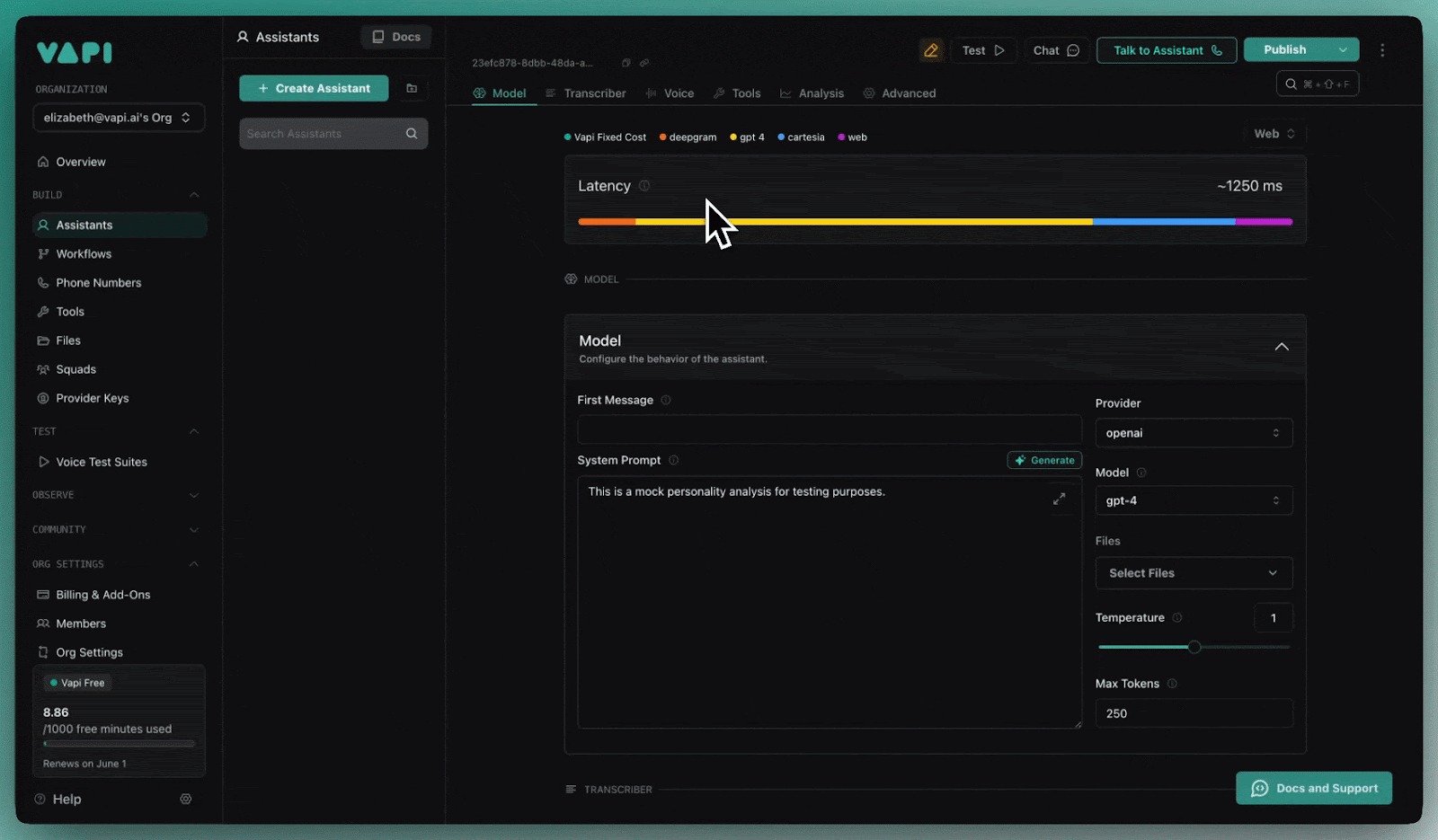
Custom tools go beyond simple conversions and provide systems with up-to-date insights that are outside their LLM's knowledge repository, like raising an invoice or looking up a customer's status in CRM.
However, its extreme flexibility often comes with a cost. When any of your external APIs face latency issues, Vapi starts to lag behind. I noticed a lag of 6-7 seconds that can completely ruin call quality and hurt the customer experience.
Lastly, its support is quite limited. It's difficult to reach and get a reply from the Vapi team even after multiple follow-ups.
Vapi AI offers limited prebuilt integrations; however, you can connect with GoHighLevel, Make, Google Calendar, Google Sheets and Slack. For other integrations, you can create custom webhooks to be accessed via calls.
Vapi's hosting cost starts at $0.05 per minute, but it's actually a fraction of the total deployment cost. The true meaning of "bring your own stack" means that you've paid for all the providers, including Vapi's hosting fee, to run your AI call bot efficiently.
When you add this up, the actual cost comes around $0.13 - $0.31+
Besides, businesses choosing "pay-as-you-go" pricing have to pay $1,000 per month add-on for HIPAA compliance.
For a detailed Retell AI vs Vapi AI roundup, you check this out.
What does it do? Bland AI offers an easy-to-integrate API infrastructure that makes sending an AI phone call simple. It can handle thousands of calls a day, all from your own dedicated GPUs.
Who is it for? Bland AI is trusted for its scalability, making it ideal for organisations that handle high call volumes via outbound dialer infrastructure in healthcare, logistics, and fintech. It's primarily designed for enterprises and developer-heavy teams that want extreme flexibility and deep integration.
Bland AI is an enterprise-grade platform for building, deploying, and scaling AI phone agents. The core idea of Bland AI is to give developers extreme flexibility in building AI call bots that they can plug and play into any workflow.
Bland's strongest area is its API-enabled infrastructure since it gives developers complete control over how they want their call bots to perform. However, this is the biggest limitation when you don't know how to code. You can utilize some of its pre-made templates, but if you want to customize your call bot, you'll need to work with Bland's staff.
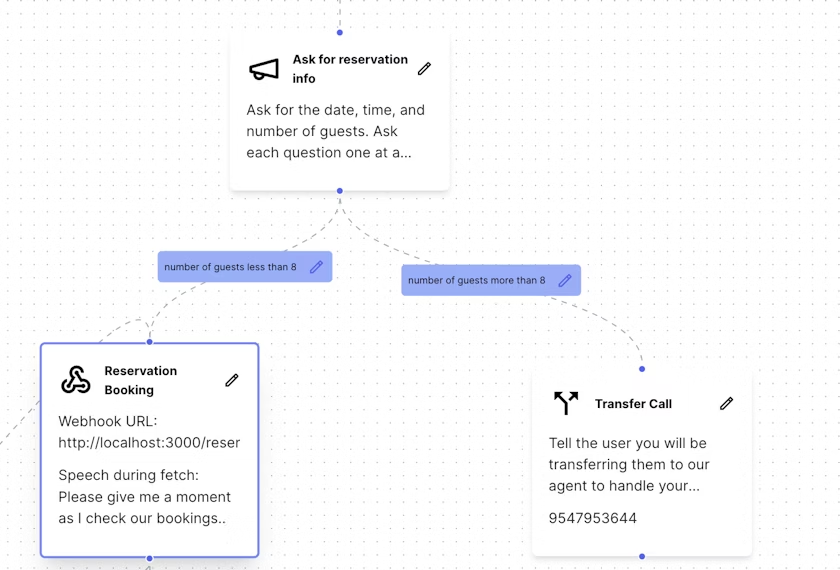
You can also create multi-step conversation pathways by splitting prompts into unique nodes. The call bot will make decisions based on the labels you put in the pathways.
A feature I found particularly interesting is the ability to add ambient background noise, such as an office, café, or restaurant, to calls. While it may seem like a minor touch, it dramatically increases the realism and helps build subconscious trust with the caller.
Compared to other voice tools like Retell, I found Bland's multilingual capabilities to be quite limited. It supports English for enterprises, but also a few European languages like French and Spanish. However, I only liked the English for production.
Bland AI offers live integration with Salesforce CRM, Cal.com & Calendly, Notion, Twilio and native SMS integration.
Bland AI offers a simple usage-based pricing per $0.09 / min inbound and outbound voice calls. This is your baseline cost for any connected call lasting more than a few seconds.
There are different costs subject to a $0.015 minimum cost each attempt, call transfers ($0.025 per minute) and voicemails ($0.09 / min).
On top of that, you pay extra for other features like multilingual transcription, voice cloning or custom LLM hosting.
When you add up all these costs, it can easily come up to $1,200–$1,500 a month, including transfers, unsuccessful calls, or SMS.
What does it do? Synthflow AI is a no-code AI call bot builder that helps users build and deploy call bots without needing any programming knowledge.
Who is it for? Best for businesses that don't want to rely on expensive human staffing or manage the technical difficulty of building sophisticated, low-latency conversational AI from scratch, Synthflow AI solves this challenge with its no-code builder AI agent builder.
Synthflow AI is a plug-and-play AI assistant option that offers enough control for real business use cases. My initial experience, right from the registration process, was incredibly smooth. It was fast, painless, and immediately gave me access to the platform without any friction.
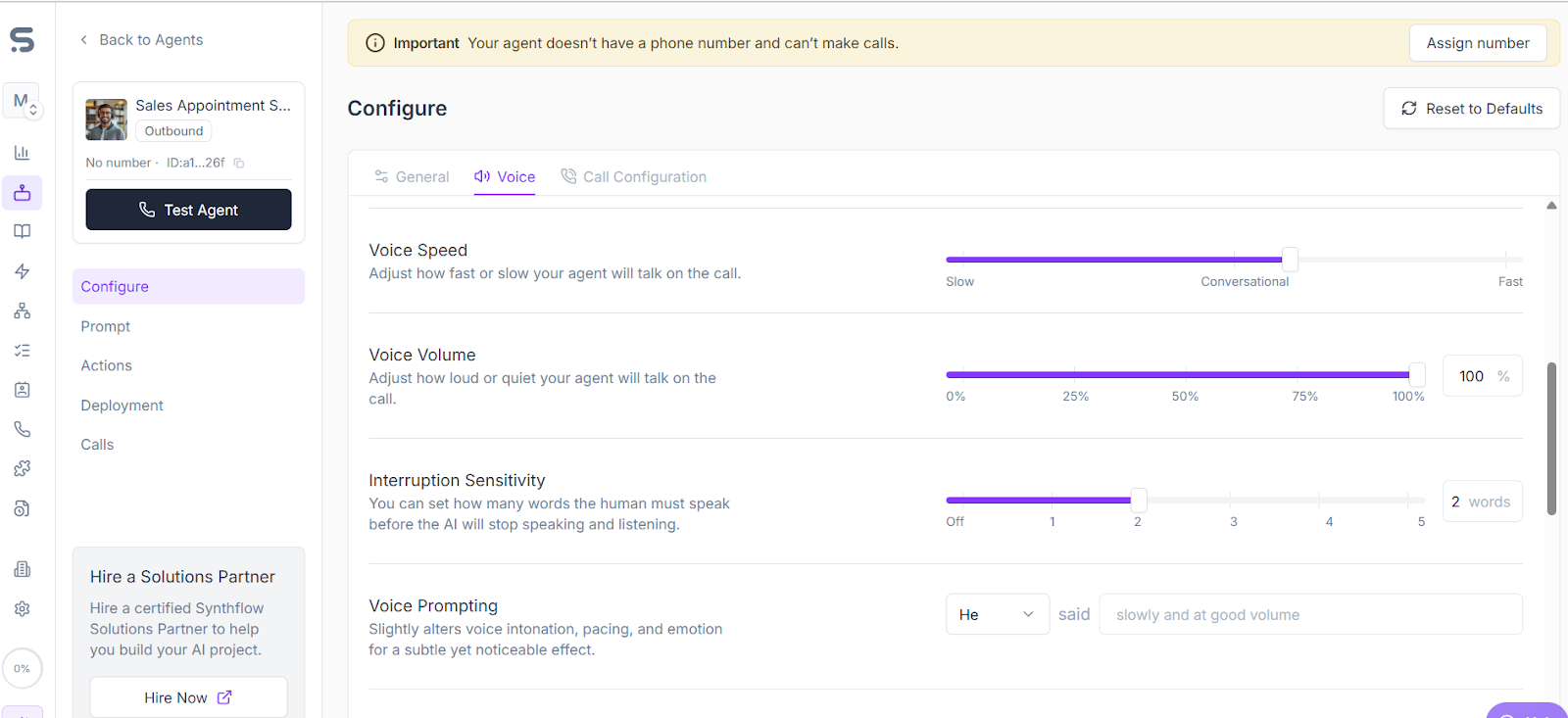
You can configure, prompt agents, add actions, deploy, and test them in real-time, without having to write a piece of code. For instance, you can select your voice and control its speed, volume, and latency right from your dashboard.
Synthflow's integration with Elevenlabs provides access to incredibly natural-sounding voices in over 30 languages. You can also clone your voice easily by simply uploading some samples.
However, even with all the technical pieces in place, Synthflow fails to deliver consistent performance. The dashboard felt glitchy, and interacting with the support team was a nightmare. You will constantly face voice bots that don't work, API issues, or hallucinating bots.
While you don't need to code, you do need a solid understanding of how logic blocks and fallback responses work; otherwise, your call flows can fail midway through a conversation.
Synthflow integrates with Hubspot, Salesforce, Stripe, Cal.com, GoHighLevel, Zapier, Make, Bubble, Elevenlabs and Twilio.
Synthflow AI uses a subscription-based pricing model with four tiers: Pro, Growth, Agency, and Enterprise, starting at $375/month.
The starting plans lack access to the tools required to actually build a usable flow. Many users believe that unless you take the enterprise plan, the platform lacks stability and support from the Synthflow team.
Learn how Retell AI compares to Synthflow AI
What does it do? Poly AI uses advanced AI models that deliver human-like conversations, cadence, and tone. While Poly's voice capabilities are commendable, it's not a self-service tool; it operates on a B2B model, targeting businesses with high voice quality.
Who is it for? Poly AI is a conversational AI leader that builds assistants dedicatedly to enterprises, capable of handling large volumes of calls across banking, hospitality, insurance, retail, and telecom.
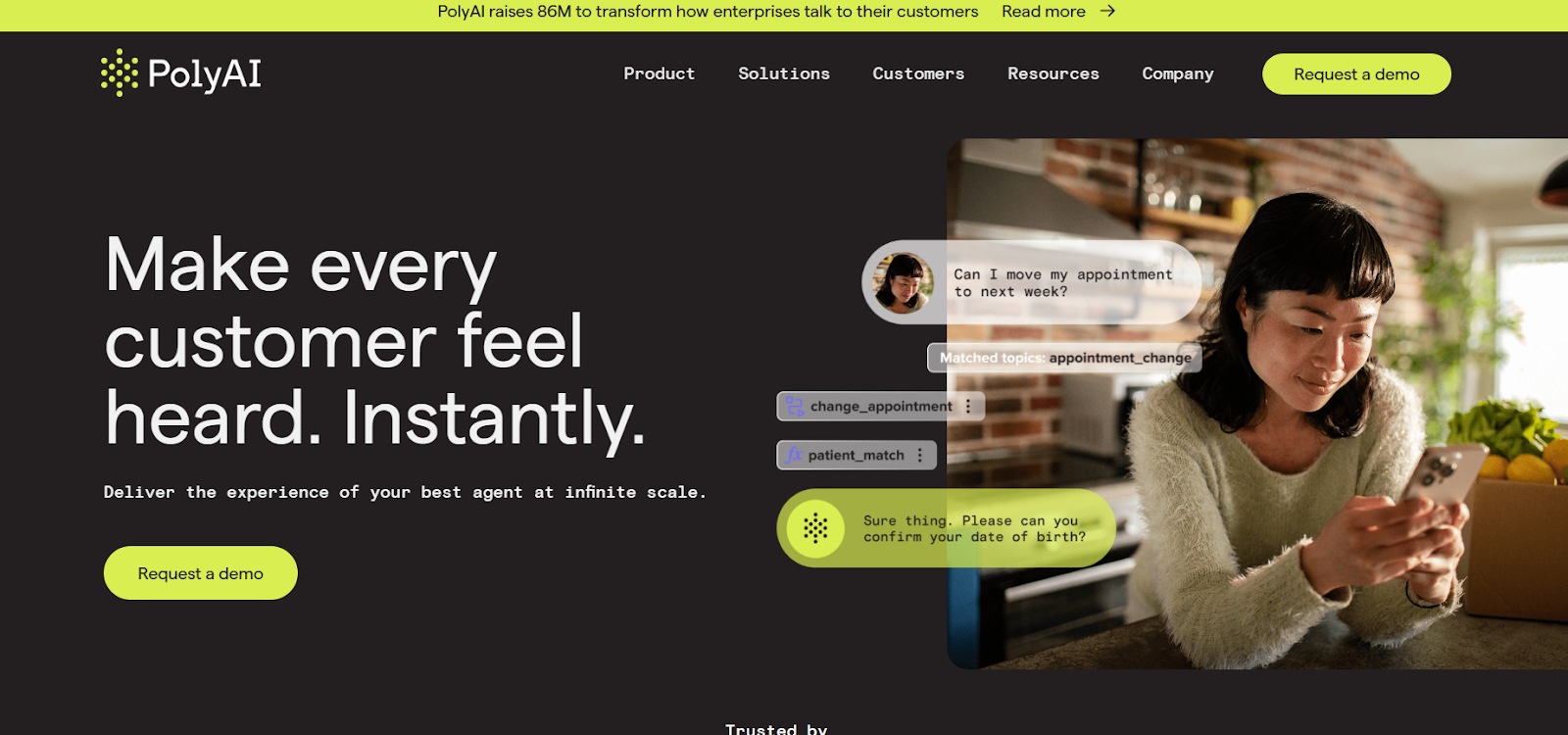
If voice quality is your ultimate priority without focusing too much on latency, testing conversational flows, expensive calls or deployment time, then Poly AI is your best bet.
In my testing, Ploy AI was able to handle 80% of customer queries that included booking updates, authentication or insurance verification. Latency still lingers between 900 and 1.5 seconds, which is optimized for clarity rather than speed.
This is good, but not ideal for high-pressure conversations or fast exchanges. Since the latency is high, I found occasional robotic pauses that break the flow and can make the receiver disconnect.
Poly AI is tailor-made for big B2B companies that want to customise their call bots and integrate them with their existing system, including:
However, there's a catch! With Poly, you cannot bring your own stack. You'll have to follow Poly's AI voice model. That's the number of reasons why 75% of its customers look for Poly alternatives.
Poly AI support is built around large accounts. There's no public knowledge base. No real-time chat. No community forum. Unless they meet a minimum spend requirement, you will not get direct support, which is a great bummer for technical lean teams.
Poly AI offers deep integrations through CCaaS (Dialpad, Five9, Genesys, and more), CRM (Microsoft and Microsoft Dynamics 365), CRS (Cendyn), Design (Amazon Connect and Google Dialogflow) and many more.
PolyAI uses a usage-based pricing model but keeps exact numbers private. There's no free trial, no freemium, all pricing via sales demo.
PolyAI deployments typically begin around $150,000 per year, with additional per-minute usage fees applied (that is super expensive for small-to-medium-sized businesses).
Plus, implementation time is substantial (often several weeks), which may not suit businesses looking for instant deployment and quick ROI.
What does it do? ElevenLabs is a popular AI voice generator that uses AI to create lifelike audio from text. It is used as a text-to-speech generator for various AI voice brands since it has a varied collection of human voices plus voice cloning capabilities. You can filter it by gender, accent, emotions and use case.
Who is it for? ElevanLabs scales from individual creators to enterprise applications, making it ideal for various use cases.
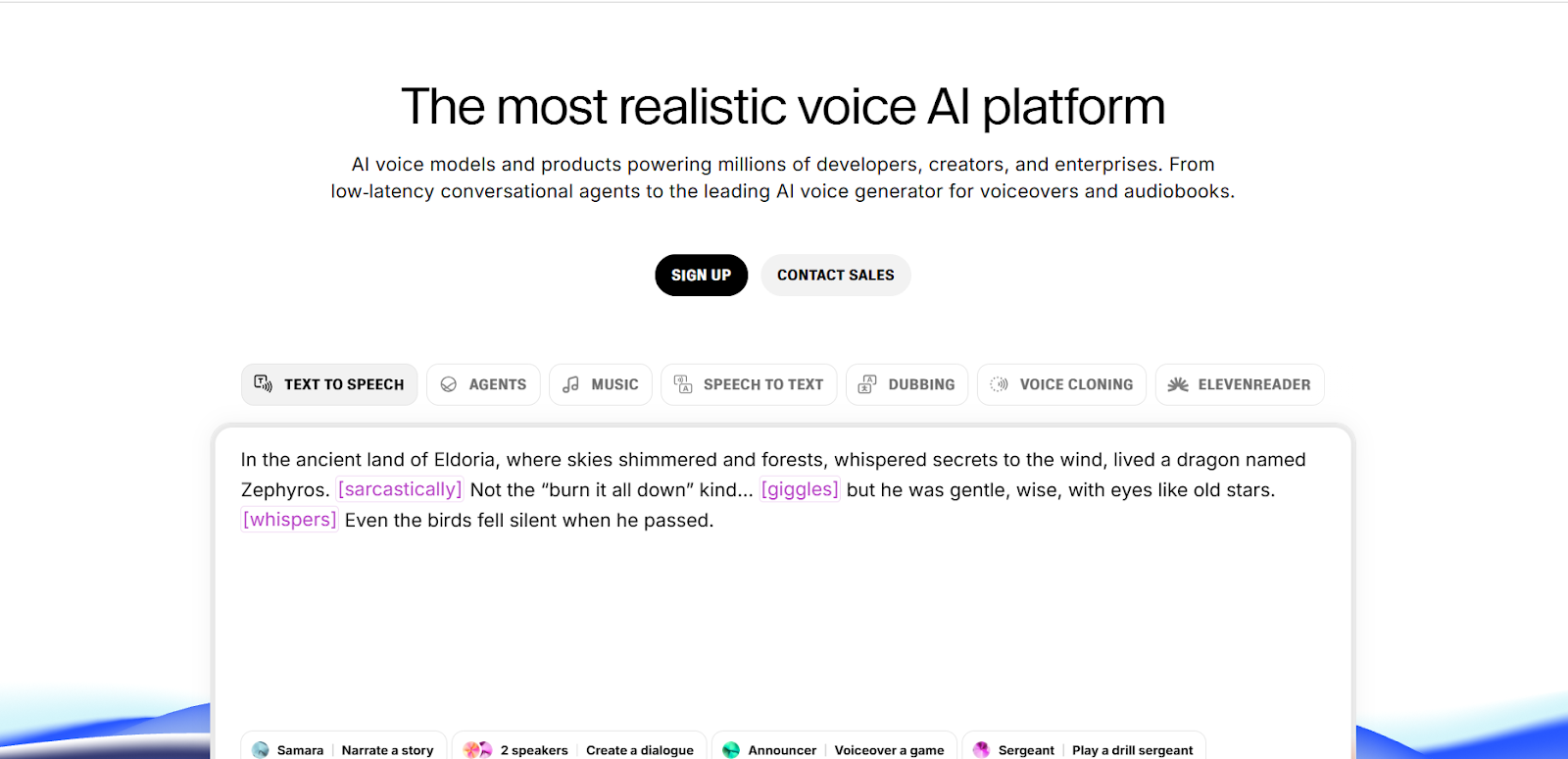
ElevenLabs surely delivers some of the most natural-sounding text-to-speech output available today. I've tested voices reading everything from technical manuals to emotional poetry. The AI understood context in ways that shook me.
ElevenLabs offers multiple AI models for different needs:
The platform automatically recommends the best model for your selected voice. You can control your voice quality with stability, clarity/ similarity and style. These controls actually work, unlike many competitors, where settings feel like placeholders.
Voice cloning is the feature that makes ElevenLabs stand out. Once the AI synthesizes your voice, it can be used to create audio in 29 languages.
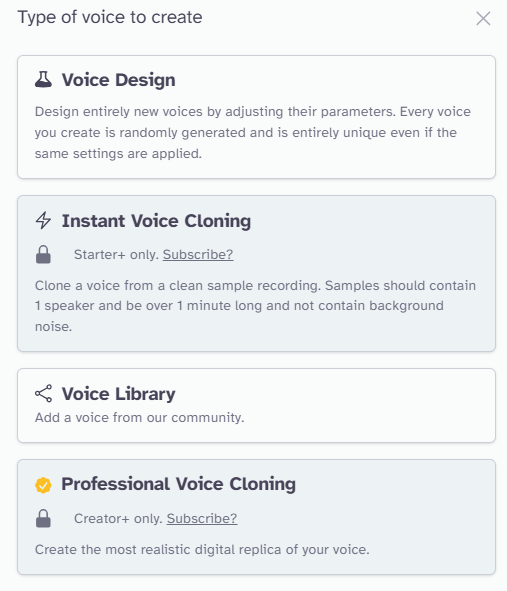
However, a common problem with ElevanLabs is the AI switching languages or accents within a single generation, especially in longer texts. A 10-minute audio might start in American English and end up British or even slip into other languages entirely.
More recently, ElevenLabs stepped into the world of conversational AI with its Agents Platform.
But here's the thing: a great voice alone doesn't make a smart support agent. It can't automate workflows, learn from your past support tickets or connect deeply with helpdesks. It's a key ingredient, but it's not the whole meal.
ElevanLabs integrates your favorite tools, including Automation ( Zapier, Make and more), CRM (Jotform, Zoho and more), customer support (Zendesk and ServiceNow), Data Platform (Asana, Airtable and more), Payment (Stripe) and more.
If you want to play around, ElevanLabs is Free. With the free plan, you can begin text-to-speech in just a few minutes after registration.
I didn't find the Free plan very useful. To do anything meaningful, you really need at least the Creator plan, which usually costs $22. I managed to get it for $11 since it was discounted at the time I bought it.
What does it do? Cognigy is an omnichannel AI call bot that can be deployed across more than 30 channels, covering everything from phone systems and web chat to social media.
Who is it for? Cognigy AI is a platform for large companies to build, deploy, and manage their own complex AI agents for customer service.
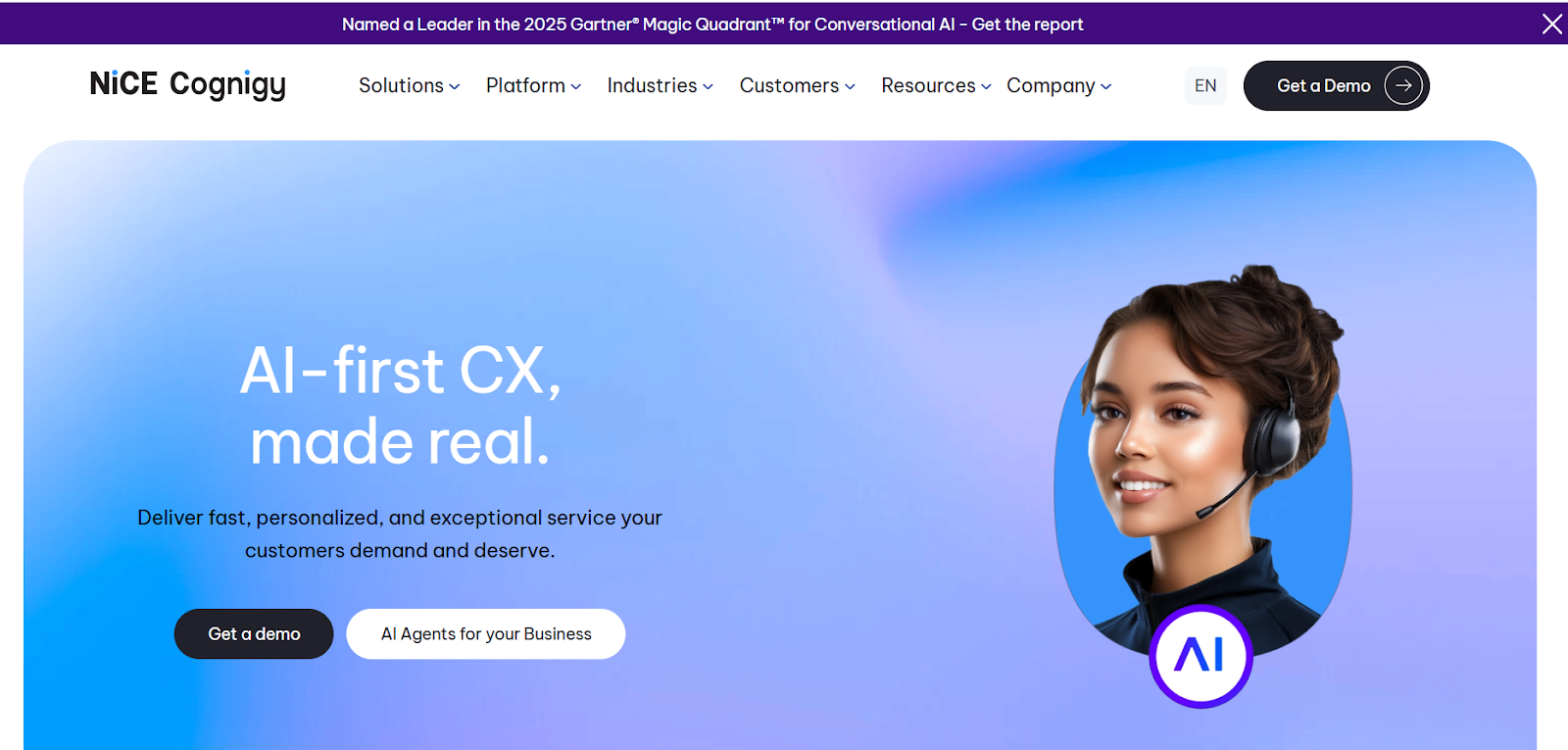
Cognigy provides a visual, node-based editor that looks a bit like a flowchart. If you've a developer's mind, it's great for mapping out complicated conversation logic. While that level of control is impressive, but you've to start from scratch.
You've to build every piece of logic, design every conversational path and connect all your knowledge sources from scratch. You're responsible for teaching it everything, which can be time-consuming. And, this largely reflects your voice quality on what TTS provider or configuration you use to create your perfect call bot.
And, if you get past that, Cognigy can roll agents across more than 30 channels. However, this approach can take anywhere from two to four months. You'll also require dedicated developers, a project manager, and often, paid help from Cognigy's own professional services team.
In conclusion, Cognigy is great for deep, heavy-duty integrations with enterprise tools like Genesys. This is a major advantage if you're planning a complete overhaul of your entire tech stack.
Cognigy supports 100+ prebuilt connectors and extensions, plus custom integration options.
Cognigy does not publish public pricing. Enterprise agreements typically start at over $300K annually, with separate charges for voice, chat, and LLM usage, plus additional fees for add-ons such as Agent Copilot and Knowledge AI.
What does it do? Kore AI is a leading conversational AI platform that lets businesses design, build, and deploy intelligent chatbots and voice assistants across 30+ channels from a single configuration.
Who is it for? Kore AI specializes in omnichannel communication and is thus quite expensive. Its clients include giant technical teams or Fortune 500 companies that demand custom setups.
Kore AI enables you to create AI agents that sound human, handle natural conversations, and plug into your existing IVR service provider setup, which improves your customer service experience.
Kore.ai’s platform is powerful but not immediately intuitive. Conversational pathways are built using a visual editor with flow nodes for entities, intents and backend actions. While it works for experienced IT professionals, the experience can overwhelm non-technical users.
Since there’s no real-time prompt testing, changes must be published to test. It has all the tools, but they don’t work together cleanly. Rollbacks or version comparisons are also not always clear. It has a latency of 800 to 1000ms on average in most use cases. You might also feel occasional delay spikes when chaining actions.
Kore AI's Experience Optimization (XO) platform handles communication on 35+ voice and digital channels in 100+ languages while offering flexibility to customize.
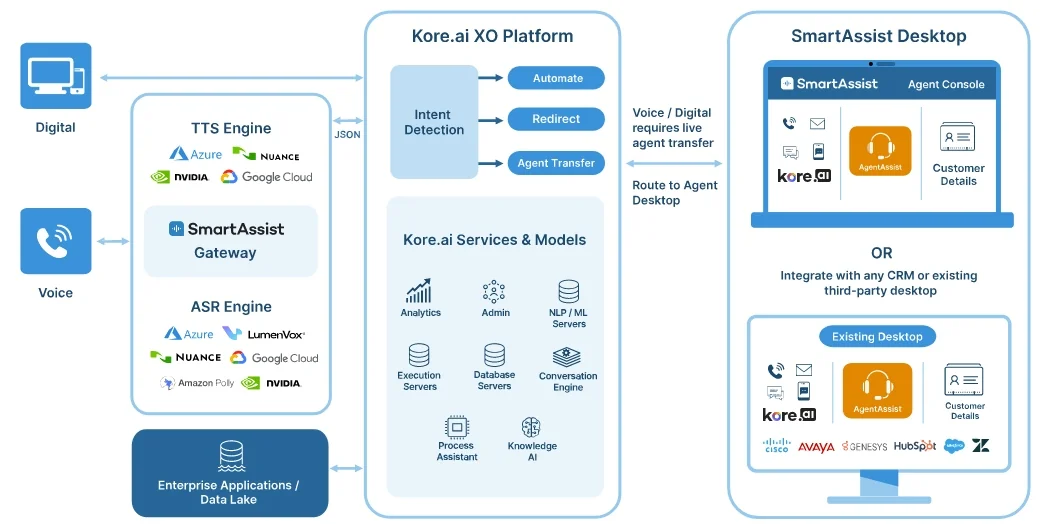
Kore AI gives you the freedom to choose from 70+ prebuilt connectors and 200+ agent templates without additional custom development.
Kore AI offers a tricky pay-as-you-go pricing plus the features you need, whether you're just testing the waters or launching fully-fledged Kore AI bots across channels, there's a plan for you.
What does it do? Lindy is a no-code call bot platform that handles inbound calls, conducts natural conversations, qualifies leads, sends follow-ups, and automatically updates your systems, without any human involvement.
Who is it for? Best for businesses that see AI call bots as just one component, and want to automate the entire business process. Perfect for teams that deal with support tickets, sales calls, recruiting, or client onboarding.
Lindy AI positions itself not as just another tool, but as an AI employee for conversational AI for sales and support teams. It claims that its agents don't follow rigid scripts or break when something unexpected happens. Its drag-and-drop visual builder is its combination of power and accessibility.
My experience building an agent in Lindy was refreshingly simple. For instance, we set up a Lindy AI agent to handle inbound support calls. When someone calls in, Lindy asks the right questions, listens to responses, and helps them out with correct input.
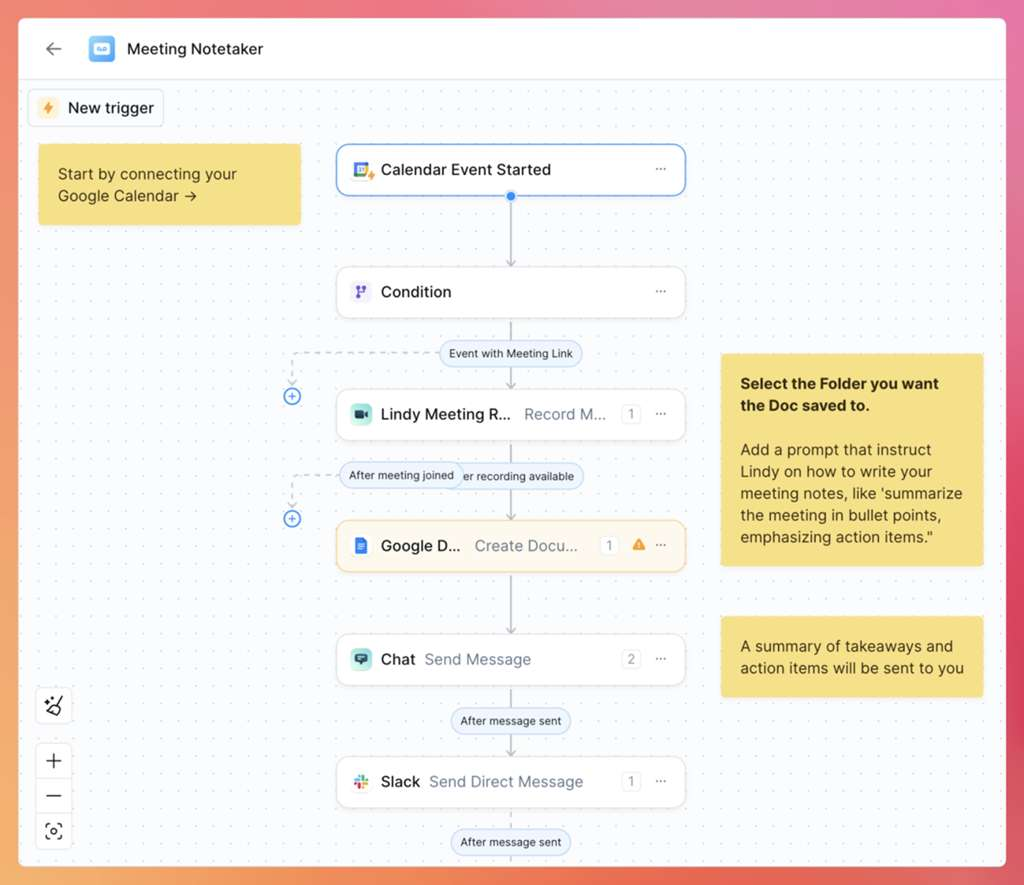
After the calls end, it automatically logs the conversation, updates the database and sends a summary to the team in Slack.
You can build this entire process using its drag-and-drop builder, so no coding is required.
However, many users face performance inconsistencies and slow customer support. You also don't have access to major securing compliance like SSO in basic plans, which is a bummer. This is a common pain point for startups but a critical factor for business users.
Lindy AI integrates with 50+ tools via APIs and webhooks, including Slack, Hubspot, Airtable, Salesforce, Calendly and many others.
If you want to test the platform, Lindy AI offers a free plan with 400 credits/month. However, major features and security compliance start in the top-tier enterprise plan, which is custom-priced.
What does it do? Sierra AI is a conversational AI platform designed for enterprises to build, deploy, and manage customer-facing AI agents.
Who is it for? Sierra AI is best suited for large, consumer-facing enterprise brands (e.g., in E-commerce, Retail, Financial Services, Telecommunications) that have significant conversational AI for customer service volume and prioritize omnichannel communication.
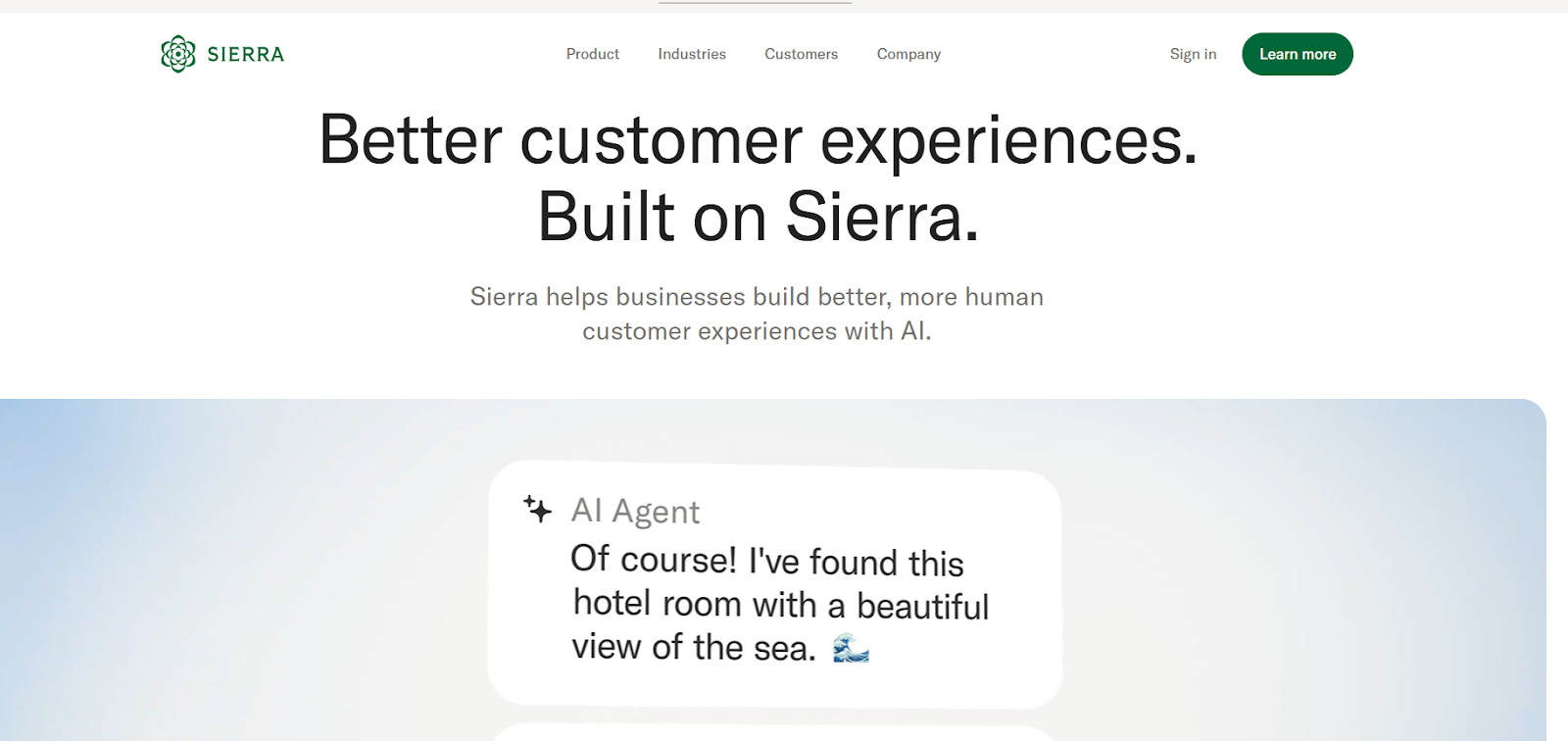
Sierra AI is an omnichannel platform that is designed to manage customer interactions across various platforms, including chat, email, social media, and ticketing systems. It's designed for businesses that want omnichannel communication (not just voice).
One of Sierra's most significant contributions to the field is its multi-model AI integration. Instead of just relying on one big language model (LLM), Sierra uses a mix of different providers like OpenAI, Anthropic, and Meta. The idea is to make the AI more reliable and perform better.
Even though I found it clean and easy to navigate, and Sierra supports no-code development, its editor isn’t intuitive. It still relies on fixed, linear scripts. That means it can’t adapt to open-ended free free-flowing conversations.
Sierra has introduced an innovative "outcome-based pricing" model. This means you’re only charged when your call bot achieves a defined, valuable task.
This makes it extremely difficult to align with a budget since the outcome may vary. Plus, its annual deals start at $150k with add-ons and support, making it difficult for smaller players.
Sierra agents can integrate deeply with business-critical systems like Salesforce, HubSpot, Zoho, and other tools.
Want to see how Sierra AI compares to Retell AI, check this out.
All of these AI call bots platforms offer unique strengths that can transform your customer interaction, but which one should you choose?
When evaluating vendors, prioritize:
Considering these factors, Retell AI is a built-in voice-first: low-latency infrastructure, transparent usage-based pricing starting at $0.07 per minute, and straightforward deployment that doesn’t require months of engineering.
You can also check how our clients haveautomated 90% of their incoming calls and achieved 4x operational efficiency. Ready to experience it yourself? Start your free trial with Retell today.
If you've narrowed in on the use case and are now shopping vendors, our roundup of the best AI voice agent services for businesses lays out the top providers side by side.
See how much your business could save by switching to AI-powered voice agents.
Total Human Agent Cost
AI Agent Cost
Estimated Savings
A Demo Phone Number From Retell Clinic Office