How to Integrate
Setting Up the Retell AI + Salesforce Integration
In Salesforce, go to Setup, then Apps > External Client Apps > External Client App Manager.
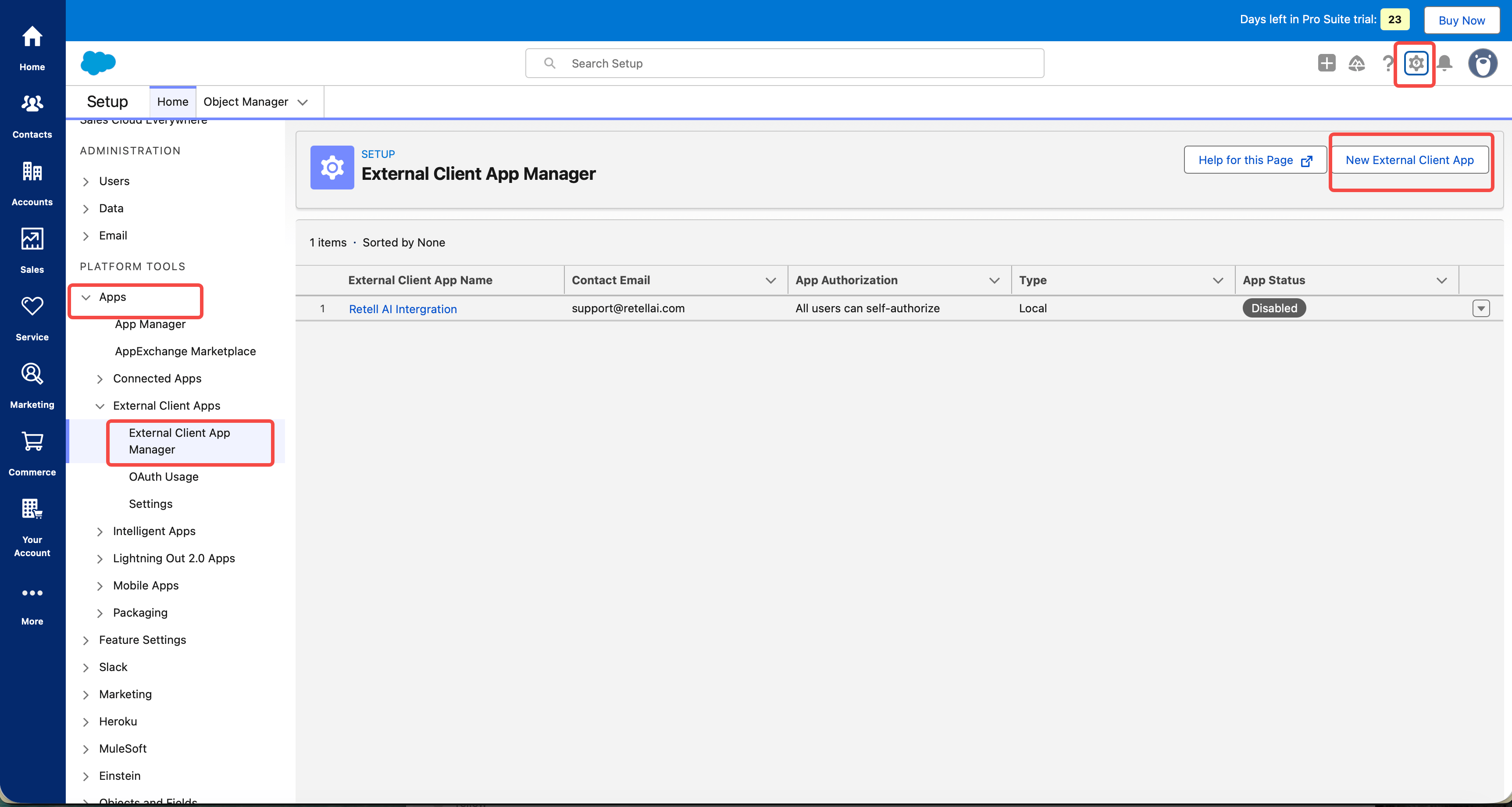
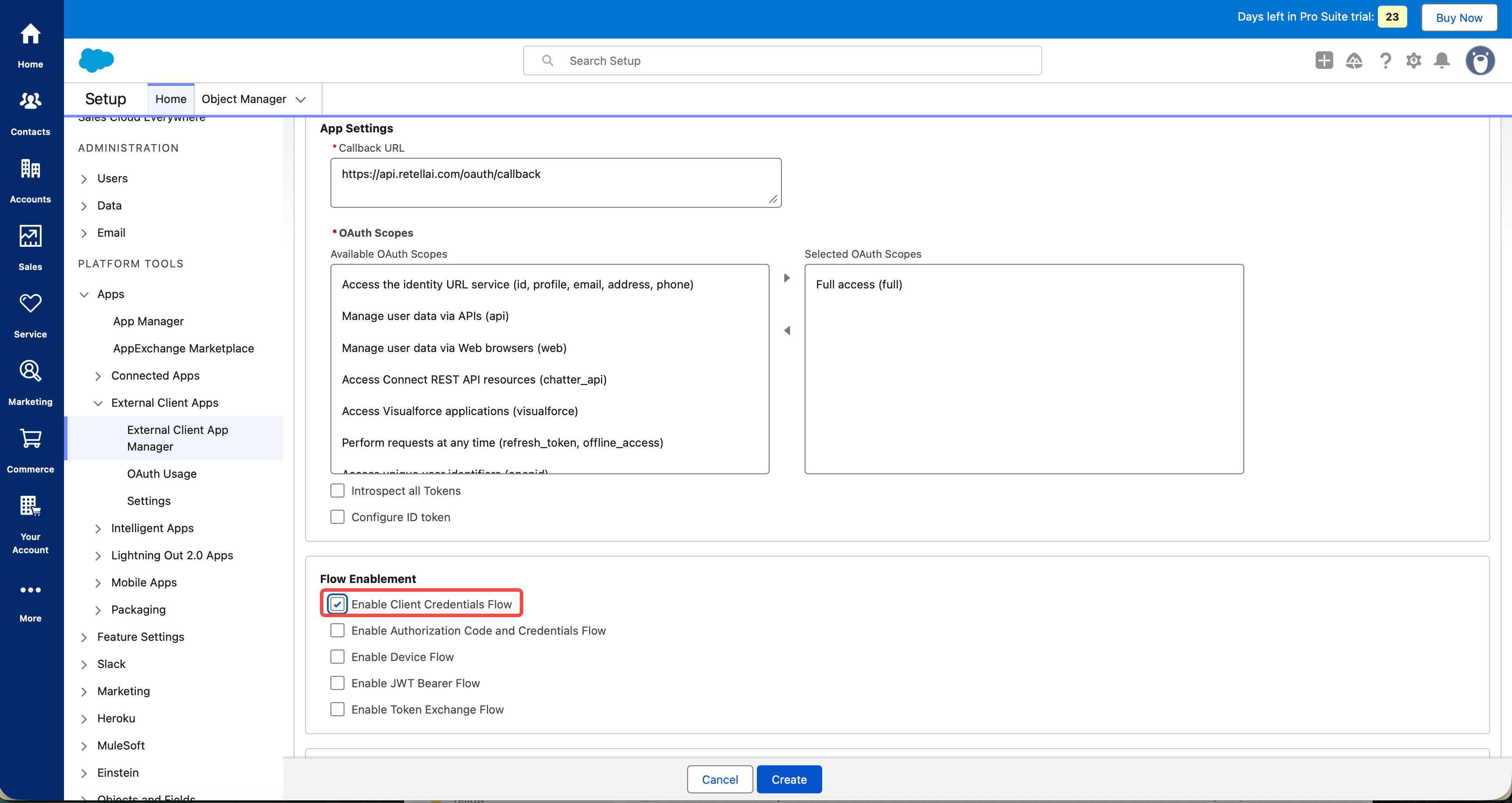
Click New External Client App and turn on OAuth with the Client Credentials Flow.
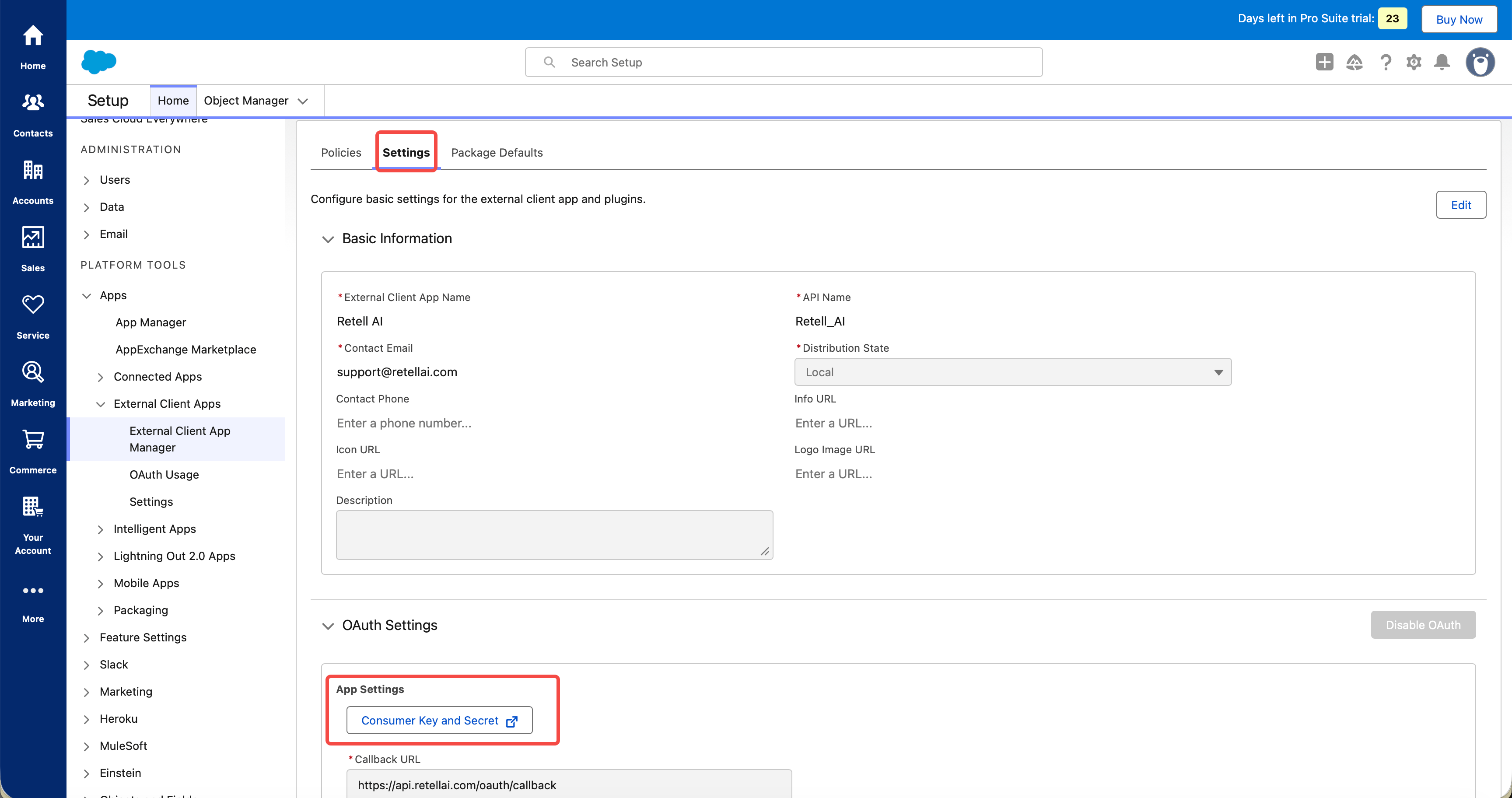
Copy the Consumer Key and Secret from the app's Settings tab.
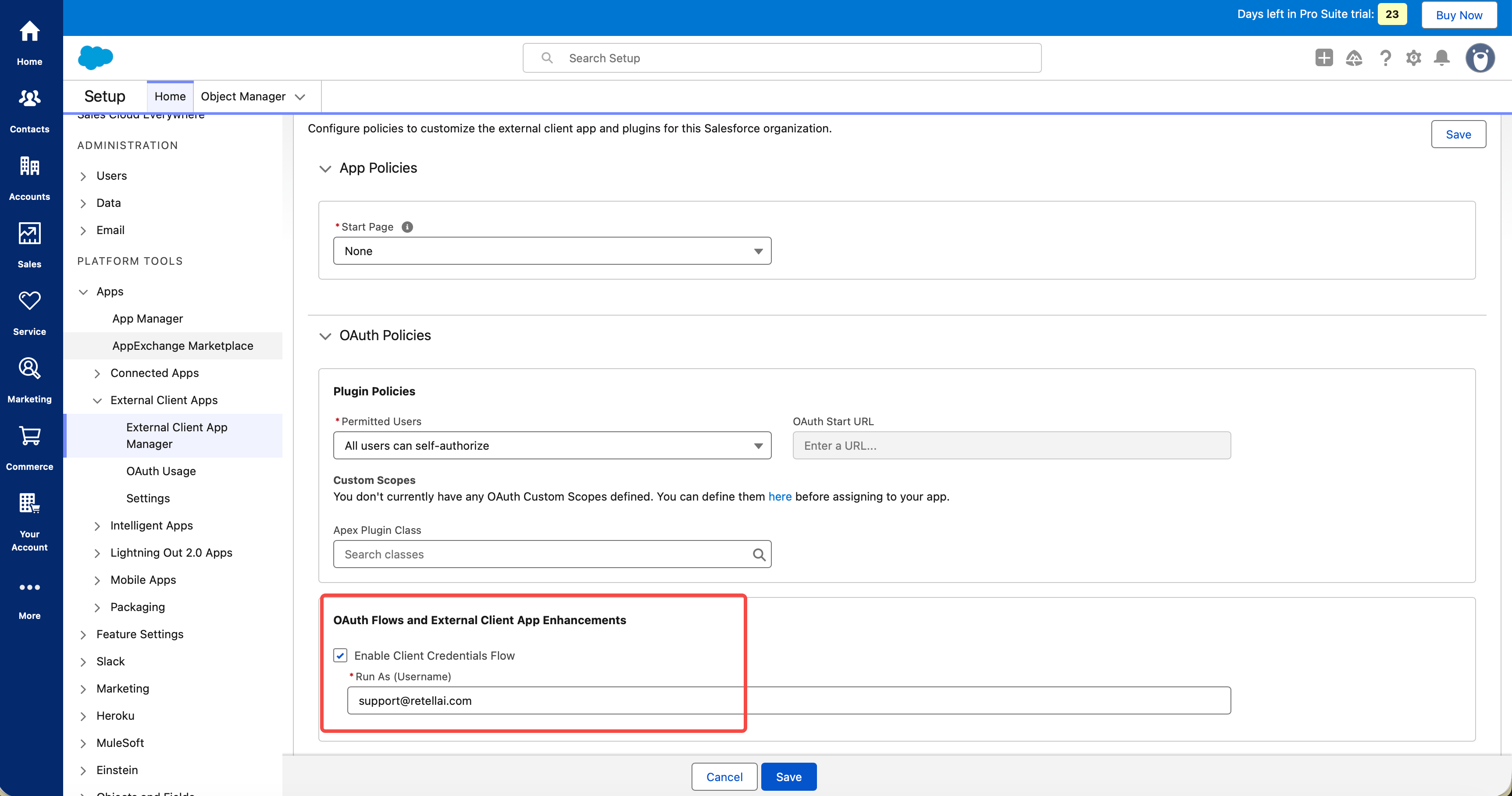
On the Policies tab, set Run As to your Salesforce integration user.
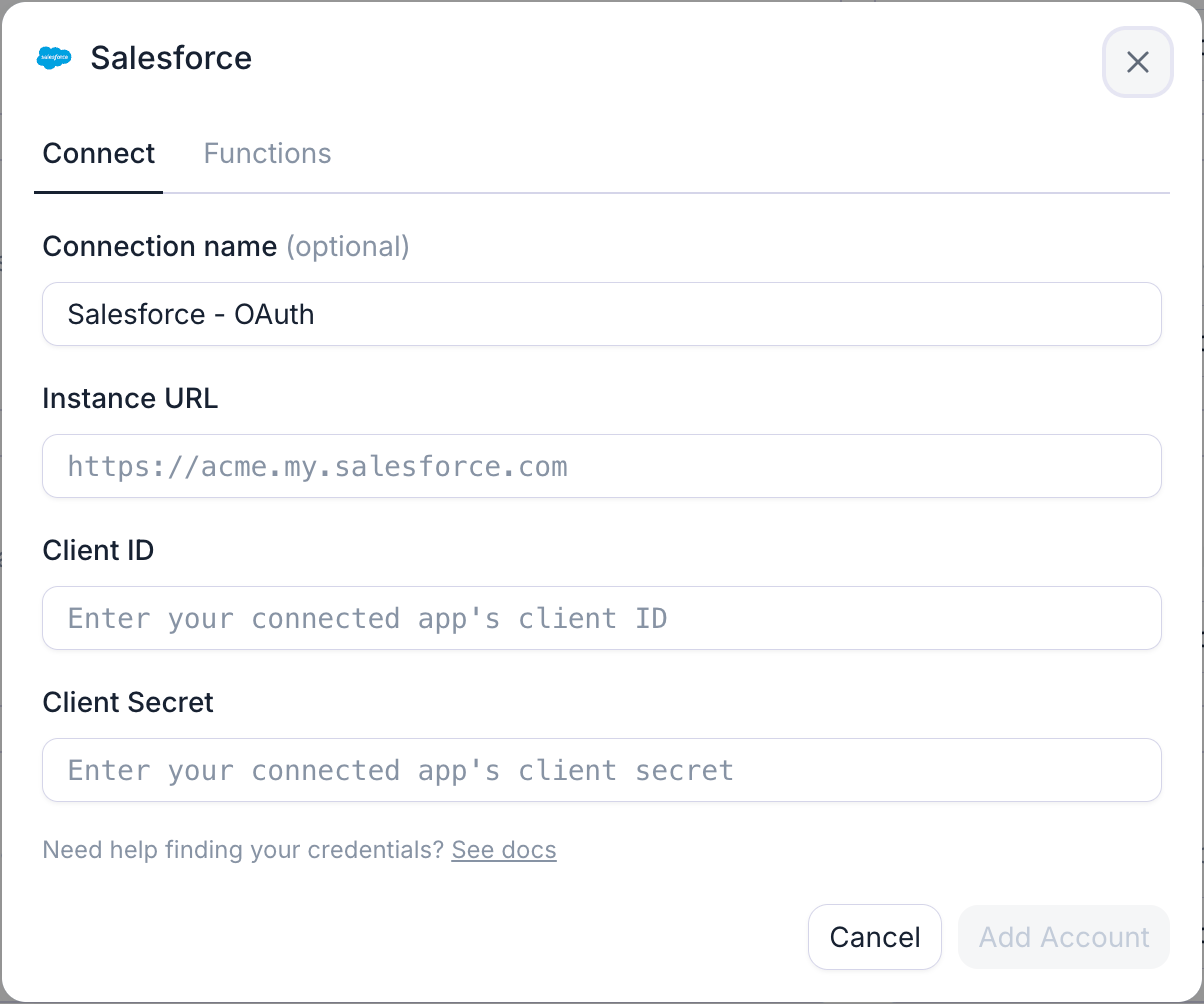
In Retell, open Integrations, find Salesforce, and click Connect.
Paste your Instance URL, Client ID, and Client Secret, then click Connect.
Example Workflow
Inbound call → look up Contact by phone → agent greets by name → after the call, update the Contact and create a Task with the AI summary
Contact sync keeps Retell's built-in contact list aligned with Salesforce — see Salesforce contact sync docs For the full list of agent actions, see the Salesforce functions docs.

Connect Salesforce to Retell















.avif)
.avif)
.avif)

.avif)
.avif)


.avif)

-Logo.wine.svg)


.svg)


