Conductor is Everywhere Brings AI Voice Agent Observability to Every Page

Conductor is Everywhere Brings AI Voice Agent Observability to Every Page
ブログ一覧へ戻る
Add Retell AI as a preferred source on Google
このページの目次
トップへ戻る

TL;DR: Conductor is Everywhere now exists in every page, not just the agent page. It knows which page you opened it from, and it can still reach the rest of the workspace from there. Ask a question in plain language and it applies the filters, reads what you attach, and explains what it found. It can build an Analytics chart and put the approved version on a dashboard. You now have much more flexibility to search and ask questions within Retell.

An important executive in the organization asks why last week's "call successful" rate fell. The available analytics show the drop but lack valuable context.

To find the calls behind it, you:

  • Open Call History and filter to last week.
  • Pick out the ones that ended without a resolution.
  • Read the transcripts. You are looking for the moment where the agent gave a wrong answer, transferred a call it should have handled, or never made a lookup it needed.
  • Check what changed on the agent. Perhaps someone edited the prompt or a function started timing out.
  • Open AI QA as well. It keeps its scores on a separate screen, meaning any call it graded requires opening that too.

Most teams have one person who can work through all of this, but that means every question about agent performance waits on them.

But a better way has arrived: our Conductor is Everywhere now runs on every page in Retell, not just the agent page. It reads the page you have opened, so the agent, the call list, or the chart in front of you is already part of the conversation. It is aimed at builders, operations teams, QA leads, and anyone who reviews calls in volume.

The question a user starts with can be a plain business question. The answer doesn't require knowing the right tab or filter to use.

Conductor is Everywhere can now pull in context from other pages.

Why does a voice agent metric change without an explanation?

Most agent failures end in a completed call. The caller hangs up and the transcript saves. From there, the platform records the call as normal.

Retell AI's vCX-Hard benchmark graded 27 models on the hardest turns from real contact center calls. Of the 1,514 tool-calling cases in the set:

  • 897 were calls the agent should have made and skipped.
  • Another 520 were calls nobody asked for.
  • Only two involved picking the wrong tool.

Nearly every failure was a judgment call about when to use a tool. A skipped lookup does not interrupt the call. The agent keeps talking and the caller hears a normal conversation until the answer arrives.

The prompt, the model, the function list, and the knowledge base are identical on the call that worked and the call that failed. Nothing errored, which means nothing was logged as an error. The only record of the decision is the call transcript where the agent made it.

At budget time, someone will likely ask:

  • how much business the agent handled last quarter
  • what it got wrong
  • what has been fixed since

Those answers typically come out of the same manual review. Conductor is Everywhere moves organizations past these manual processes, allowing users to seamlessly explore issues with the agent and deploy suggested solutions.

How do you go from manual review to operational efficiency at scale?

Open Conductor in Analytics and ask why a particular number, such as "call successful rate," changed. Analytics saves you from having to name the dashboard you want to look at. The same question can be asked from any other page in Retell.

In other words, you can type "Why did my call successful rate drop this month?" and stop there.

You can also highlight a label on the dashboard, and Conductor picks it up as part of the question. Conductor pulls the data behind the page and builds a chart that answers the question while also explaining what the chart shows. Approve the chart and it goes on the dashboard.

You can also build a dashboard this way from nothing. Describe the view your team needs, approve the chart Conductor proposes, and repeat until the dashboard contains what people check each week. Nobody needs to know which fields to use as breakdowns.The description functions as the specification.

How do you perform a root-cause pass on failed calls with Conductor is Everywhere?

You can start in Call History, or ask from wherever you already are.

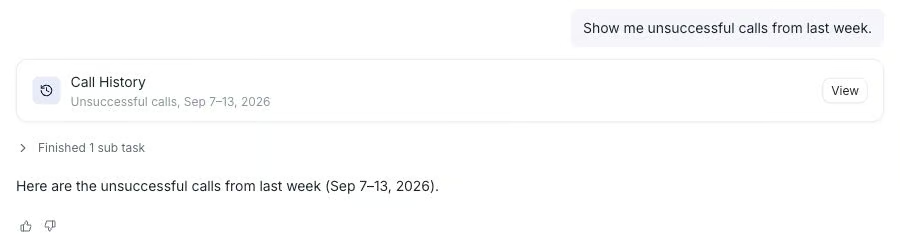
  • Ask for last week's calls and Conductor applies the filter.
  • Select the ones that failed and ask what went wrong across them.
  • Pick calls that already have something in common, such as every call that ended in a transfer.

Conductor reads those calls, then tells you what they have in common and names the likely causes. It also recommends a next step.

A navigation card opens the agent that handled those calls, and the calls stay attached to the conversation. You can read the agent's prompt and settings while the evidence of the problem is still in front of you.

What do I do with what Conductor finds?

Each of the sections above ends by providing the user with something to do next. The chart proposal, the root-cause pass, and the cohort summary each close on a recommended step, and a navigation card will take you to the right screen to undertake it. Things that can be asked include the following:

  • Ask "What do I do with this call history pattern?" and Conductor gives you a recommendation.
  • Ask "What should I know from this week's calls?" and you get a rundown of what changed, which agents account for it, and what to look at first.
  • A QA lead can ask what to fix before the next cohort runs.
  • A builder can ask which node in the flow is producing the transfers.

What does Conductor do with an AI QA cohort?

AI QA scores live calls against criteria that your team establishes. A cohort is a set of those calls together with the configuration used to score them. Conductor will read both.

Open a cohort and ask what it found. Conductor gives you a plain-language summary with ranked findings, then will list what to look at next.

A QA lead doing this manually has to open each scored call, read it, and remember it well enough to compare against the next one. By contrast, Conductor goes through the whole cohort and reports what the low-scoring calls have in common without changing the cohort or rescoring anything. The criteria are yours to write and edit.

Can Conductor walk you through a feature you have never opened?

Conductor knows which page you are on. Ask it how to do something, such as set up an AI cohort, and it will run a highlighted walkthrough that points at each step in order.

Walkthroughs can work from any page. Ask from Analytics and it starts with the steps that get you to AI QA, then carries on through the feature itself.

Navigation cards can move you to an agent, a filtered call list, a dashboard, or a QA cohort without closing the conversation.

Conductor's replies can include navigation cards with a View button.

The walkthrough runs as an overlay on the live page itself. A QA lead opening AI QA for the first time will be looking at their own cohorts while Conductor points at the appropriate controls. As a result, the QA lead can learn about a new feature in the place where they do their work.

A conversation that started in Call History still has context about those calls after you move to Analytics. You can select failed calls on one screen and ask about them on another without having to select them again.

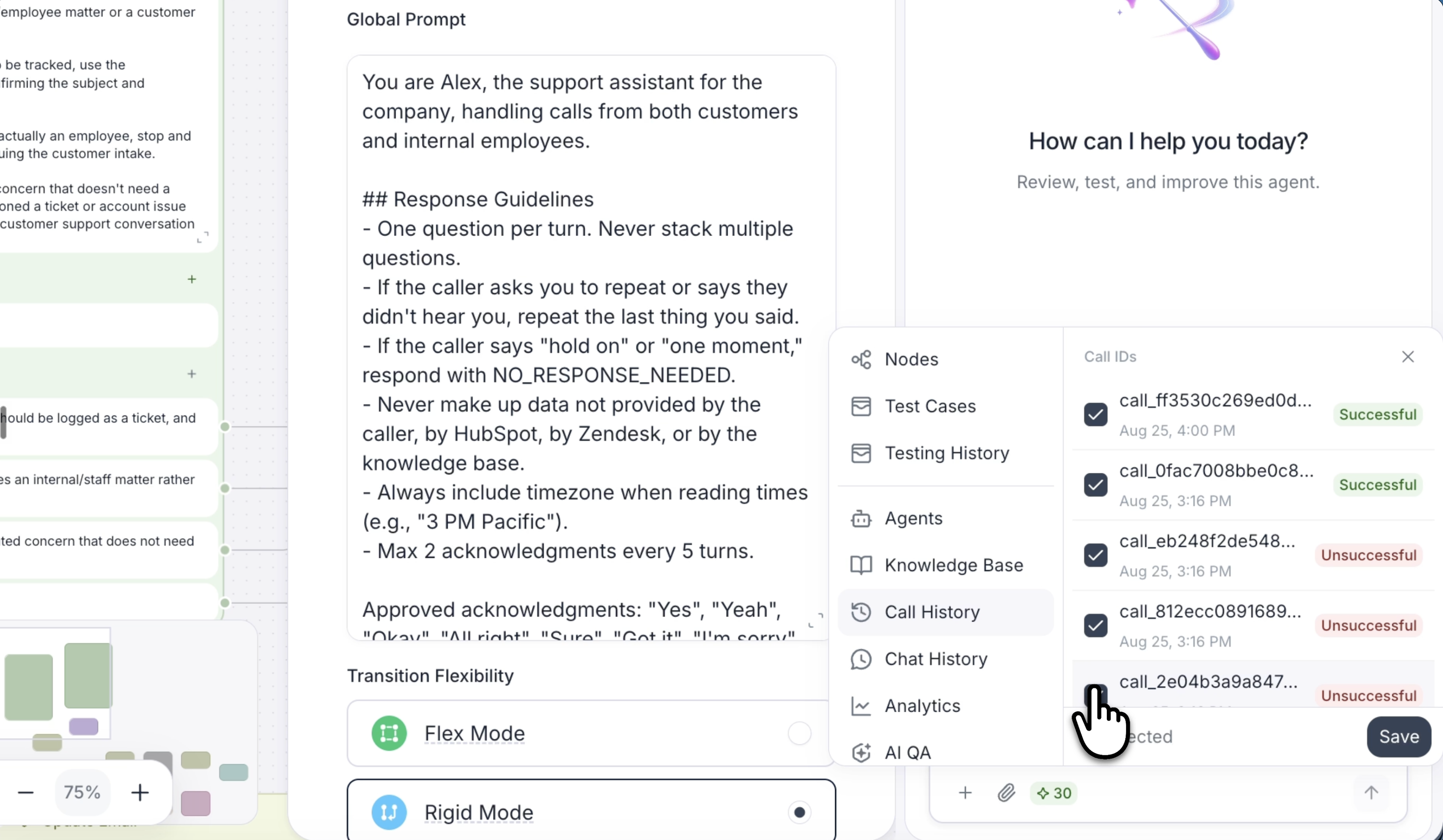
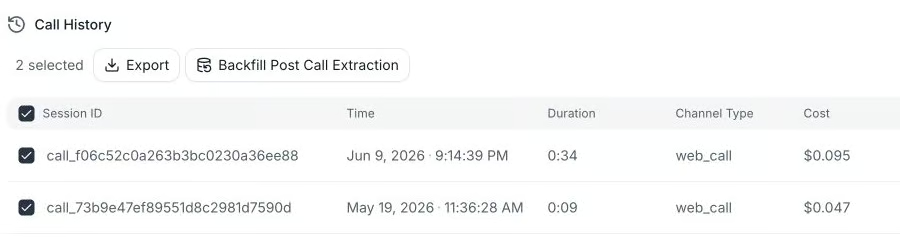
On Call History or Chat History, click Select, check the conversations, and open Conductor. The selected rows appear as context chips. Ask, for example, “What do these conversations have in common?” Here are two calls selected from the agent's history.

How do builders bring a conversation flow into Conductor?

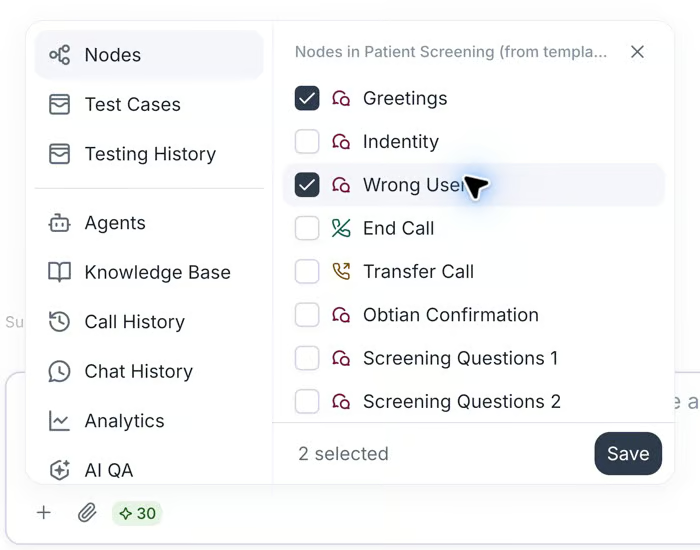
A builder working in a conversation flow can multi-select the nodes and use Conductor to bring them in to add context. Bringing these nodes in saves writing out what that part of the graph does. The question can then be about the branch seen on screen instead of the agent as a whole.

Attach resources for files when your request concerns a specific item. They appear as context chips above the message box. After choosing several resources with multi-select, click save.

There are several ways to bring context in:

Agents, knowledge bases, and sets of calls attach to the conversation as chips you can see and remove.

Files drag in.

Highlighted dashboard text goes in the same way.

Inline links in Conductor's replies point back to the individual calls, chats, and nodes it referred to. In a long conversation, those links are the way you find which call it meant. With Conductor is Everywhere, everything you need is right where you can find it.

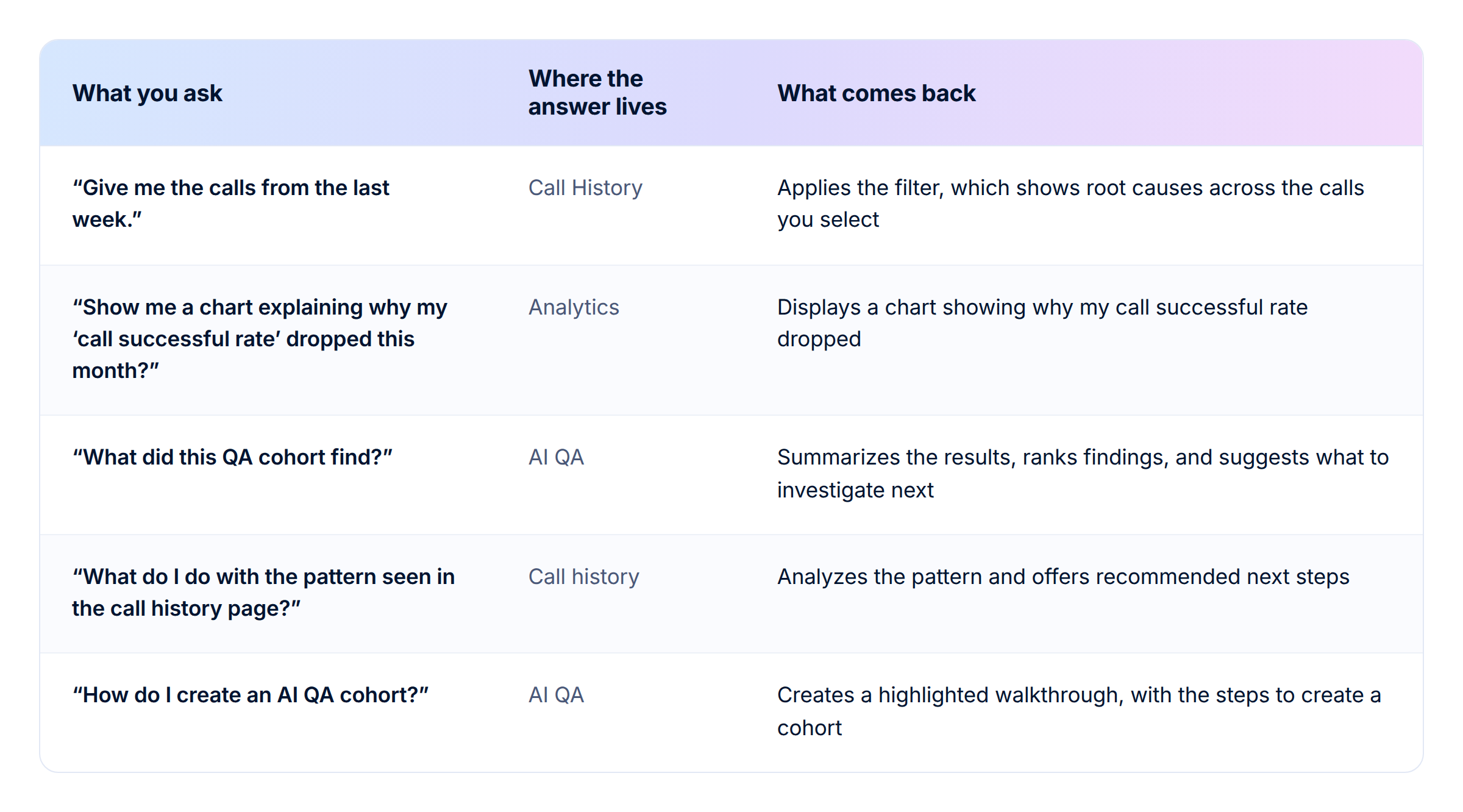
Six starting questions and how Conductor is Everywhere answers them.

What does Conductor is Everywhere not do?

Conductor will not change production agents on its own. It reads what you attached and proposes a change. Someone on your team approves that change or rejects it.

Conductor also will not:

  • write to the knowledge base
  • generate simulation tests unless asked to do so
  • schedule work

This release covers analysis, guidance, and review. Continuous improvement is a longer-term direction for the product.

Where does Conductor fit alongside the rest of Retell?

Conductor is Everywhere reads all three from whichever page you started on, with no export step in between.

We built the first version of Conductor as a copilot for building agents. It writes the prompt, sets voice and model, handles interruption settings, and converts a single-prompt agent into a conversation flow. Our second version reads calls, explains why a metric changed, and reports what a QA cohort found.

Open Conductor from any page in Retell. Start free or talk to our team about a rollout across your agent team. The vCX-Hard benchmark results have the model data behind some of the failure patterns mentioned above.

ROI計算ツール
通話の自動化によるROIを試算

AI搭載の音声エージェントに切り替えることで、あなたのビジネスがどれだけ節約できるかをご確認ください。

完了しました! 
送信内容がメールに届いています
エラーが発生しました。フォームの送信中に問題が起きました。
   1
   8
20
エラーが発生しました。フォームの送信中に問題が起きました。

ROI結果

2,000

Total Human Agent Cost

$5,000
/month

AI Agent Cost

$3,000
/month

Estimated Savings

$2,000
/month
ライブデモ
ライブデモを試す

Retell クリニックオフィスのデモ電話番号

ありがとうございます!送信が完了しました!
エラーが発生しました。フォームの送信中に問題が起きました。

Read Other Blogs

No items found.

Revolutionize your call operation with Retell